
Bertrand Gonthier Payet
Participating Frequently
July 7, 2023
Question

Lightroom Classic export problem

  • July 7, 2023
  • 4 replies
  • 1023 views

Je ne sais plus ou poster ?

un bug et quand je passe via lightroom 

je retombe sur la même page et un expert me donne un lien

qui retombe sur la même page dois je quitter l'abonnement lightroom pour un autre logiciel

car j'ai un bug qui se résoud que par des questions


This topic has been closed for replies.

4 replies

AxelMatt
Community Expert
Community Expert
July 8, 2023

It's the error only by one file? If yes, the file seems to be corrupt.

On which action you get the error message? Developing, export,....?


Please try is to switch off the GPU support from the Lightroom preferences and check if that helps to fix the issue.

Go to Lightroom > Preferences > Performance tab > Uncheck "Use Graphics Processor" > Restart Lightroom.

https://helpx.adobe.com/lightroom-classic/kb/troubleshoot-gpu.html

Another step is to try to reset the Lightroom preferences.

https://www.lightroomqueen.com/how-do-i-reset-lightrooms-preferences/

It's recommended to backup your preferences before you reset the preferences to the default settings:

https://helpx.adobe.com/lightroom-classic/kb/preference-file-and-other-file-locations.html


If this doesn't help we need more informations about your environment.

Please provide also a copy of your 'System Info'. This can be get from the LrC Help > System Info menu item.

There's a copy button in the System Info dialog. Press this button and paste the info into your next forum post.


My System: Intel i7-8700K - 64GB RAM - NVidia Geforce RTX 3060 - Windows 11 Pro 25H2 -- LR-Classic 15 - Photoshop 27 - Nik Collection 8 - PureRAW 5 - Topaz Photo
JohanElzenga
Community Expert
Community Expert
July 7, 2023

Always start in Discussions. I have moved this post to there. If it is a bug, then your post will be moved by a moderator. Please explain your problem and mention versions of Lightroom, your type of Mac and the version of MacOS.


-- Johan W. Elzenga
AxelMatt
Community Expert
Community Expert
July 7, 2023

Please decribe your problem more detailed.

What do you trying to do when the error occur?

Is it always the same file?

Which version of Lightroom do you use?

Which operation system (type and version) do you use?

Please provide also a copy of your 'System Info'. This can be get from the LrC Help > System Info menu item.

There's a copy button in the System Info dialog. Press this button and paste the info into your next forum post.


My System: Intel i7-8700K - 64GB RAM - NVidia Geforce RTX 3060 - Windows 11 Pro 25H2 -- LR-Classic 15 - Photoshop 27 - Nik Collection 8 - PureRAW 5 - Topaz Photo
Bertrand Gonthier Payet
Participating Frequently
July 7, 2023
re , I have the latest version of lightroom 12.4
mac mini M1
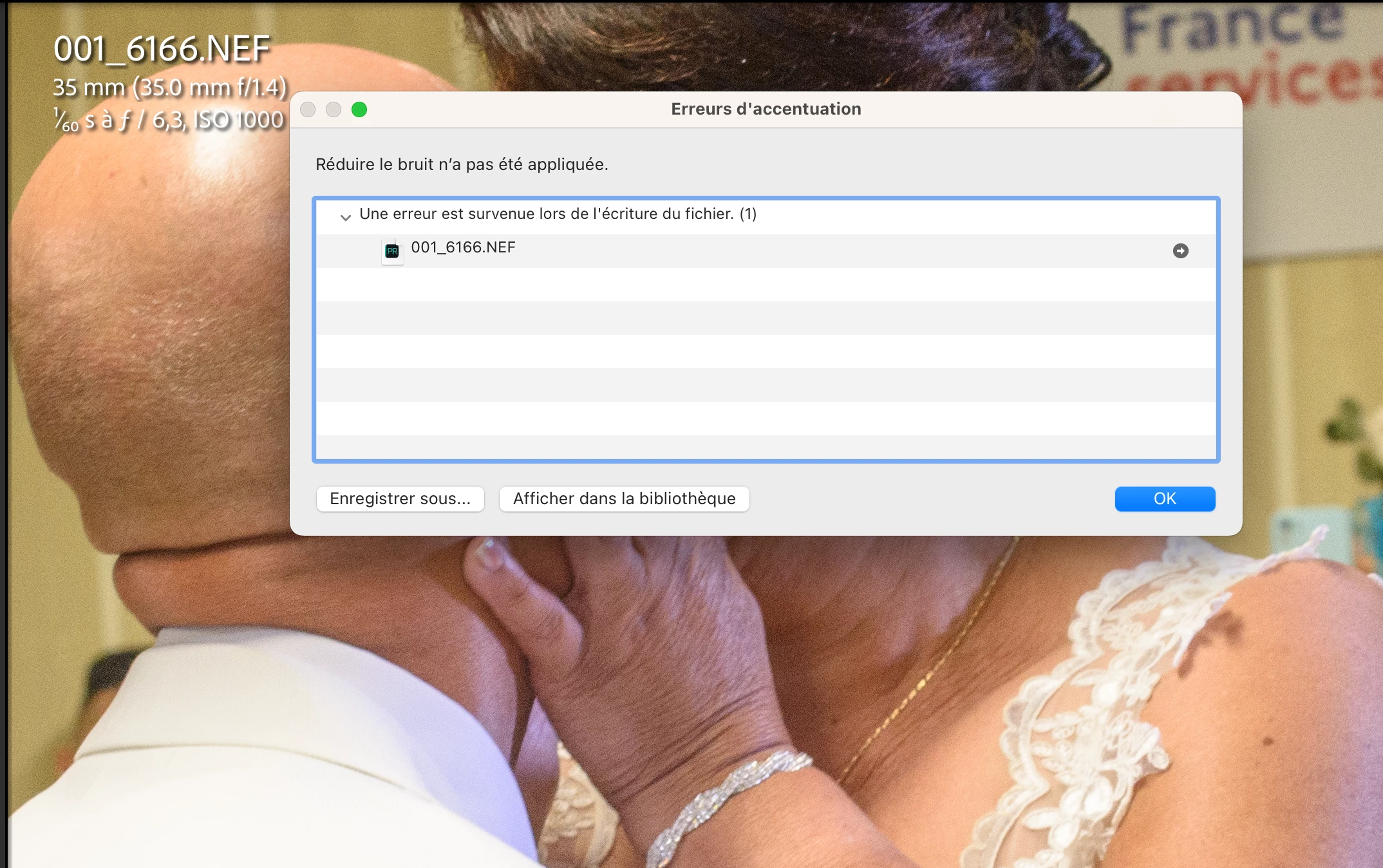
All nef files I can process but I have a bug see pictures
JohanElzenga
Community Expert
Community Expert
July 8, 2023

I'm not sure what I am supposed to see in all those screenshots (except the problem in your earlier screenshot), but check this: Apple changed the security requirements in MacOS Monterey and later. Go to MacOS 'System Settings - Security & Privacy' and add Lightroom Classic to "Full Disk Access". Click on the lock icon to unlock the settings (not needed in Ventura), then click on the plus icon to add Lightroom Classic if it isn't already listed. If it is listed, then just enable the checkbox (or the switch in Ventura). See also Quick Tips: How to give Full Disk Access to Lightroom Classic on macOS


-- Johan W. Elzenga
Bertrand Gonthier Payet
Participating Frequently
July 7, 2023

Bonjour à toute l'équipe en utilisant la réduction de bruit avec IA j'ai eu les messages suivants : erreurs d'accentuation (une erreur est survenue lors de l'écriture du fichier )


Bertrand Gonthier Payet
Participating Frequently
July 7, 2023

Bonjour à toute l'équipe en utilisant la réduction de bruit avec IA j'ai eu les messages suivants : erreurs d'accentuation (une erreur est survenue lors de l'écriture du fichier )

kglad
Community Expert
Community Expert
July 7, 2023

in the future, to find the best place to post your message, use the list here, https://community.adobe.com/

p.s. i don't think the adobe website, and forums in particular, are easy to navigate, so don't spend a lot of time searching that forum list. do your best and we'll move the post if it helps you get responses.


<"moved from using the community">