
Lightroom Classic import is agonizingly slow
When I press the import button, it can take anywhere from one to five minutes for the import window to come up with the left and right panels fully populated. I never insert an SD card until after the import window is up, so the main window is initially empty. No other Lightroom operations are slow. No other programs are running.
Slow import began after my PC was upgraded to Windows 10. On Windows 7 (same machine, different OS), import was blazingly fast.
In order to populate the left panel, Lightroom must ask Windows for all its files and devices, including network shared folders. I wonder if this is where the delay occurs. As you can see, I have one network share mounted as drive Z:
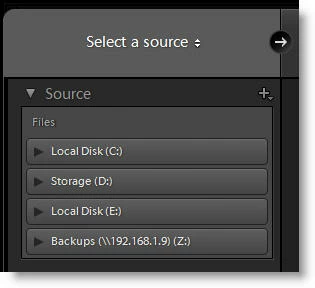
Drives C, D, and E are internal drives. Any ideas for what I might try to identify the problem?
 AdChoices