
Lightroom Classic - Syncing to Lightroom Cloud is Stuck
I am looking to the Adobe Community (and Adobe Technical Support) to see if anyone can help me with syncing issues between Lightroom Classic and Lightroom Cloud.
I am running Lightroom Classic (Release 12.5 Build 202308091523-68a7abd6) on my Windows PC (Windows 10 Professional). I am also running Lightroom Cloud (Version 6.5) on my Windows PC , on my iPad, and from https://lightroom.adobe.com . I have a Lightroom Classic collection that I have set to "Sync with Lightroom". I have a set of 300 images that I wish to add to that collection in Lightroom Classic and have them sync to Lightroom Cloud.
If I add all 300 images at once, the sync process will eventually get "stuck".
I started again from scratch and have performed an iterative process of elimination, so that I have identified some specific images in this set which will always cause the syncing process to get stuck. By "stuck", I mean that the syncing status in Lightroom Classic will always appear as follows (whether I wait a minute or many hours):
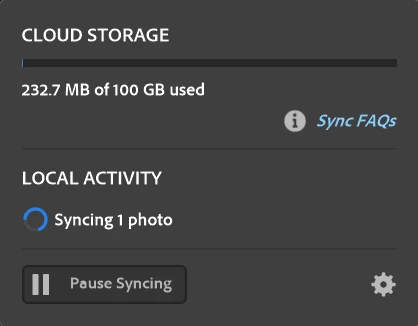
I never see any indication of this image anywhere in Lightroom Cloud. I do not see any folders containing sync issues or anything like that. When I view the "Lightroom Sync" status in Lightroom Classic (Edit -> Preferences -> Lightroom Sync), the "Sync Activity" section is empty, which seems to be in contradiction to the status indicating that 1 photo is in the process of syncing.
When I eliminate the particular image which is causing the syncing process to get "stuck", everything seems to be okay, the syncing status in Lightroom Classic indicates "Synced", and my Lightroom Classic collection and Lightroom Cloud show identical sets of images.
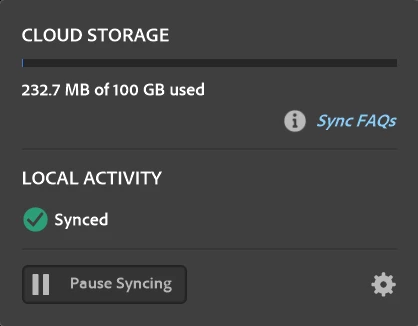
When I add other images, the syncing process works correctly - the syncing process in Lightroom Classic proceeds in an expected timeframe, and I then see the expected images in Lightroom Cloud (Windows application, iPad app and https://lightroom.adobe.com ).
The 300 images are a hodgepodge collection of Canon RAW files, JPEG files from older (mostly Canon) digital cameras, and JPEG images which were scanned (mostly Epson scanners). Some of the files were initially imported into Adobe Photoshop Elements prior to that catalog being migrated to Lightroom Classic.
The most interesting case to me is a pair of images which I took using a Canon PowerShot S500 in 2005. The metadata indicates a "Software" field with a value of "Adobe Photoshop Elements 4.0". These 2 images were taken 8 seconds apart; there are slightly different exposure settings due to one image being taken at a wide angle while the other was zoomed in a bit. One of these will always fail to sync; the other one will always sync successfully.
I have not learned of any log files that I can examine for this.
I did have a support session (via chat) with an Adobe tech support rep named Poonam on 2023-09-14, but we got disconnected somewhere along the way after I provided him with a copy of an image that will always cause the issue. (It would have been nice if he would have reached out to me - my account information does have a valid email address and phone number.)
I would prefer not to remove and reimport photos from my catalog, as I have applied metadata (tags and keywords) and have used the "Develop" module on many of these images.
I did find a thread on the Adobe Community site here - https://community.adobe.com/t5/lightroom-classic-bugs/p-lightroom-classic-no-longer-syncs-completely-successfully/idi-p/12419664#comments - but I did not find anything in the thread which could assist me.
I can share these 2 files if anyone wants to see if they can reproduce the issue.
 AdChoices