
Participating Frequently
February 19, 2021
Answered

Lightroom Classic v9.1 color/bit depth issue

  • February 19, 2021
  • 4 replies
  • 903 views

Hello everyone! 


I ran out into some strange problem that no one of my photography friends could help me.

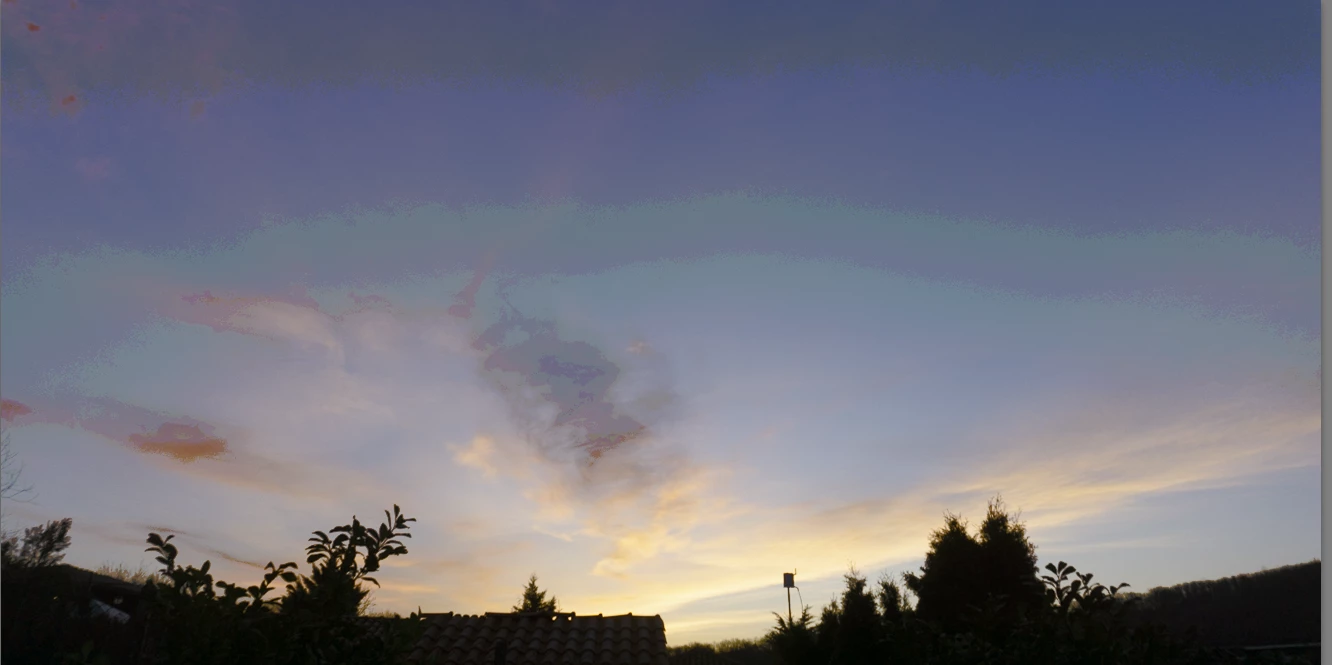
I'll attach a screenshot of it because I don't know how to describ

e it. It looks like the color depth has become lower and I did everything I thought of to fix it but to no avail. 

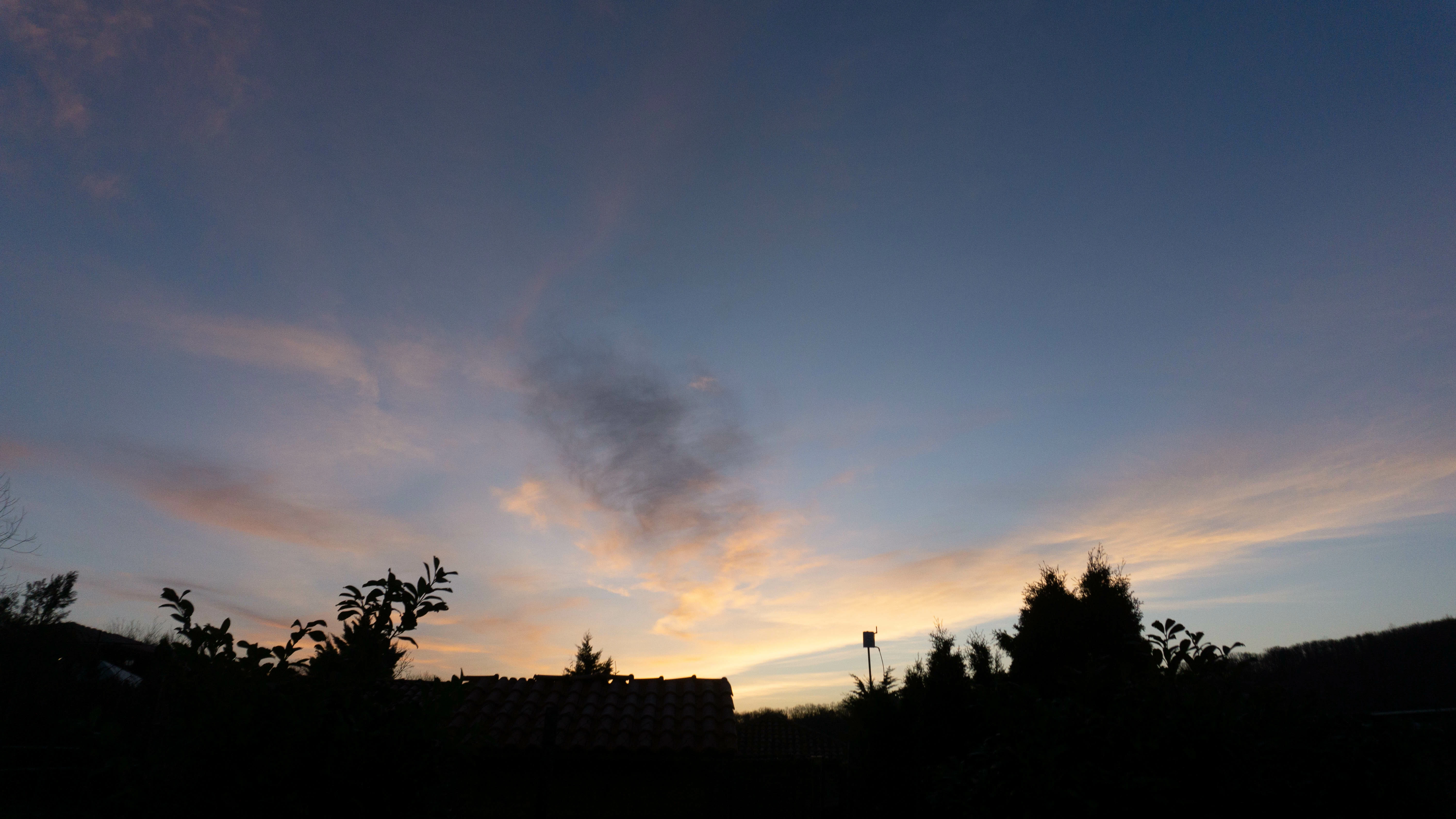
The issue is present only in Lightroom. If I randnomly edit a photo and export it it's normal.


Things I've tried:
Resseting preferences;

Reinstall Lightroom several times;

Reinstall GPU driver;

Changing bit depth setting in External editing.


Screenshot of the LR preview:
 

Exported file:
This topic has been closed for replies.
Correct answer Jao vdL

If you calibrated with DisplayCal, this is highly likely a problem with the calibration. DisplayCal is very powerful but it is very easy to make a mistake in its settings and get really bad results like the extreme banding you see. If you are not an expert, you should just download the software from Spyder and use that to calibrate using the Spyder5 Express you mention. DisplayCal can in principle do much higher quality calibration but you really have to know what you are doing.

4 replies

Jao vdLCommunity ExpertCorrect answer
Community Expert
February 20, 2021

If you calibrated with DisplayCal, this is highly likely a problem with the calibration. DisplayCal is very powerful but it is very easy to make a mistake in its settings and get really bad results like the extreme banding you see. If you are not an expert, you should just download the software from Spyder and use that to calibrate using the Spyder5 Express you mention. DisplayCal can in principle do much higher quality calibration but you really have to know what you are doing.

Participating Frequently
February 20, 2021

As far as I remember the problem wasn't ther even after the calibration. I continued editing couple of days after calibrating. Even if I disable DisplayCal's profile loader the problem is still there. But that compression is available only in Lightroom's Library and Develop, the RAW file opened with Windows Viewer is OK, as well as the exported file. Wouldn't it be there for the RAW in the viewer and the exported if it was from the calibration?

D Fosse
Community Expert
Community Expert
February 20, 2021

"Even if I disable DisplayCal's profile loader"


Monitor profile and calibration are not the same thing. They serve different purposes. The profile is written after the calibration is finished. It is a detailed map of the monitor's response in its calibrated state. It's a standard icc profile just like any other icc profile. It doesn't adjust anything, but is used in a standard profile conversion by the application.


Even if he calibration tables aren't loaded into the video card, the monitor profile is still used by the application.


Windows "Photos", on the other hand, doesn't support color management at all. The monitor profile is ignored. Windows "Photos" doesn't even know what a monitor profile is.


And you don't even see the raw file in Windows Photos. You see the jpeg preview that the camera generated and embedded in the file.

Per Berntsen
Community Expert
Community Expert
February 20, 2021

Are you seeing this in Library or Develop, or in both?

Does viewing at 100% make any difference ?

Participating Frequently
February 20, 2021

In both. 
No difference, just more noticeable at 100%.

AxelMatt
Community Expert
Community Expert
February 20, 2021

What do the export settings look like?

My System: Intel i7-8700K - 64GB RAM - NVidia Geforce RTX 3060 - Windows 11 Pro 25H2 -- LR-Classic 15 - Photoshop 27 - Nik Collection 8 - PureRAW 5 - Topaz Photo
Participating Frequently
February 20, 2021

Here are the settings.

Participating Frequently
February 20, 2021

TheDigitalDog
Inspiring
February 19, 2021

Recalibrate and build a new ICC display profile, the old one might be corrupted.
If you are using software/hardware for this task, be sure the software is set to build a matrix not LUT profile, Version 2 not Version 4 profile.
Be sure to always view such examples in Develop, at 1:1 or greater. 

Author “Color Management for Photographers" & "Photoshop CC Color Management/pluralsight"
Participating Frequently
February 19, 2021

Just calibrated laptop's and external monitors couple of days before that happened... I'm currently looking at it with DisplayCal's disabled color correction and it's still present.

I used a friend's Spyred5Express with DisplayCal. Will have to borrow it again maybe.

Not sure about what Version 2 and Version 4 you reffer to, sorry.

Sorry if I sound dumb but I'm not so familiar with all this stuff.