
Known Participant
January 2, 2018
Question

Lightroom Classic vanished

  • January 2, 2018
  • 1 reply
  • 434 views

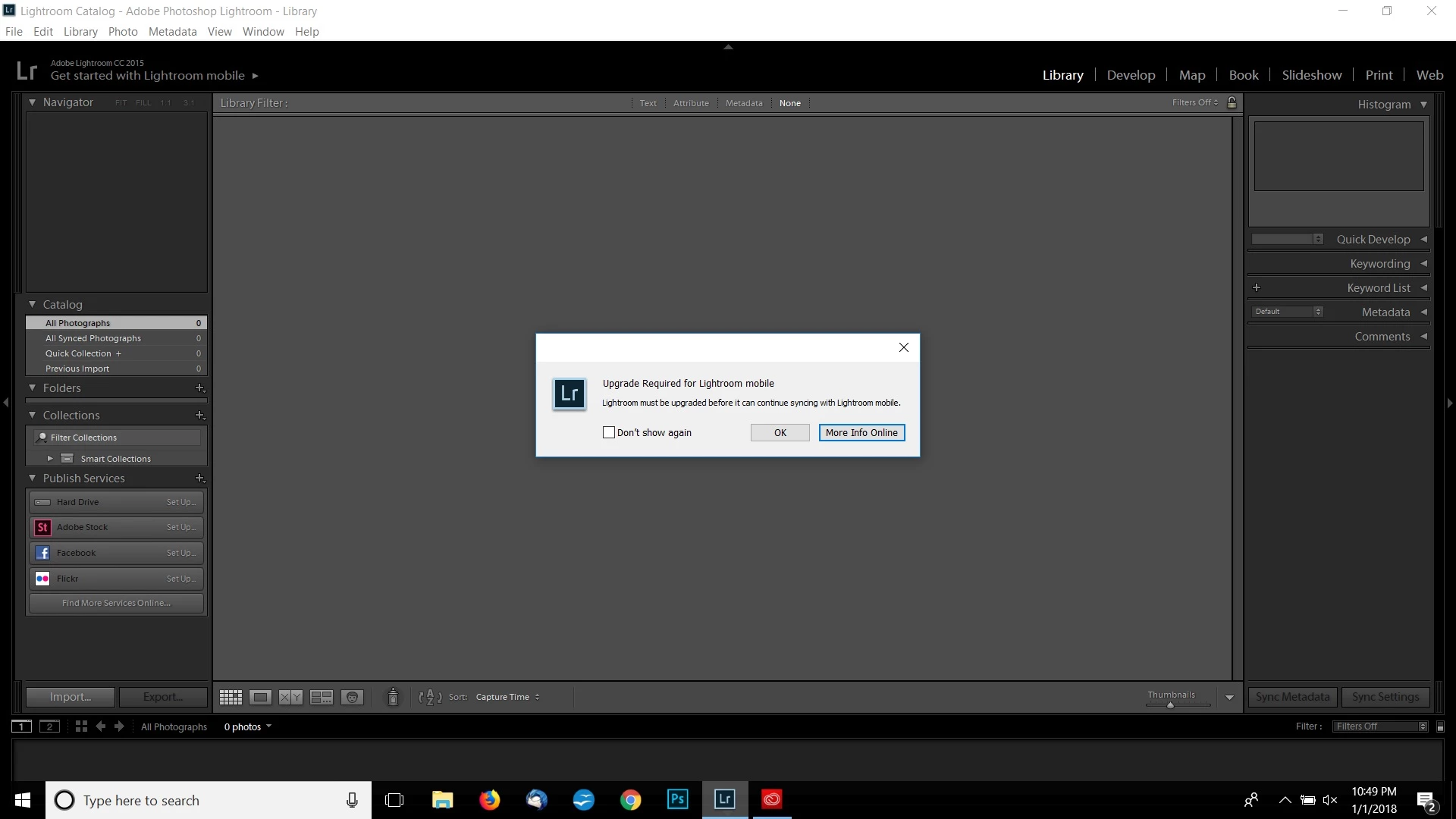
New to editing photos. Have been using Lightroom Classic. Decided I wanted to give Photoshop a go so I signed up for LRCC/PSCC. Installed Lightroom CC, did not like it so I uninstalled it and went back to Lightroom Classic. I used the software this morning, all was fine. Went to use it this evening only to find out that Lightroom Classic has vanished. In its place is Lightroom CC2015...even more confusing it reads get started with Mobile. 
    This topic has been closed for replies.

    1 reply

    F. McLion
    Community Expert
    Community Expert
    January 2, 2018

    You seem to have an old version of 2015 running and since the mobile sync has changed it tells you to update.

    You have probably just started the wrong application. If you did not use Classic CC (7) before install it from the CC desktop app.

    --- Got your issue resolved? Please label the response as 'Correct Answer' to help your fellow community members find a solution to similar problems. ---
    Known Participant
    January 2, 2018

    I did have Lightroom CC installed but I uninstalled it over a week ago, have been using Lightroom Classic since. How did my machine just switch over  to this...

    Known Participant
    January 2, 2018

    I just looked at my Program List, figured I would just uninstall and reinstall Lighroom Classic. But it states that Lightroom CC was installed on 12-20. So where did it go?