

Lightroom Classic White Balance As Shot differs from camera setting
Mac OS 12.2.1
LR Classic 11.2 Camera Raw 14.2
Nikon D750
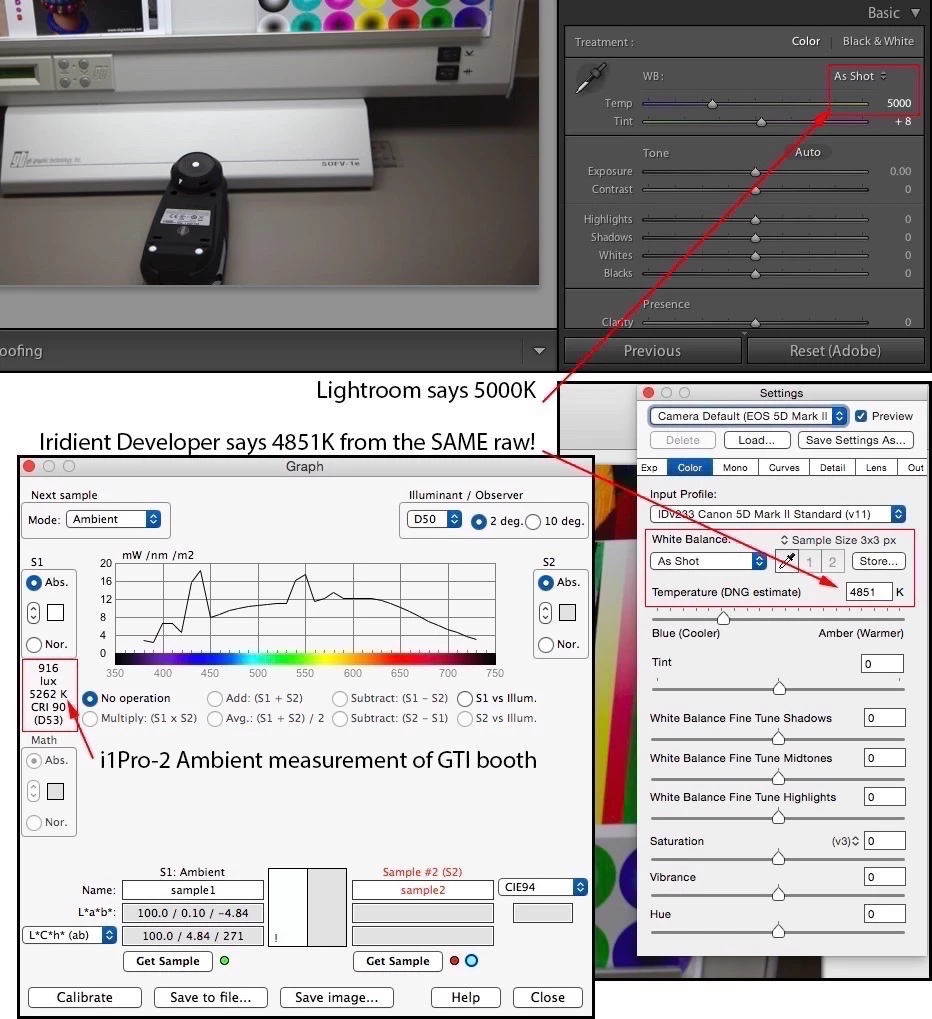
I set the White Balance in camera to 5880K. After import into LR Classic and using the Adobe Standard or Adobe Color profile the LRC White Balance is displayed as 6100 under the As Shot setting of the Develop Module. Nowhere in the LRC accessible metadata I can find a dataset about the in camera settings.
Using e.g. the Nikon NX Studio software the White Balance is correctly shown as "Original Value (Color Temp. (5880K, 0, 0) which is for me an indicator that this information is available in the RAW file but not processed by LRC.
I can confirm this behaviour for imported files from an SD card as well as using Tethered Capture function of the software.
Here is a table of in camera values and LRC which shows the difference across the White Balance range of the camera. This is easy to replicate and I am therefore not attaching files.
My expectation for the software is that the true in camera setting is displayed under As Shot to avoid confusion. I am in a situation where this behaviour lead to a rejection of a certification after evaluation of my pictures: Allowed range 5000-6000, Adobe displayed value 6100, in camera setting 5880.
 AdChoices