Participating Frequently
October 6, 2025
Question

Lightroom Classic will not open

  • October 6, 2025
  • 2 replies
  • 533 views

Version 14.5.1

Windows


Hello


I am trying to open my LRC catalog and it never opens. I have tried to unintall but it will not let me becasue it lightroom is open. When I look in my task manager it is not running. I have resarted mt computer mulitple times.
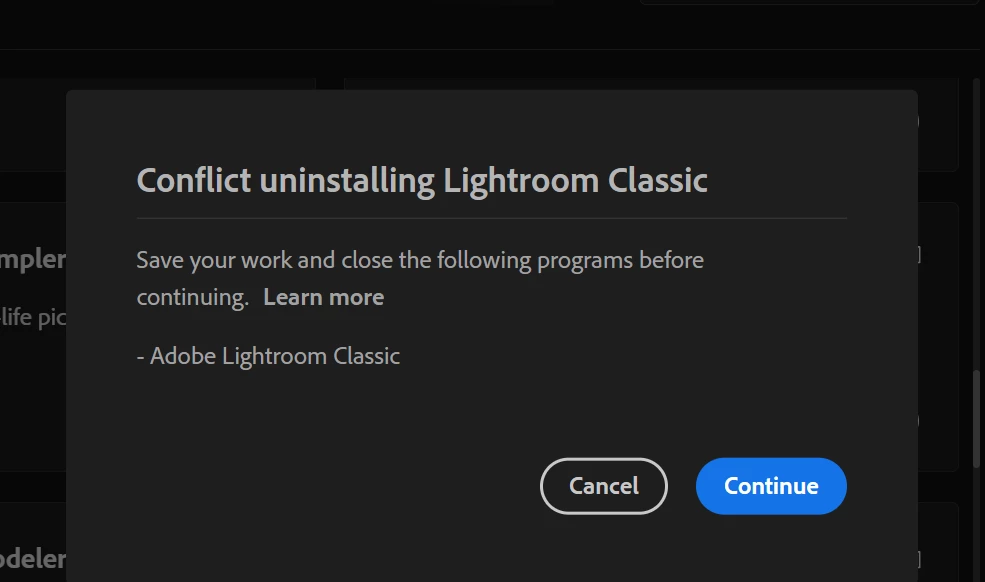
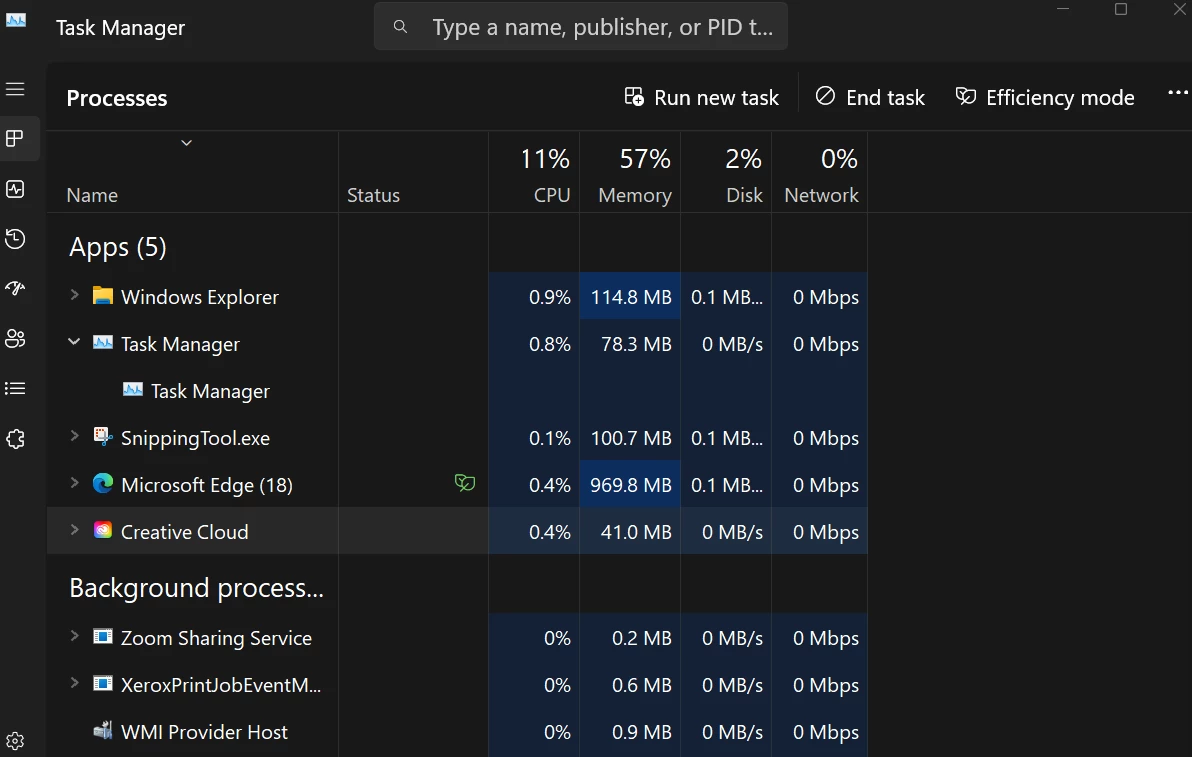


This is remains on my screen untill i shut off my computer and then comes back when I try and open the catalog again. 

2 replies

Community Manager
October 10, 2025

Hey @Tristen35406518vrvd 
Quick question, do you see the same error when trying to open a backup catalog, or is it only happening with one specific catalog file?
Thanks so much!
Alek

*(If you mention me with an @, like @Aleke, I’ll get a notification and can respond faster.)*
Participating Frequently
October 13, 2025

@Aleke it i when I try and open any catalog, Thanks for your help!

Anshul_Saini
Community Manager
Community Manager
October 28, 2025

Hi @Tristen35406518vrvd,


Thank you for confirming that this issue occurs with all catalogs; that’s really useful context. Since Lightroom Classic isn’t opening any catalog and is also blocking uninstallation, it sounds like a hung background process or corrupted configuration files might be preventing Lightroom from launching properly. Let’s try a few cleanup and reset steps:
 • Ensure Lightroom Classic and Creative Cloud Desktop are fully closed (check Task Manager > Details tab for any lingering Lightroom or CC processes and end them if present).
 • Reset preferences manually. (https://adobe.ly/47Rl97J)
 • Then relaunch Lightroom Classic to see if it opens correctly.
 • If the app still fails to open, try reinstalling Lightroom Classic after running the Adobe Creative Cloud Cleaner Tool to remove any damaged components.


If it does open afterward, try creating a new blank catalog and then use File > Import from Another Catalog to recover your work from backups or existing catalogs.


Additionally, could you confirm whether any third-party antivirus software, drive syncing tools (such as OneDrive), or backup utilities are actively scanning your catalog folder?


Let me know how it goes, Tristen. Once we confirm whether Lightroom launches after resetting preferences, we can escalate the issue further to the product team if it still refuses to open any catalog.


Best,

Anshul Saini

Participating Frequently
October 6, 2025

I restarted my computor and this time it said lightroom is corrupt but the message went away before I could screen shot but that window went away and nothing happened. he same message as the last photo I posted previously remains on the screen

DdeGannes
Community Expert
Community Expert
October 6, 2025

Have you tried clicking on the Cancel button that is displayed in the the first error message that you included in your post?

Regards, Denis: iMac 27” mid-2015, macOS 11.7.10 Big Sur; 2TB SSD, 24 GB Ram, GPU 2 GB; LrC 12.5,; Lr 6.5, PS 24.7,; ACR 15.5,; (also Laptop Win 11, ver 24H2, LrC 15.0.1, PS 27.0; ) Camera Oly OM-D E-M1.
Participating Frequently
October 7, 2025

Yes I have tried that, I press cancel and then it says the same message


Okay some new attempts I have made.


I tried some tips from the other thread that CMass linked, I have deleted the .SHM file, .WAL, and Lock file, no luck.


I tried Alt-click and opening LRC and nothing happens. 


This time when I opened LRC a message about the catalog being corrupt opens for a moment. There are noactinos to be taken and it loads for a second then the window closes itself. It goes back to the first image that i posted and nothing happens. 


I am unable to re-try to open lightroom unless I fully restart my laptop. 


Thank you all for your time and suggestions!