
Participant
December 13, 2017
Answered

Lightroom Develop page not showing edits

  • December 13, 2017
  • 1 reply
  • 4371 views

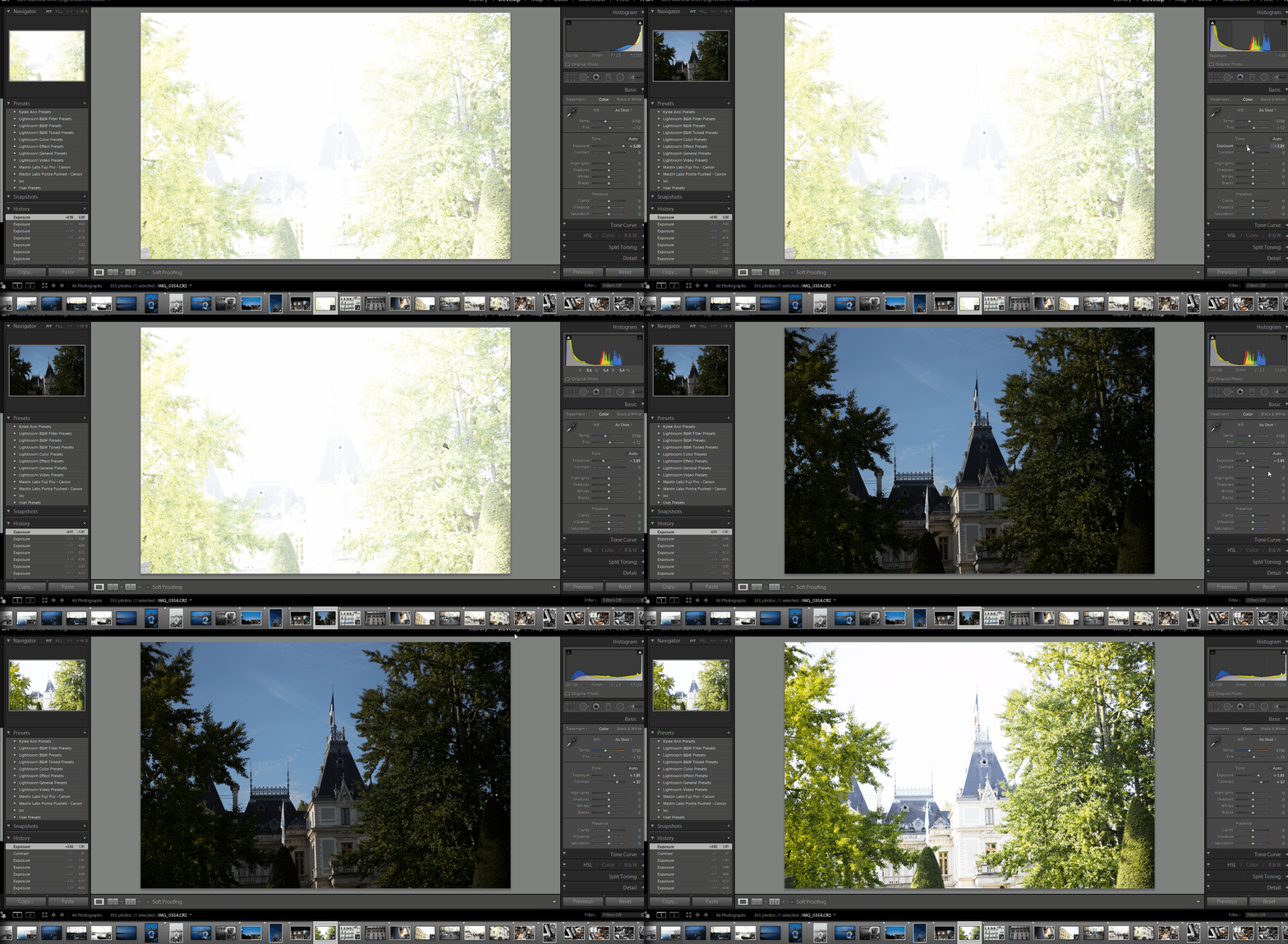
I am trying to edit pictures on my laptop, HP envy i7 7500, 16GB RAM, Nvidia 940mx, and when I edit pictures in the develop tab, the thumbnails on the navigator pane on the left, and the photograph pane on the bottom both show the updates, but the full image does not change with my edits unless I go to another tab, like the library tab, and then go back to the develop tab. I have added the config file to the Lightroom folder as suggested in another forum and it did nothing. I also tried a couple other things I found in another forum, but nothing is working. Any help would be greatly appreciated. Attached GIF shows the actions taken.
This topic has been closed for replies.
Correct answer Mohit Goyal

Hi bfoust,

If you are using Lightroom 6 Or Classic CC, please turn off the GPU from the Lightroom preferences and restart Lightroom.

Once you turn off the GPU then, try doing the edits in develop module and check if it shows you the real-time changes.

Regards,

Mohit

1 reply

Mohit Goyal
Community Manager
Mohit GoyalCommunity ManagerCorrect answer
Community Manager
December 13, 2017

Hi bfoust,

If you are using Lightroom 6 Or Classic CC, please turn off the GPU from the Lightroom preferences and restart Lightroom.

Once you turn off the GPU then, try doing the edits in develop module and check if it shows you the real-time changes.

Regards,

Mohit