
Answered
Lightroom display over saturated
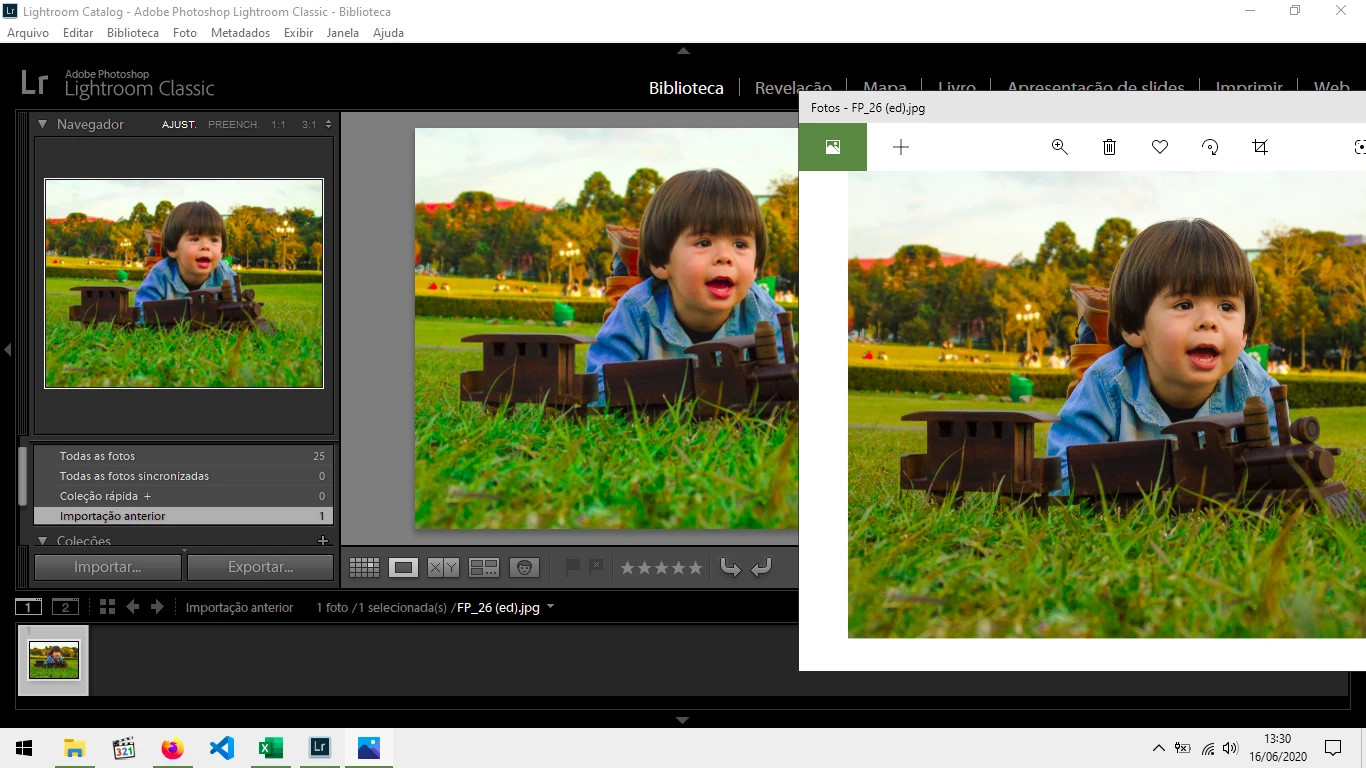
My Adobe Lightroom 9.0 is displaying all pictures over saturated, as you can compare above: Lightroom vs Windows image viewer. It's exactly the same file, no edits or presets. It happens even with sRGB JPG files!
As I have tested, I can simply import and export, without editing, that picture, and it will be the same. The fact is that Lightroom is having an incorrect display! Showing oversaturated colors.
My setup:
Windows 10 Home Single Language
RAM 8 GB
Processor Intel i3 1.9 GHz - 2nd generation
GPU Intel HD Graphics 4000
But pay attention, the colors, in my monitor, don't appear so weirddd like it is in the print screen. Anyway, saturation in Lightroom appears to be 15%, 20% higher.
 AdChoices