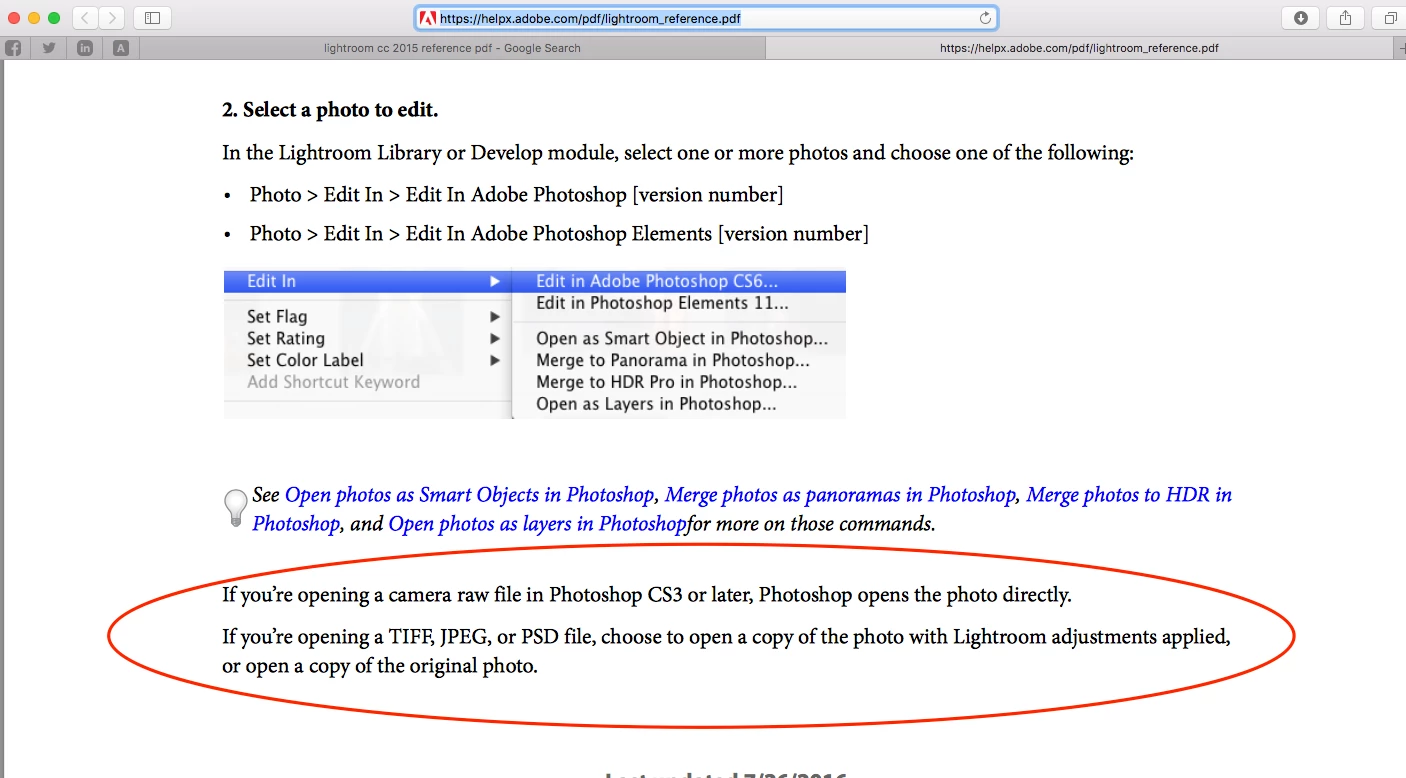
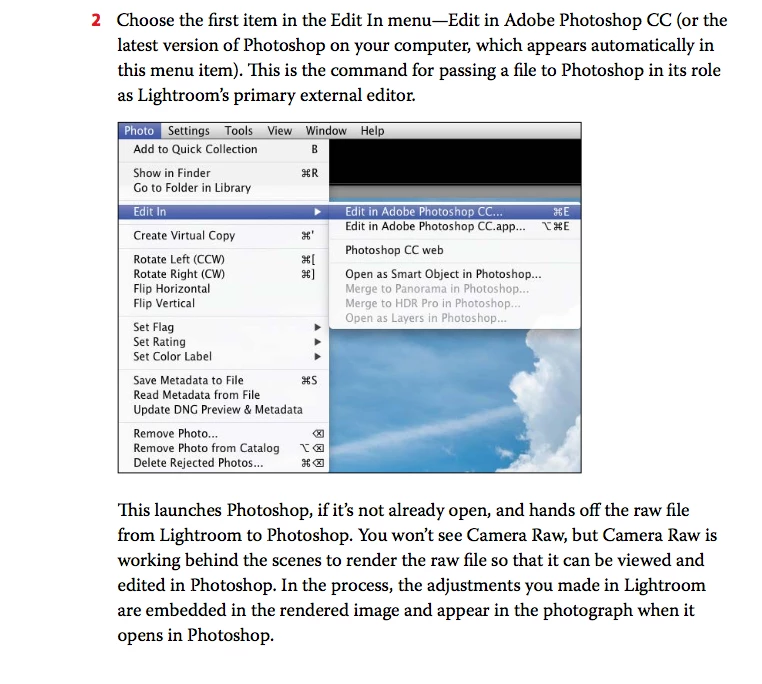
As stated byJimHess in earlier reply Lightroom does not give the 3 options (edit original, edit a copy, edit copy with adjustments) when you choose edit with photoshop for any of the Camera raw Format i.e. NEF, CRW, RAF, DNG etc.
Raw files opened from Lightroom to Photoshop to edited in photoshop are saved in TIFF or PSD format depending on the settings done in the preference settings of Lightroom in External editing tab. So your original raw file is always available in the Lightroom with tiff or psd file next to it with changes done in Photoshop.
This is clearly stated in the Reference/Help file of Lightroom and even in the Official training workbook by Adobe. - if you go to page number 76 - 78 in Adobe Lightroom Reference you can read more about it.
Here is the screenshot excerpt from Reference & Official training workbook of Lightroom -
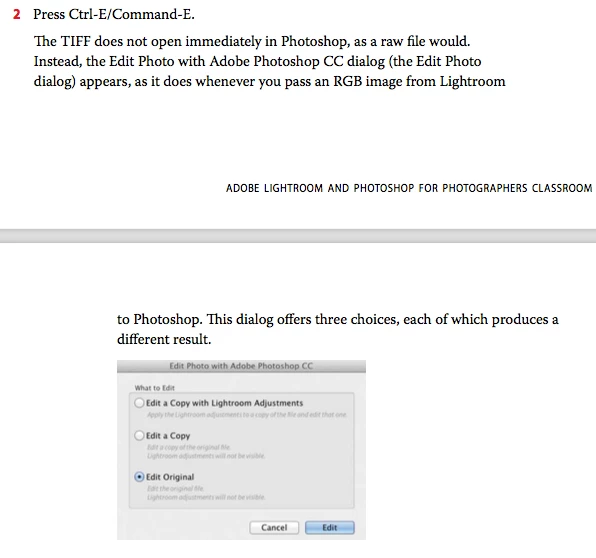
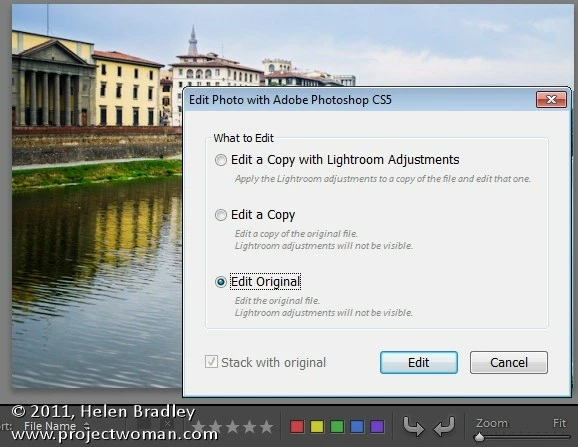
If you open any other file format i.e. tiff, psd, JEPG etc expect camera raw file format from Lightroom to Photoshop then its going to show you the option 3 options when you choose edit in photoshop.
Same is stated in the official training workbook go Lightroom -




 AdChoices