[This post contains formatting and embedded images that don't appear in email. View the post in your Web browser.]
This issue is caused by running a version of LR that's newer than your installed version of PS and Camera Raw. LR is sending a camera profile to PS/ACR that isn't in your PS/ACR installation, so PS/ACR silently uses a different camera profile, producing different colors.
The best fix for this is to stop running 2.5-year-old versions of LR and PS and update to the latest versions.
Gory Details
The .tif saved by your Photoshop has noticeably different color from the .cr3 when viewed in my LR 10.2:
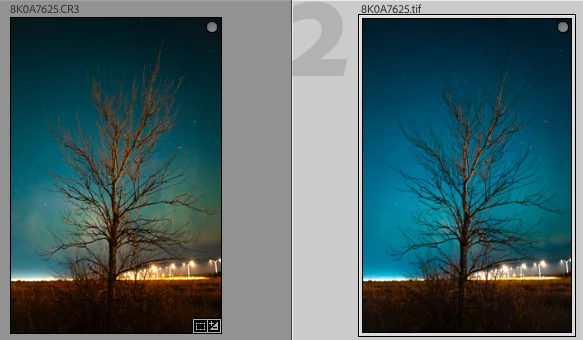
That rules out issues with your display profile and points at either LR or PS or both.
The .xmp sidecar for the .cr3 has this line:
[XMP] Camera Profile : Adobe Standard v2
This indicates that LR is using the Adobe Standard v2 camera profile for the EOS R.
But the XMP metadata inside the .tif has these lines:
[XMP]           Camera Profile                  : Adobe Standard
[XMP]           Missing Camera Profile          : Adobe Standard v2
These indicate that when the Camera Raw inside PS tried to render the .cr3, it couldn't find Adobe Standard v2 and instead used Adobe Standard.
LR 8.1 and Camera Raw 11.1 were released in December 2018, and they included the Adobe Standard v2 profile to fix white-balance issues with the original version of the profiles for the EOS R. But your PS is 20.0, released in September 2018, and its version of Camera Raw doesn't include Adobe Standard v2, so Camera Raw used Adobe Standard instead, producing different colors.

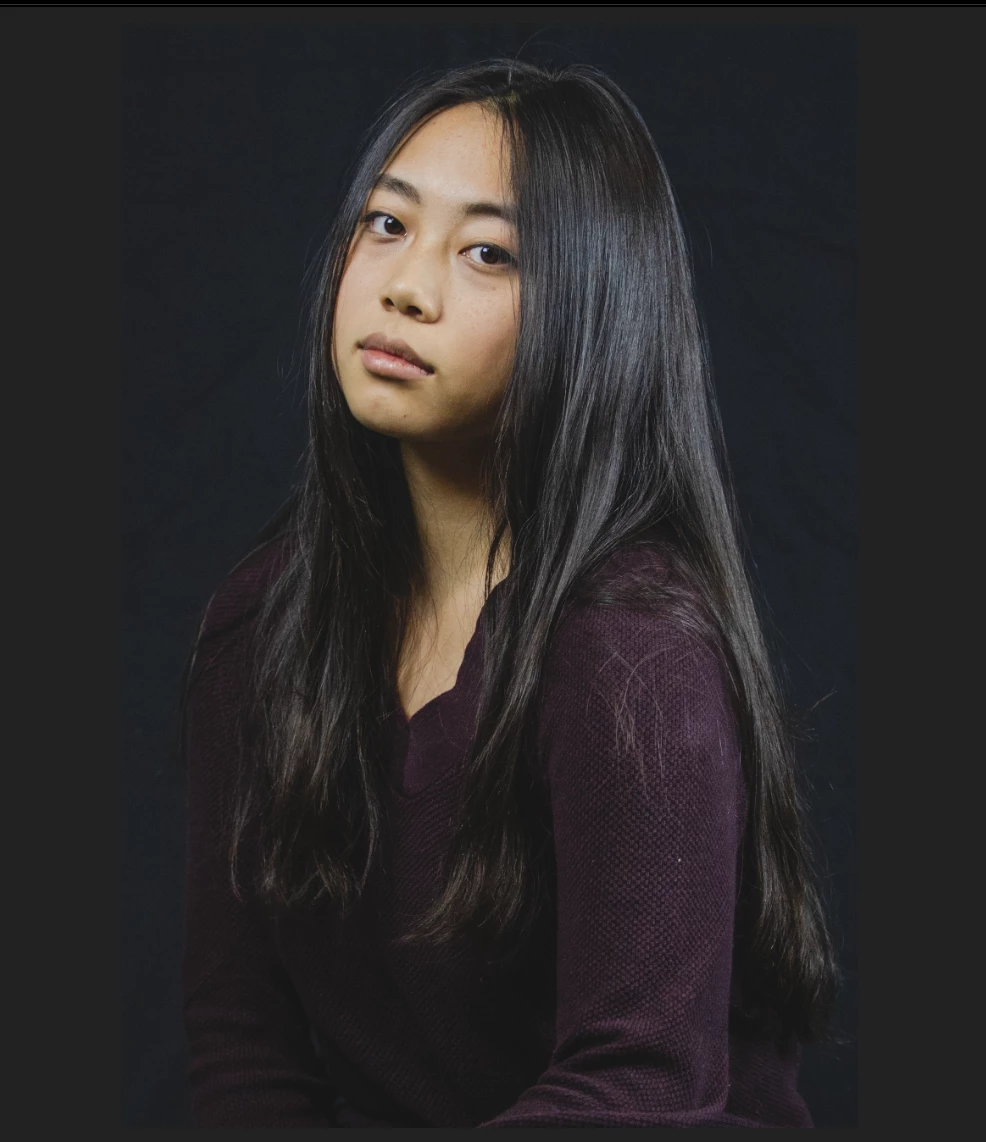 - Lightroom
 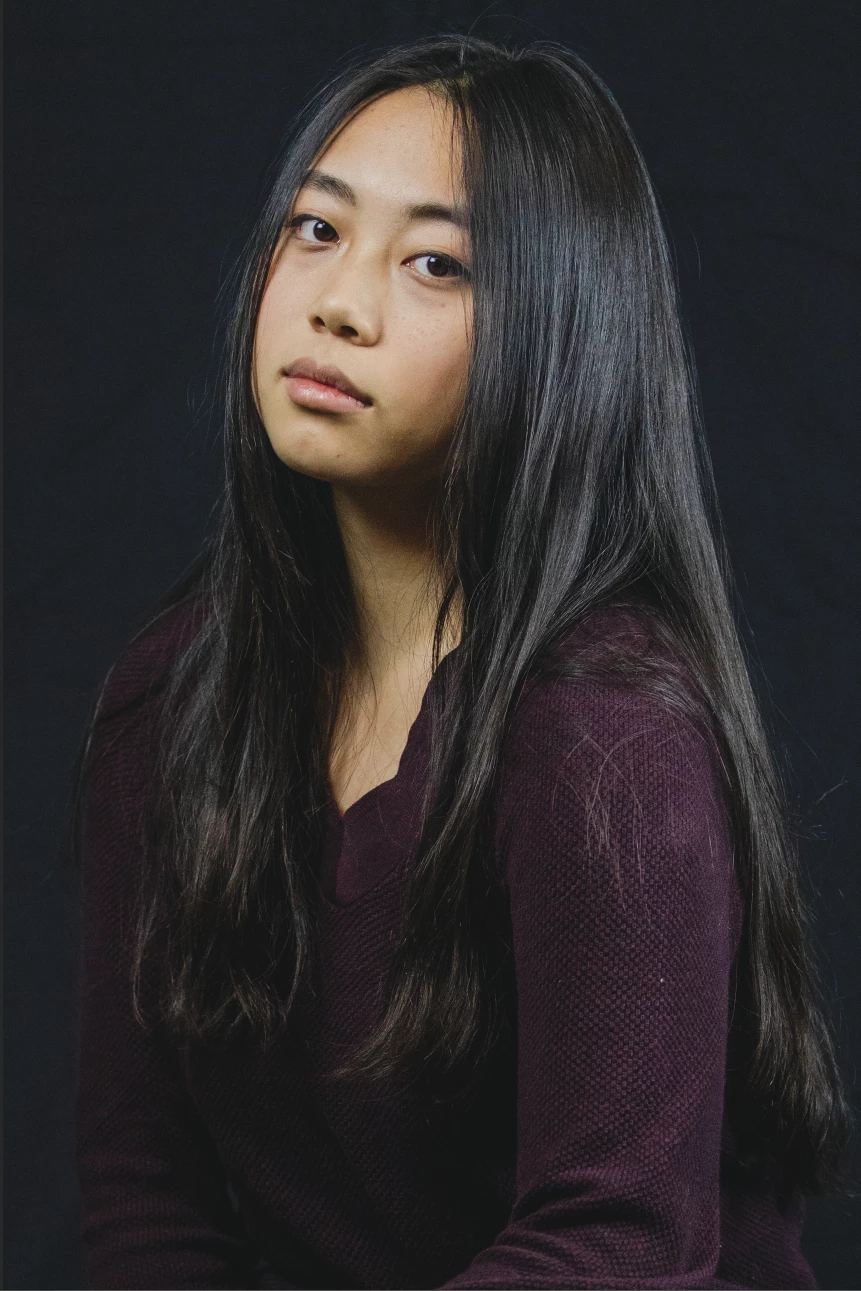 - Photoshop
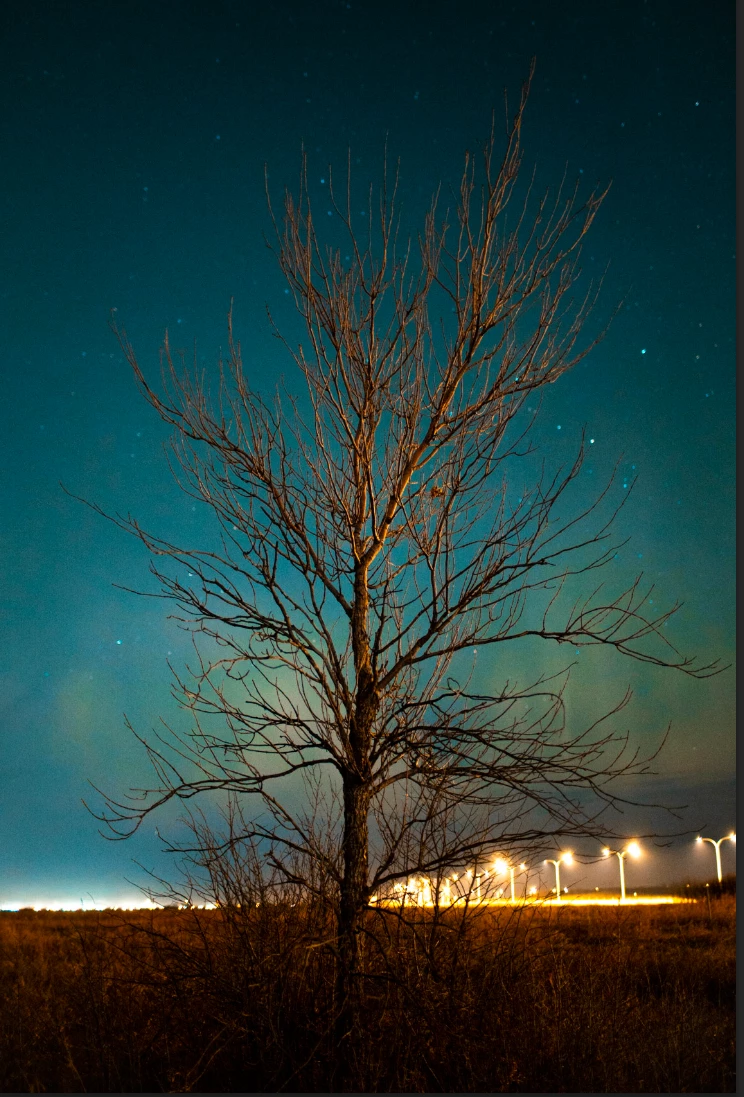 - Lightroom
  - Photoshop
  AdChoices