It's in the Export settings, and you can automate it. Use the tokens that represent parts of the filename. Make sure the rename settings include a token for the sequence format you want, followed by a token for each image's current filename. Lightroom will then add and increment the sequence numbers automatically for each image, following the custom sort order in the folder or collection you're exporting from.
As shown below, start in the File Naming section by selecting Edit from the Rename To menu. Add a Sequence token and then you'll probably need to drag it to the beginning of the filename. If you want any custom text between the sequence number and the filename, type it in (in my example I added a hyphen). If the Example text looks the way you want, then click Done and continue setting up the Export dialog box.
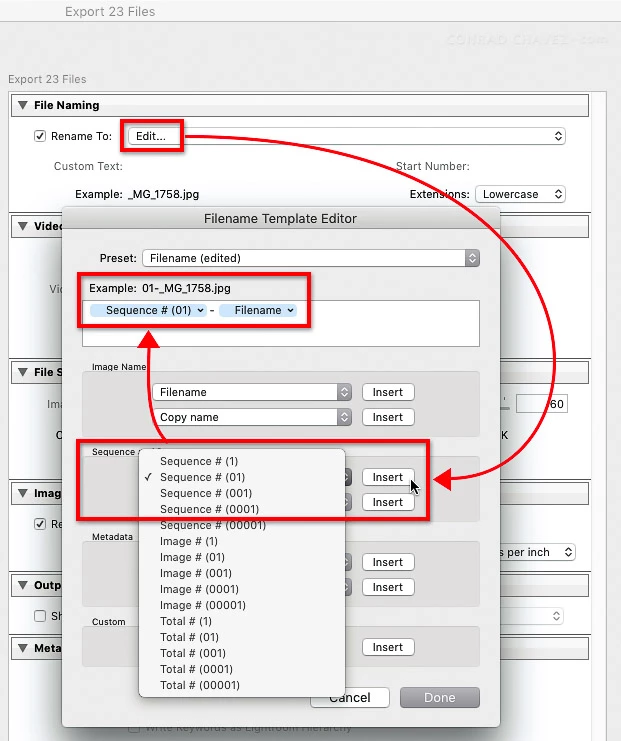
The difference between the tokens and the custom text you type is that your custom text is the same for all images, while the token values are updated for each individual image.



 AdChoices