


- Home
- Lightroom Classic
- Discussions
- Lightroom Folders showing "0" images, can't find s...
- Lightroom Folders showing "0" images, can't find s...
Lightroom Folders showing "0" images, can't find solution

Copy link to clipboard
Copied
Lightroom CC -desktop. Windows 10 PC.
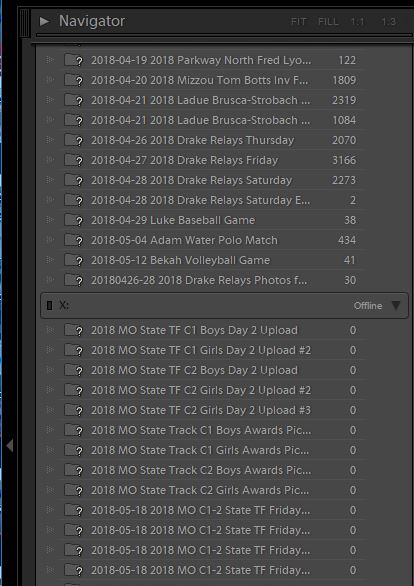
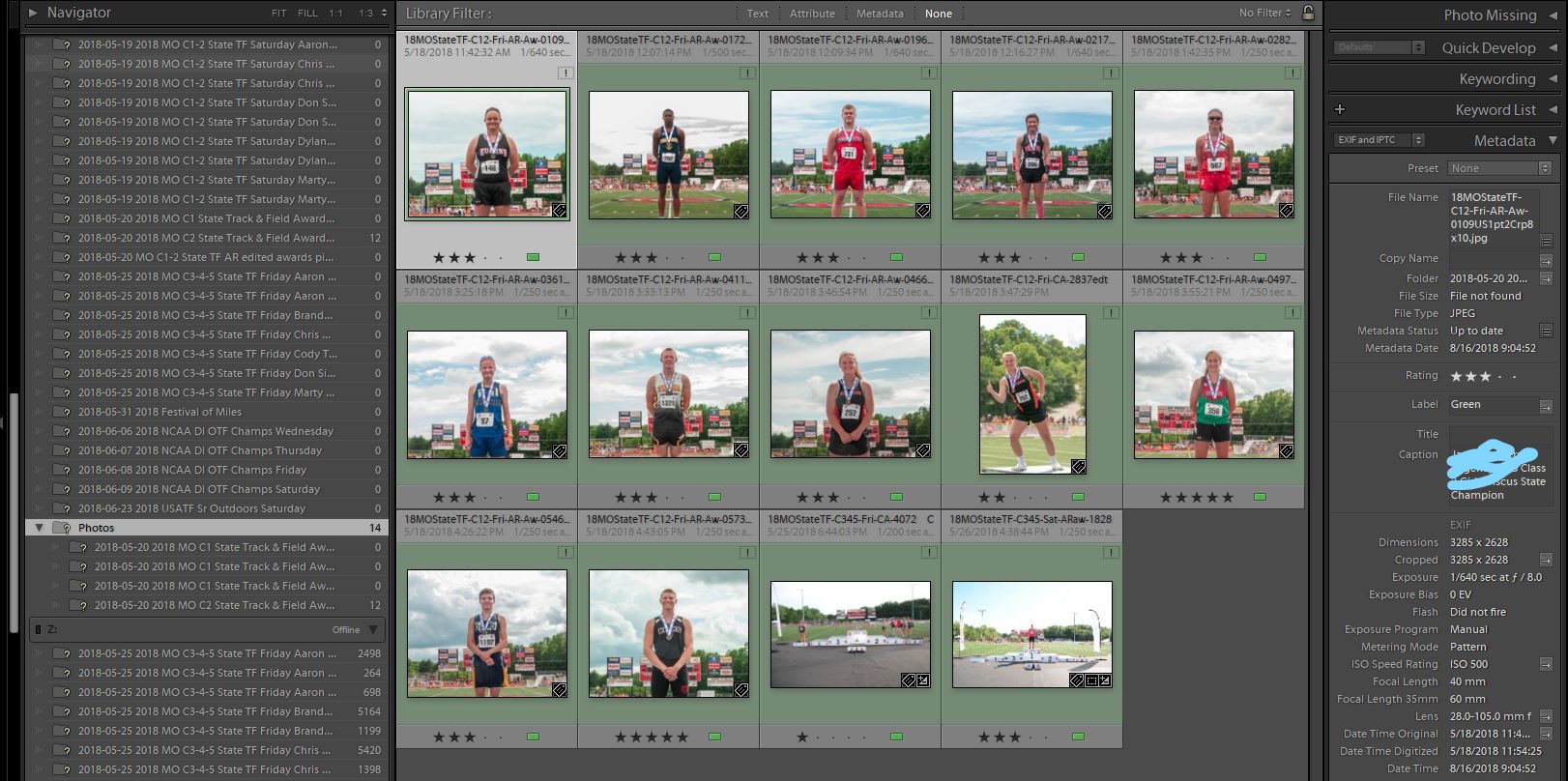
In library mode, nearly all of the folders in one of my external drives show 0 images, but the images are all there on the external drive. I've read the other forum posts on the situation and they don't seem to come up with any solutions, except reinstall an old catalog, which isn't much of a solution.
I'm guessing one of two things led to this problem. 1. After working for awhile, then taking a break and putting computer to hibernate, I couldn't get my physical or onscreen keyboard to work to log back in, so I restarted computer with a couple clicks of the mouse with Lightroom and another one or two programs running behind the log-in screen.
Or, 2. Most of my images on my external drives are in different dated folders in a folder labeled "photos". So every external drive has a "Photos" folder, but there are never any actual photos in it, only in the different date/event labeled folders inside the "Photos" folder. I transferred 2 images from one external hard drive to the "Photos" folder, but not another event specific folder, on the external drive I'm having problems with. So there are now two images in the "Photos" folder.
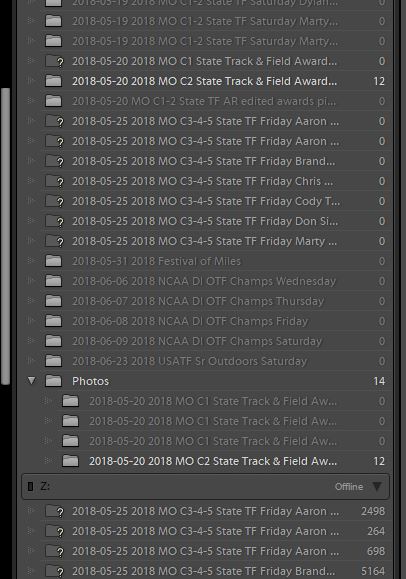
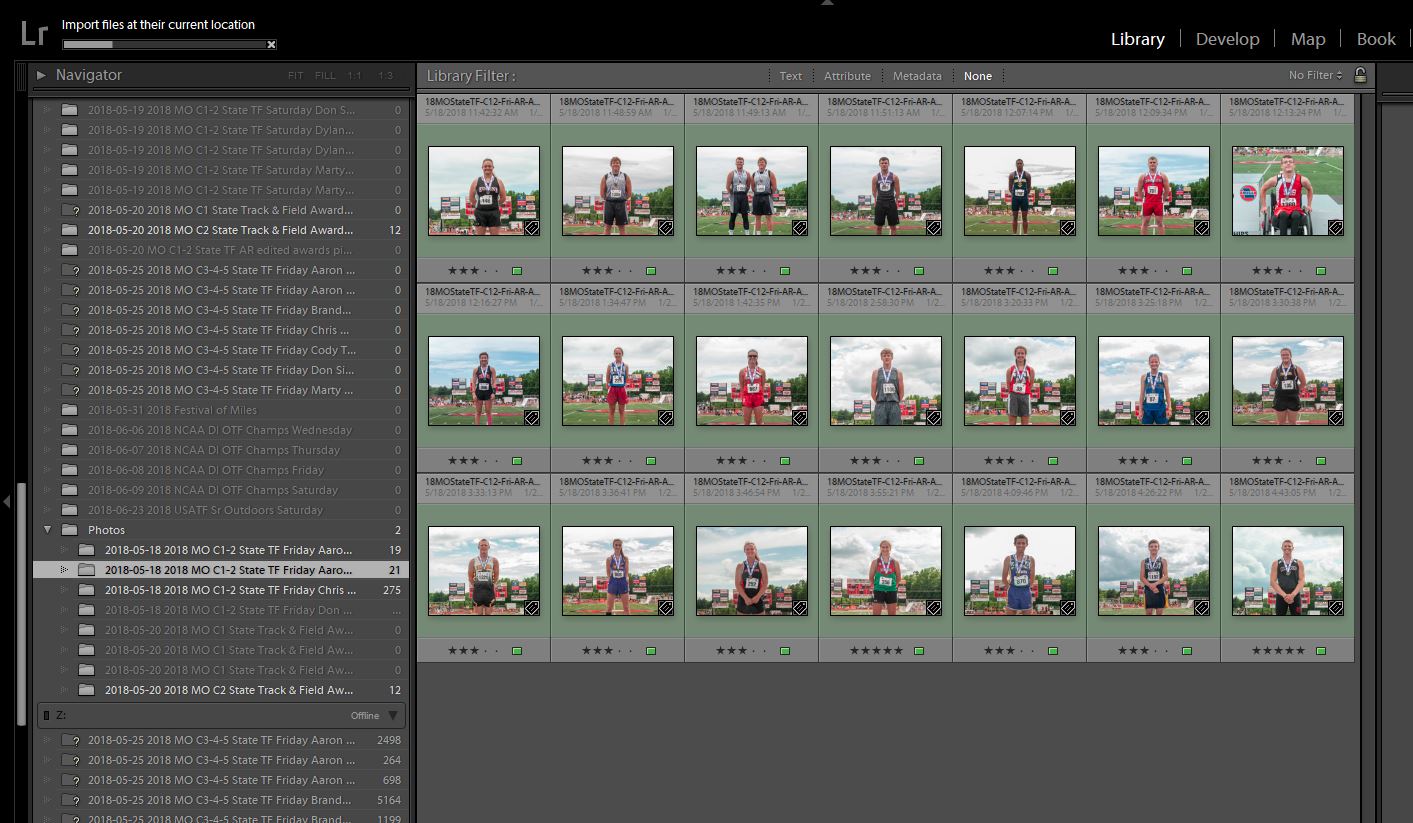
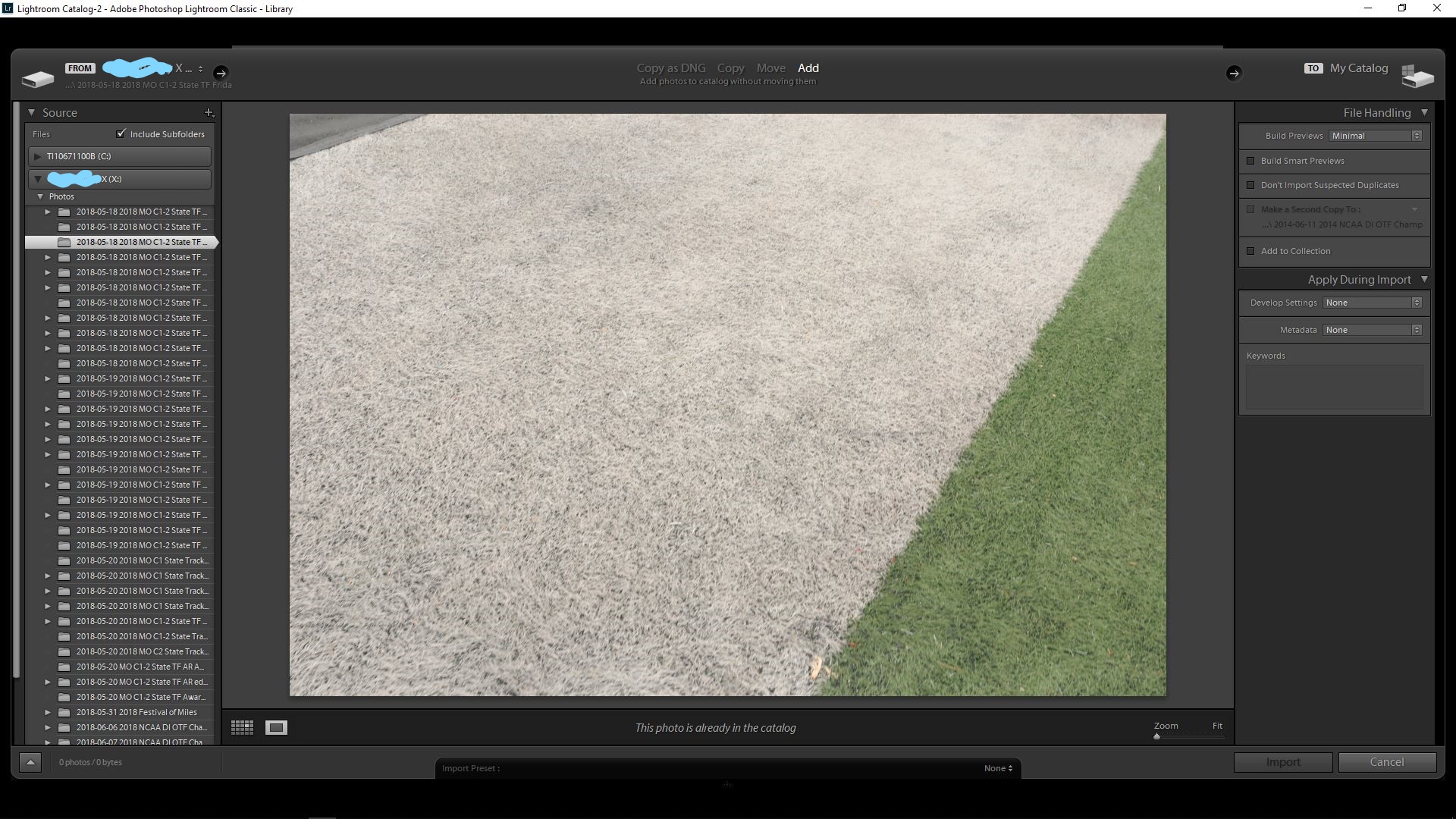
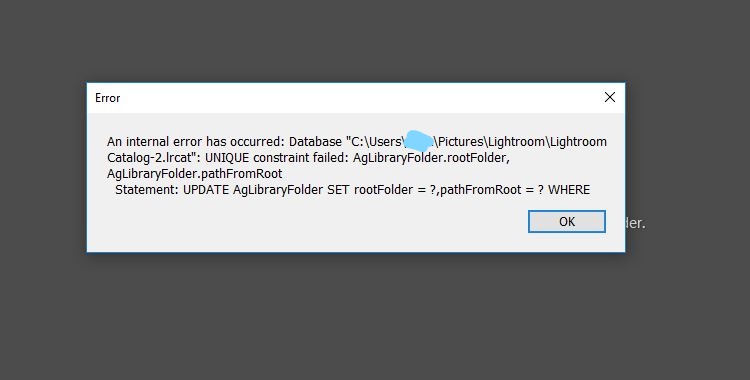
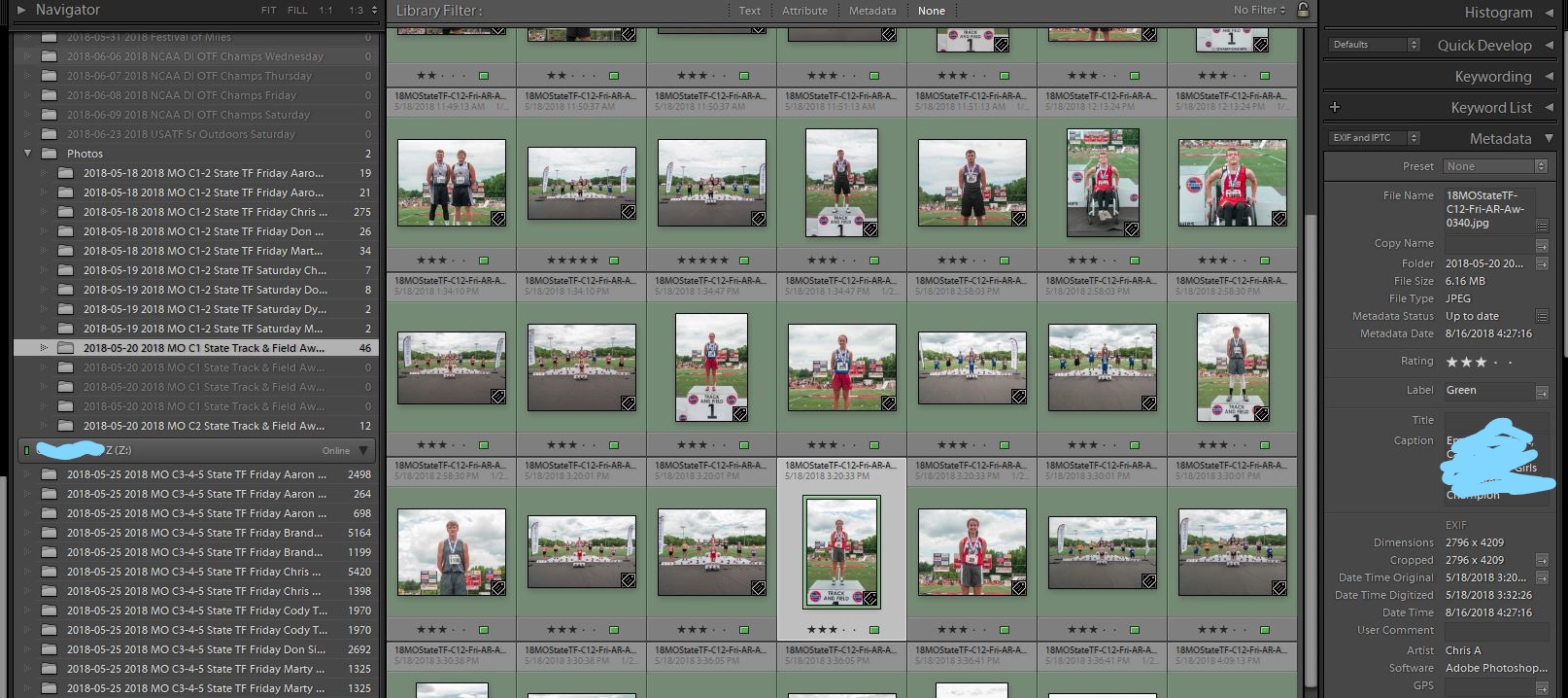
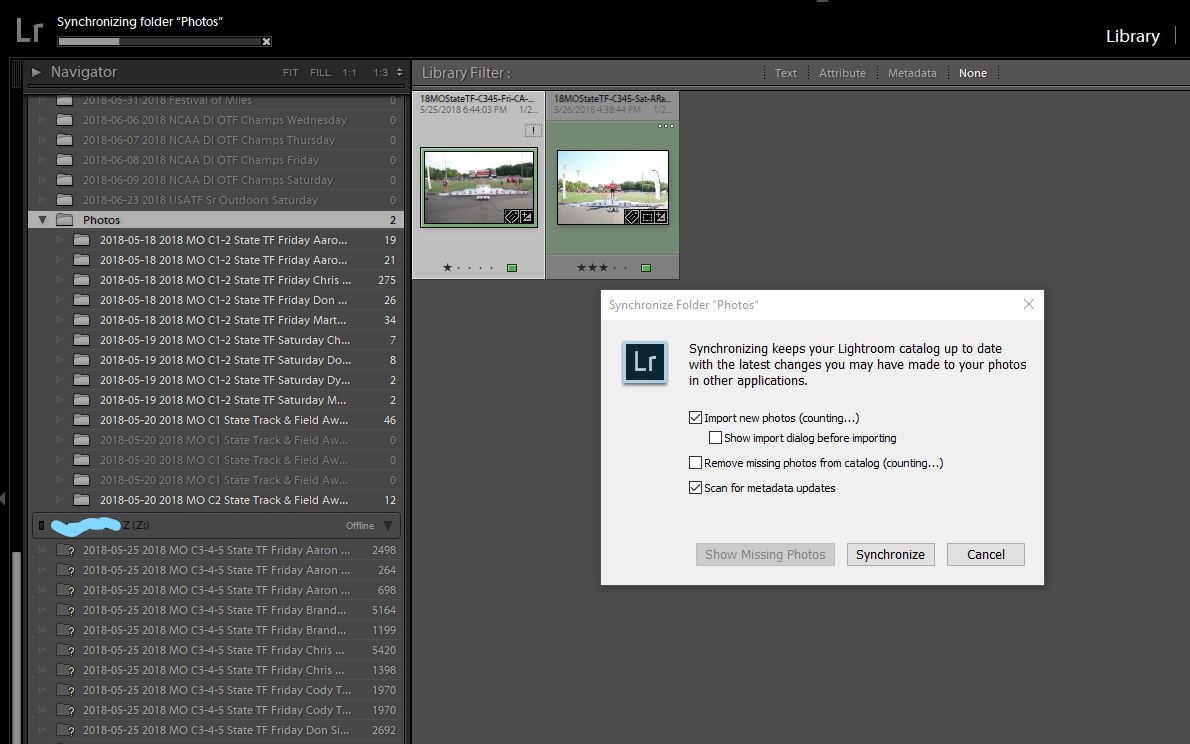
So in the catalog panel on the left, there is now a "Photos" folder in external drive "X", but most of the older folders with images in them previously, are listed above the "Photos" folder, and show no images, though they have thousands of images in them and I've been working on them for months in lightroom. If I try to re-import the images, the images show up, but at note says they've already been imported, so aren't selectable to import. I hoped right-clicking on the "Photos" folder in the external drive listing in the catalog panel and selecting synchronize folder, would solve the problem. It hasn't. I have gotten the message that others have posted: "An internal error has occurred : Database "C:users, etc lightroom-catalog, etc... "UNIQUE constraint failed: AgLibraryFolder.pathFromRoot Statement: UPDATE AgLibraryFolder SET rootFolder = ?,pathFromRoot = ? WHERE".
Now, a few images are showing up, but just a handful that have recently been exported to newly created folders. Any thoughts or help is greatly appreciated. This project has been the most agonizing, frustrating I've ever experienced. The drive has about 850GB's so we're talking about 30,000+ photos. Sadly it looks like I hadn't backed up the catalog for six weeks, when I've done the most work on 500 most important photos on the drive. The funny thing is, it appears the metadata is up to date on the recently exported .jpg's and .tif's. I sure hope that is the case on my raw files, if I can restore them.
Thanks!!


 10
Replies
10
10
Replies
10


Copy link to clipboard
Copied
Well, I've downloaded Lightroom CC, not Classic that I'm having problems with. I imported one of the folders I need to finish work on. All of those images have the IPTC/metadata and editing effects changes included, so all of that work didn't go to waste it looks like so far. However, I've still need to fix the Lightroom CC Classic issue soon.
Again, all of my images are on the external drive, and show up as previously imported, so I can't import them again or simply even get to them.
Thanks for any help!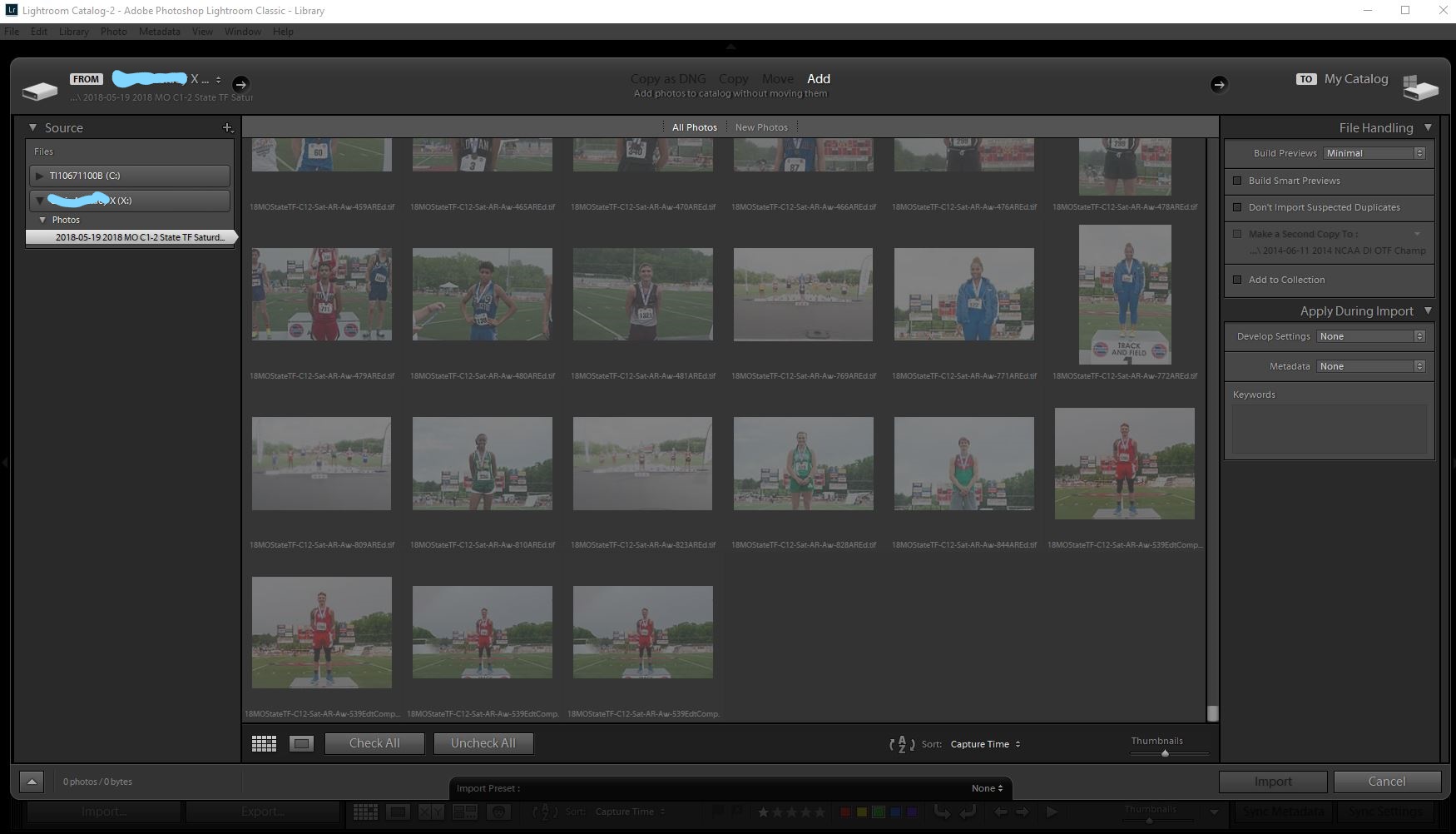

Copy link to clipboard
Copied


Copy link to clipboard
Copied
I've seen a few reports of similar problems and it turned out to be catalog corruption. That could have happened when you force-restarted the computer. Do you have a catalog backup from just before that moment?
Copy link to clipboard
Copied
Thanks Tony for the link. I haven't moved the images from the external drive, nor are they missing, as if the drive is disconnected. With the drive connected, the folder just show "0" images in the folders.
But I am confused. I haven't backed up my catalog recently like I should have. So I'd think all of the work I'd done since the last back up was gone, however, I downloaded Lightroom CC (not classic) last night and added one of the folders. The recently edited/added metadata/IPTC/captions/keywords, etc. as well as the editing actions aren't gone from the images in the new lightroom CC folder/album. Is that info written into the files/raw .xmp files immediately? If so, whats the point of backing up the catalog? What am I not understanding?
So I don't want to go back to the last time the catalog was backed up, especially if I have the info in the image files/sidecar files. and chance losing the updated info. I'm clearly not understanding or thinking clearly.
Thx guys.
Copy link to clipboard
Copied
I realise the raw files appear to have gone, but are the preview files for them (or any previews for that matter ) visible from the folder you have synced to LR mobile?
Copy link to clipboard
Copied
I shoot way too much to sync to LR mobile at the moment. This event was four days-5-6 photogs, 1.4TB?. Local backup, until I determine the best online solution for me. So the previews are no where to be found, but when I try to import the images, they appear darkened out and unable to select for import because they have previously been imported/already in the catalog.
Thanks for the help!.

Copy link to clipboard
Copied
photofan1 wrote
The recently edited/added metadata/IPTC/captions/keywords, etc. as well as the editing actions aren't gone from the images in the new lightroom CC folder/album. Is that info written into the files/raw .xmp files immediately? If so, whats the point of backing up the catalog? What am I not understanding?
It appears you have menu item Edit> Catalog Settings with 'Automatically write changes into XMP' checked. This saves your Develop settings, Keywords, Ratings, and Labels to an XMP file for raw files and directly inside non-raw files (JPEG, TIFF, PNG).
What is NOT included are Virtual Copies, Stacks, Develop History, Pick Flags, Collections, saved Books, Slideshows, Web Galleries, Print Collections, Published Collections, and settings inside your Keywords. So there's quite a bit of information NOT included in the XMP backup, which is why it's important to do a catalog backup after every major editing session.
Copy link to clipboard
Copied
Thanks for the clarification Todd. I was trying to remember the difference and what was saved and wasn't in the immediate edits and catalog backup. So, if I'm not concerned about the stacks, picks, collections, etc, just the current edit actions, metadata info that have been made, can I safely delete the folders and reimport the images, with the edit actions and metadata changes saved?
Thanks!
Copy link to clipboard
Copied
I wonder if it was the folder structure change that messed up. The external drive has three initial folders in it: Photos, Videos, and Video Edits. In the "Photos" folder, there are many other folders, one or more for each day of an event per photographer. There were no images "floating" or in, only in the "Photos" folder, none were not in another date/event/person folder. Then the other day, I exported/copied two images from another external drive to the external drive I'm having issues with. I placed those images into the "Photos" folder, but not in a date/event/person folder.
So in the Lightroom Folders panel on the left side, previously, each date/event folder was listed simply under the external drive name. Once I exported two images to the "Photos" folder, not inside another date/event folder inside the "Photos" folder, the "Photos" folder now shows up as a folder under the drive in the left panel, under all of the previous folders. It also shows some folders with a few images in them that I guess weren't added to the Lightroom catalog when they were previously exported there.
There are a few small edits folders among the original folders, listed above the "Photos" folder in the folders panel, that have 15-30 images in them that don't show 0 images, but an actual count of images. I'm not sure if those images weren't added to the catalog when exported, and somehow recently got added. If I go and try to delete any one of these recently new folders with 15-30 images, it deletes the images, but it doesn't delete the folder. So, if I try to reimport the images, all of the images are darkened out as if previously imported and are unable to import again.
I guess I could try to delete the "Photos" folder, but I get the confirmation question pop-up box asking if I really want to delete 20,000+ images. The images actually shown in the few folders below the "Photos" folder, shows only about 800 images.
Should I delete the "Photos" folder? Or the complete drive? and reimport?
Thx
Copy link to clipboard
Copied
Since it appears you have severe catalog file corruption (i.e. many folders showing 0 photos) you best bet is to create a new catalog (File> New Catalog) and import the original files. Since you have about 30,000 files I suggest doing the import in smaller groups of no more than ~5,000 images at a time and, then let LR Preview Building complete, and restart LR. This will help prevent running out of memory that some people have reported when importing a larger number of files. Before starting the LR Import process close all other applications to free-up as much memory as possible.
You can keep the original catalog "as is," which may be useful for recovering information not showing in the new catalog. I suggest also making a backup copy of the old catalog file as well before proceeding further. 'Automatically write changes into XMP' is a background process and if you had applied edits to a large number for files just before putting the system into Hibernation the update metadata process may not have completed. Check your most recent image files once imported into the new catalog for the last edits applied. If any are missing go to File> Open Recent and reselect the old catalog. See if the same folders in the old catalog contain these recent files. If so you can select them all in the Library Grid view and use CTRL + S keys to resave the metadata to the files. You can then reopen the new catalog file, select the same image files in Library Grid view and use menu Metadata> 'Read Metadata from file.' This will transfer the edits saved to XMP from the old catalog to the new catalog file. You should complete this process BEFORE applying ANY edits to the image files in the new catalog. This is because the 'Read Metadata from file' action over-writes any edits applied to the files in the new catalog causing them to be lost. If you have any questions let me know.


Find more inspiration, events, and resources on the new Adobe Community
Explore Now
 AdChoices