
Participating Frequently
November 6, 2023
Answered

LIghtroom image >edit in photoshop not loading with preset

  • November 6, 2023
  • 4 replies
  • 425 views

Hi, 
Need a bit of help here with light room and photoshop. 
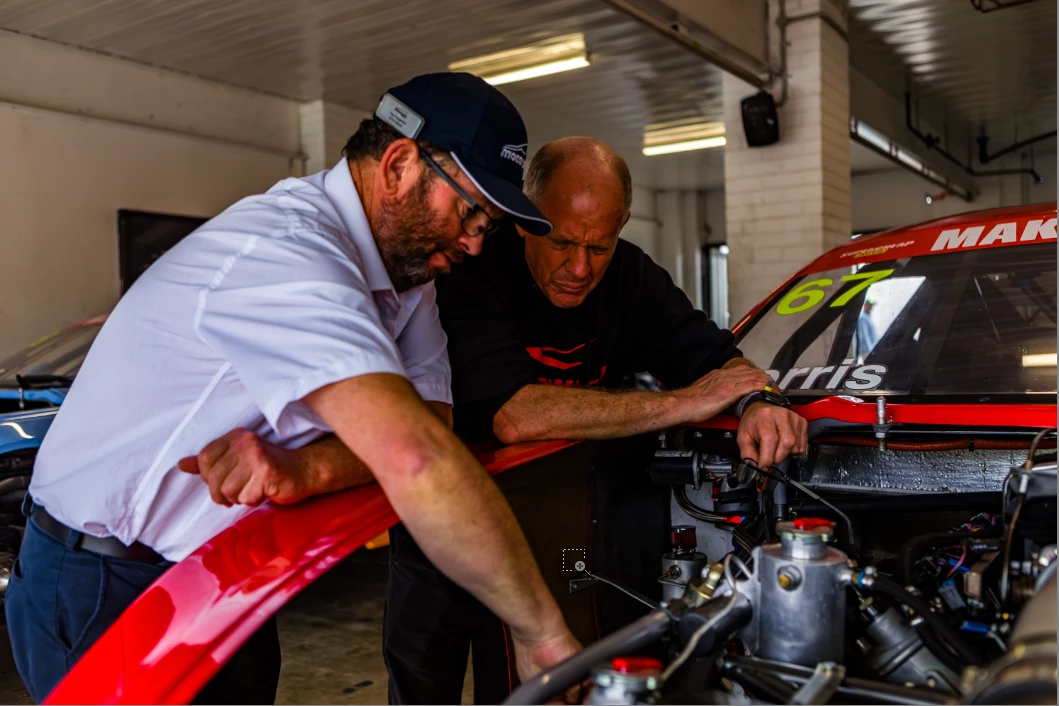
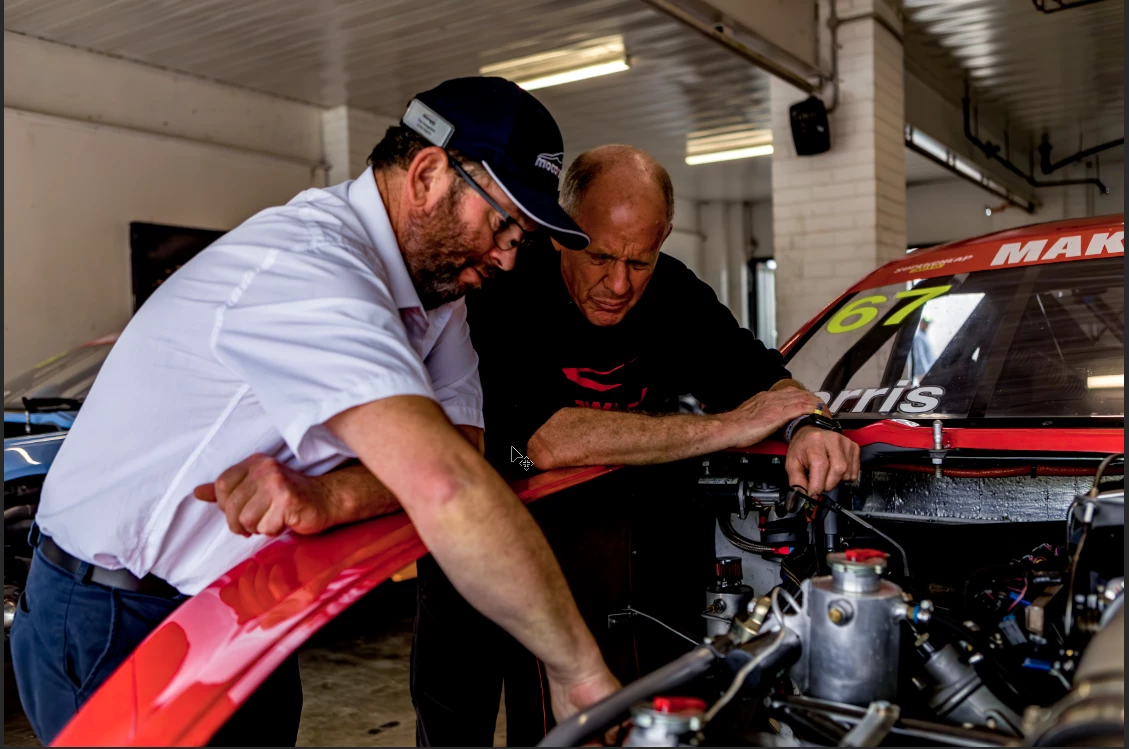
When I use light room for some basic adjustments and presets all works fine but when I then go to edit in Photoshop the image loads fine but does not have the same colours as the preset. 
Has any one experienced this before and have a solution to this?
LR image

Ps image


Ta,
Grant

This topic has been closed for replies.
Correct answer johnrellis

Quickly test whether your display profile is incompatible with LR:

http://www.lightroomqueen.com/articles-page/how-do-i-change-my-monitor-profile-to-check-whether-its-corrupted/

4 replies

Participating Frequently
November 7, 2023

What solved my issue was uninstalling photoshop, removing preferences and reinstalling it with setting the correct colour profile in photoshop. Not sure why it worked this time and not before but it worked. 

Thanks for the assistance guys

johnrellis
johnrellisCorrect answer
Legend
November 6, 2023
Participating Frequently
November 7, 2023

I don't think this is the issue at all, my monitor settings have never been touched

johnrellis
Legend
November 7, 2023

You may not have touched those settings, but Windows Update has a nasty habit of doing so. Your symptoms are often (though not always) caused by the display profile getting changed behind the user's back.

Participating Frequently
November 6, 2023

Hi Bill
The top one has more saturation and has more red tones in the skin. 
The Versions are the most up to date versions of LR and photoshop. 
The presets and the method worked fine the last time I used it last week and had worked fine for the last year without issue. 

Community Expert
November 6, 2023

With what you've offered, I can only guess that perhaps there is a "color space" setting that has changed.   There are lots of references on the subject, but this video seems good enough:  https://assureuas.com/wp-content/uploads/2022/12/ASSURE_2022_Annual_Report_Website.pdf

Participating Frequently
November 7, 2023

Cheer's I'll look into this

Community Expert
November 6, 2023

As they display on this forum, there does not seem to be a difference.  People here will need to know your versions and what presets you are using.   Are you editing RAWs or JPEGs?  What part of the image does not show the right colors?