
Question
Lightroom is Completely Wonky
I'm sorry for the lack of specificity in the subject, but there's no other way to describe what's going on.
Surface Book II, Win 10 (up to date), nVidia GTX 1060 GPU, 16GB RAM.
When I mouse over folders in the Library module, all the dropdown arrows disappear. I can still open the folder, but I'm kind of guessing where the arrow location is.
If I open a file in the Develop module, it opens in a small, pop-out screen (see attached screen grab) and not in the main window.
I've tried uninstalling and reinstalling Lr. I've tried deleting the catalogue and recreating it.I've rebooted the laptop. 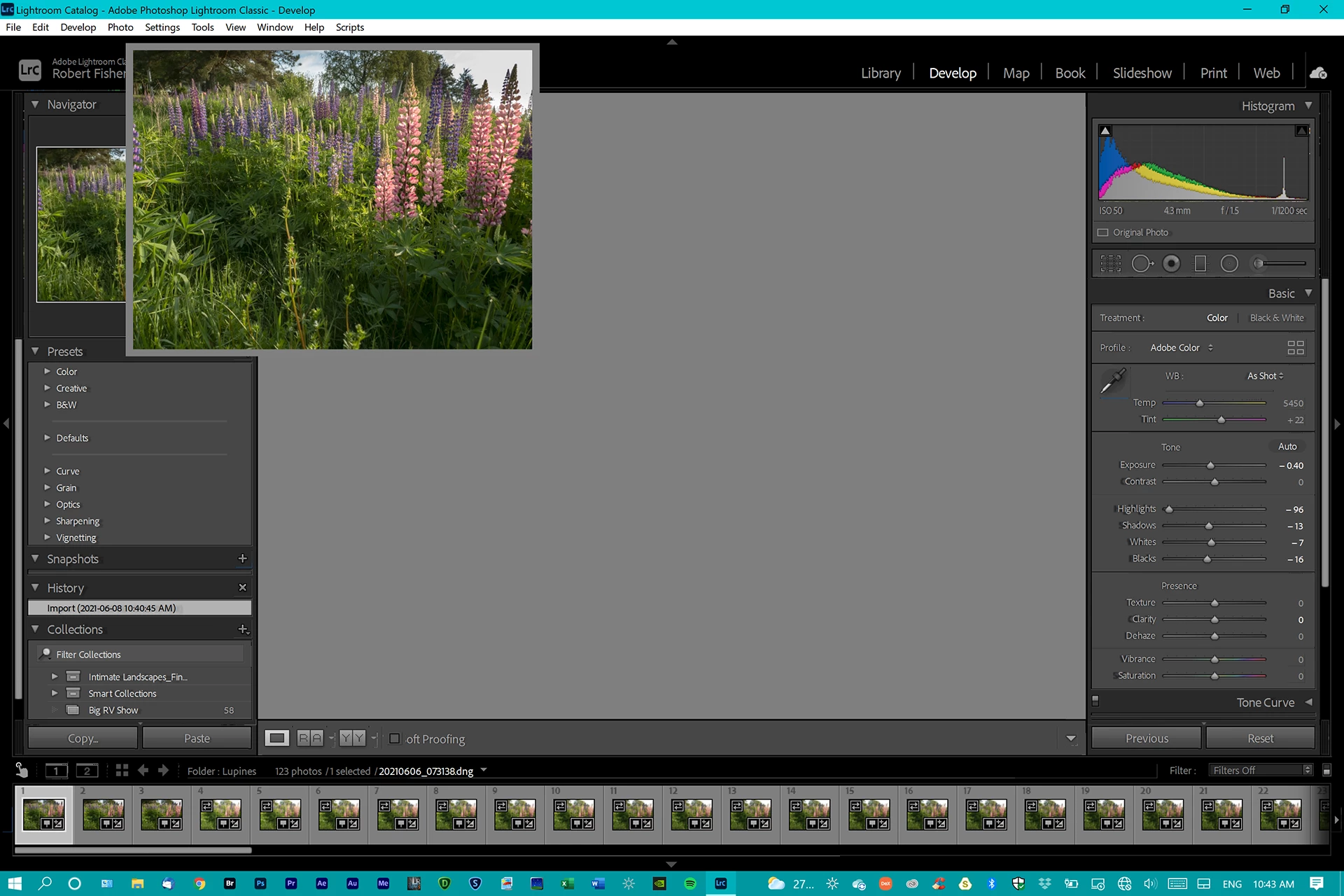 Nothing works.
Any useful information is appreciated.
Thank you.
 AdChoices