
Participating Frequently
January 10, 2018
Answered

Lightroom is incapable of opening raw files? [Unable to open Nikon D3400 Raw files in LR CC 2015.5.1]

  • January 10, 2018
  • 2 replies
  • 4244 views

Hi all,

i'm struggling with this, I cant seem to open up any of my raw files when attempting to import them,

I am using adobe Lightroom cc 2015

I keep getting a dialog box up which is telling me the file cannot be opened by lightroom
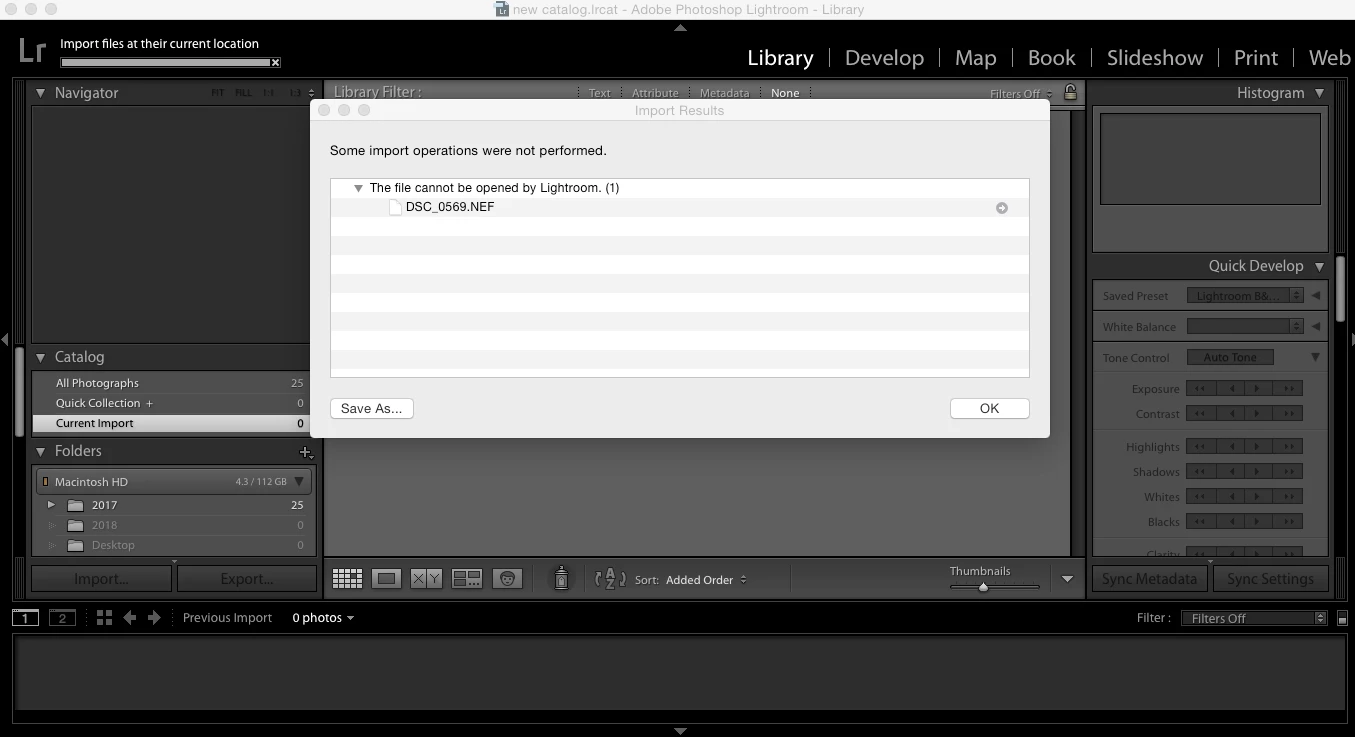
I've tried a different SD card and its all the same.

I've tried importing a file onto my computer first and them opening it and still nothing.

Has anyone ever encountered anything similar to this ? Any help would be very much appreciated, i've got photos to edit  and can't extract any of them !!

This topic has been closed for replies.
Correct answer Just Shoot Me

Ive been using this version of lightroom for about a year now and everything has been fine until I took pictures with my new nikon d3400, I have the full adobe package with photoshop and everything else included.

operating System - Apple Macbook OS X Yosemite version 10.10.5

camera - Nikon D3400

Lightroom version: CC 2015.5.1 [ 1073342 ]

License: Creative Cloud

Operating system: Mac OS 10

Version: 10.10 [5]


As stated above you need a version of LR that won't run on the version of OS X that is installed on your Mac.

The highest version of LR you can run on OS X 10.10.5 is LR 2015.6.1 and you need at least LR 2015.7.

So you have 2 options.

1) Use the Free Adobe DNG converter program to convert the NEF files into DNG files and then they will import into LR.

2) Upgrade OS X to the new version, High Sierra 10.13.2. But if you do that you might have some older software that might not run on the newer version of OS X.

2 replies

Just Shoot Me
Legend
January 10, 2018

If you have a subscription to the Photographers plan then you should be running LR Classic CC V7.1 and not LR 2015.

What operating system is installed on your computer?

What camera are you using, Make and Model number?

In LR please go to the Help menu and select System Info and post the first 4-5 lines from that.

JP Hess
Inspiring
January 10, 2018

What EXACT version of Lightroom?

What model of Nikon took the image?

How would the images downloaded?

Did you use Nikon Transfer to download?

Participating Frequently
January 10, 2018

I'm using Adobe CC 2015.5.1

Build 1073442

A Nikon D3400 took the images. (It's brand new)

I don't understand what you mean by how they would be downloaded, but they're on an SD card and I am attempting to open them directly from the SD into lightroom

I synced my phone up to the nikon Snapbridge app which sends the photos directly to my phone but because I don't have great storage on my iphone I disabled this feature whilst taking my snaps, and did notice that the pictures in lightroom that didn't get sent to my phone don't seem to show a preview on the import page

Participating Frequently
January 12, 2018

As stated above you need a version of LR that won't run on the version of OS X that is installed on your Mac.

The highest version of LR you can run on OS X 10.10.5 is LR 2015.6.1 and you need at least LR 2015.7.

So you have 2 options.

1) Use the Free Adobe DNG converter program to convert the NEF files into DNG files and then they will import into LR.

2) Upgrade OS X to the new version, High Sierra 10.13.2. But if you do that you might have some older software that might not run on the newer version of OS X.


Thanks for all your help