webj18963655
Participant
March 10, 2019
Question

Lightroom is to small to see on my laptop

  • March 10, 2019
  • 3 replies
  • 6014 views

When I load my lightroom on my laptop it is too small to see or use.
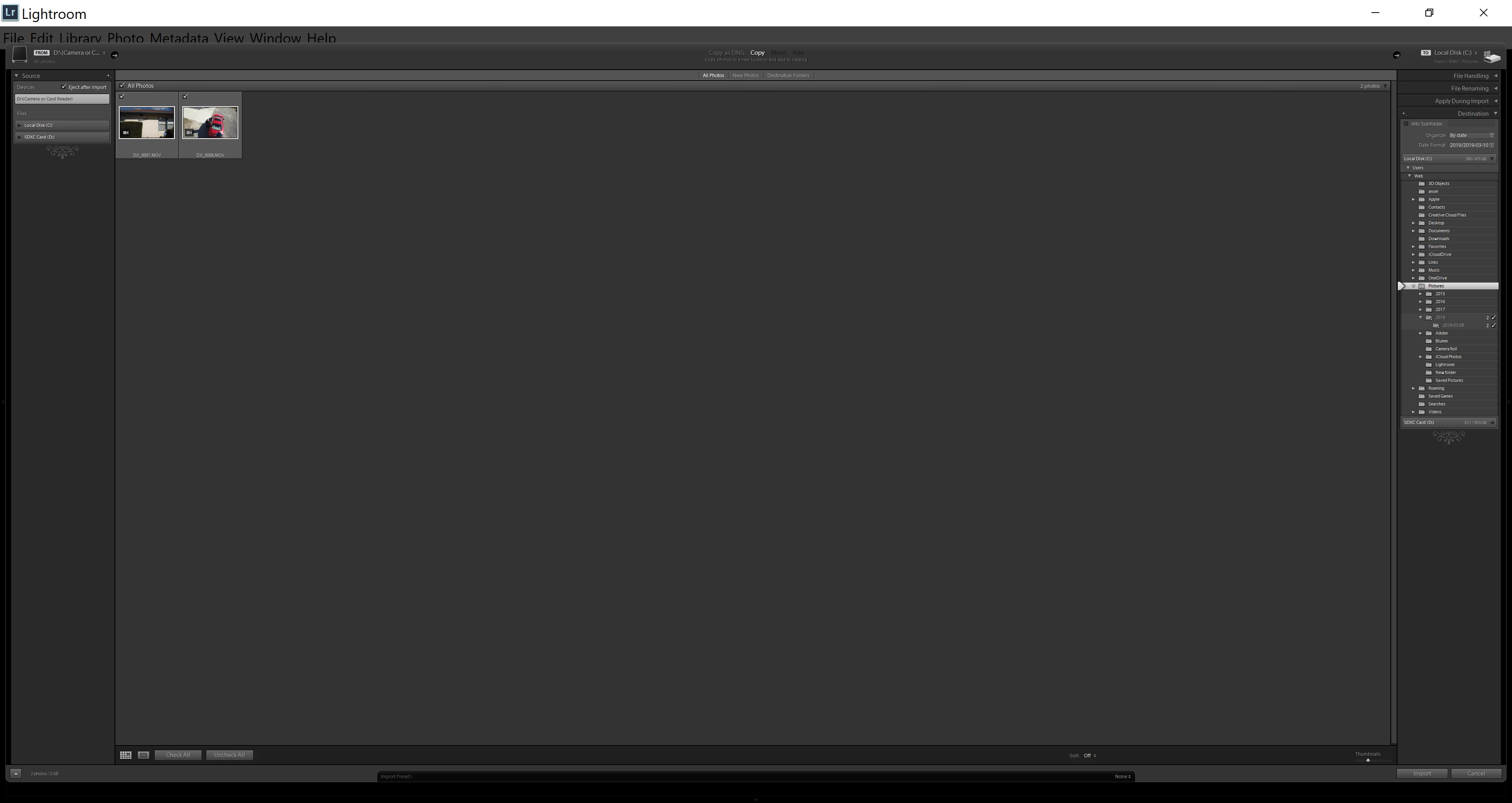
Does anyone have an idea how to change the size of the display on my screen.  It doesn't help by changing my screen size of my display.

3 replies

Participant
December 12, 2020

I right clicked the LR icon -> Properties -> Compatibility -> Change high DPI settings and then ticked "Override high DPI scaling behaviour. Scaling performed by System (Enhanced)." as per

https://blogs.windows.com/windows-insider/2017/01/09/announcing-windows-10-insider-preview-build-15002-pc/#B4p617eIRYORoHM1.97

JohanElzenga
Community Expert
Community Expert
March 10, 2019

Looks like your laptop has a high resolution screen (4K perhaps?) and that you have set the screen resolution to the native screen resolution. Set it much lower.

-- Johan W. Elzenga
Per Berntsen
Community Expert
Community Expert
March 10, 2019

Go to Edit > Preferences > Interface, and try a larger font size.

Restart Lightroom for the change to take effect.

webj18963655
Participant
March 10, 2019

That didn't do anything.  if anyone has another idea please submit your thoughts.

JoeKostoss
Community Expert
Community Expert
March 10, 2019

If you want to change the size of the thumbnails, use the slider on the lower right corner of your screen.