
Inspiring
May 22, 2017
Question

Lightroom .."Please select a source "

  • May 22, 2017
  • 2 replies
  • 8058 views

Hi,

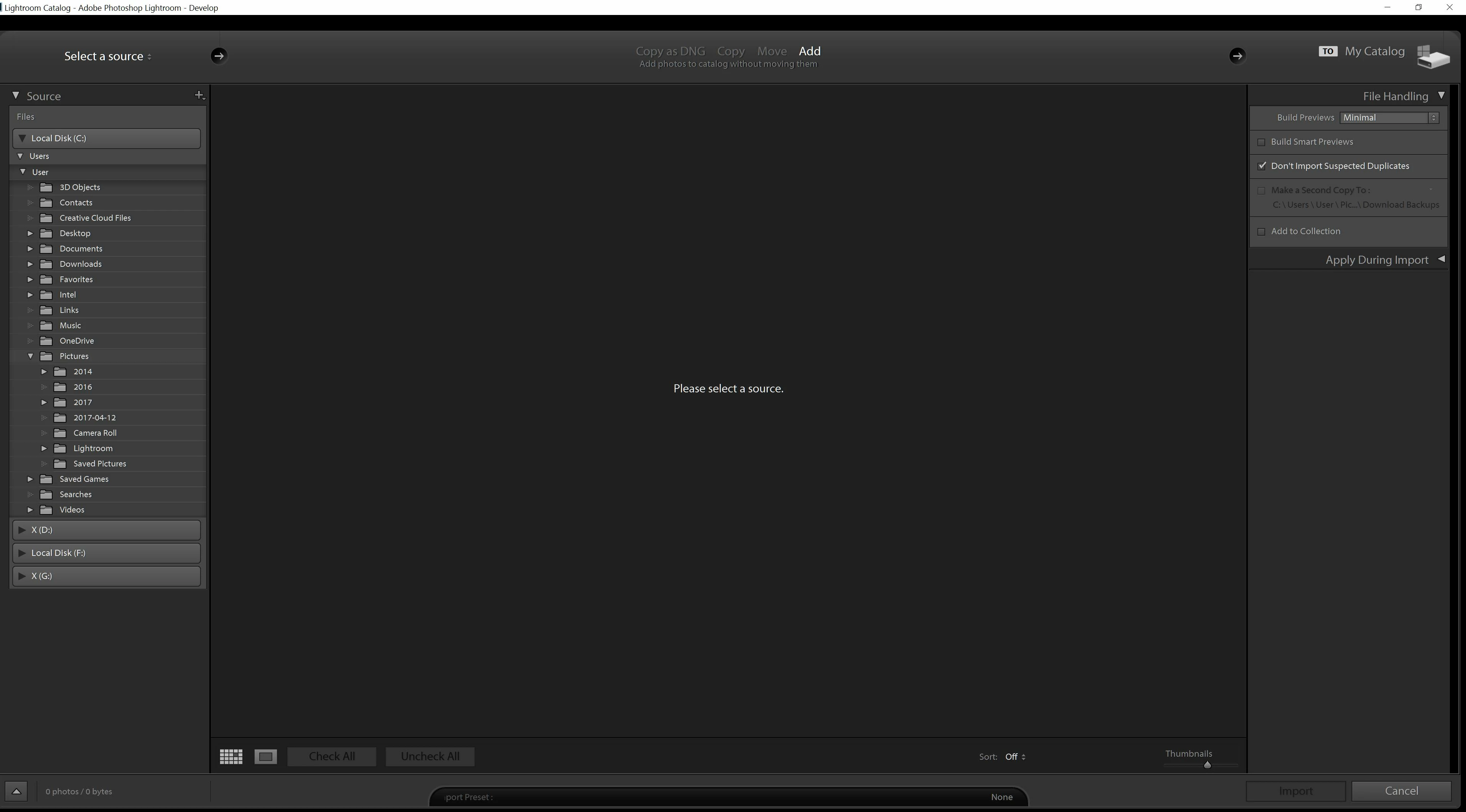
When in development mode every 3 mins or  so I keep being taken to the screen which asks "Please select  a source "

I download images from a CF card reader into folders on my PC. I remove the CF card when images are in the PC folder.

Any ideas as to why I keep being taken to the screen which asks "Please select  a source " ?

I have the latest update installed

Many thanks
This topic has been closed for replies.

2 replies

ManiacJoe
Inspiring
May 22, 2017

In addition to Jim's response, your import is set to "add" which means it will NOT be copying any files to a new location. This is bad if your source is not your hard drive.

JP Hess
Inspiring
May 22, 2017

You're not in Develop mode, you're in the import dialog and Lightroom is waiting for you to import images. Lightroom is expecting you to choose a folder that has images needing to be imported.

Inspiring
May 22, 2017

When I am in develop mode and working on images which have been imported from the folder on my PC, this is when I get taken to "Please select  a source " , I select cancel and get back to Develop mode. My source is a hard drive on my PC.This happens every few minutes which is very annoying

golden_moon
Participant
July 10, 2019

Do you have other USB sockets that you could change the external drive to? Or swap the external drives to different sockets- see if that changes the 'Import- start up'.

For some strange reason Lightroom seems to be identifying this one drive as "Removable media". Also if the drive has a "Sleep" function, each time it awakens Lr sees the "Removable media" as a source to Import.


Hi,

Thank you for your response

For some strange reason Lightroom seems to be identifying this one drive as "Removable media". Also if the drive has a "Sleep" function, each time it awakens Lr sees the "Removable media" as a source to Import.

This was one of the first things I had thought and apart from setting the sleep on the OS also downloaded the MyPassport utility and deactivated the sleep on that. Apart from that had written a small script to do some read and write operation on the drive, even then the add source screen would show up. Any way I dont think its a drive power saving problem as screen starts showing up within a couple of mins of starting on LR and successive appearance of screens is at about 30s.

Do you have other USB sockets that you could change the external drive to? Or swap the external drives to different sockets- see if that changes the 'Import- start up'.

Before my initial mail, I had tried connecting on empty ports, both 2.0 and 3.0 but ended with the same result.

After your suggestion, I switched the ports

restarted LR : Same result
restarted Computer: Same result

So I thought it won't work and switched back to original ports

restarted LR: No import startup screen.

I pushed my luck and restarted computer and again no startup screen. So for some reason when back to the original configuration  and no changes the problem is 'fixed'

But not knowing what caused it or what fixed it the setup seems shaky and a slight breeze in the form of a driver update, windows update or LR update could well end this run.