Inspiring
September 20, 2019
Question

Lightroom RAM usage

  • September 20, 2019
  • 1 reply
  • 593 views

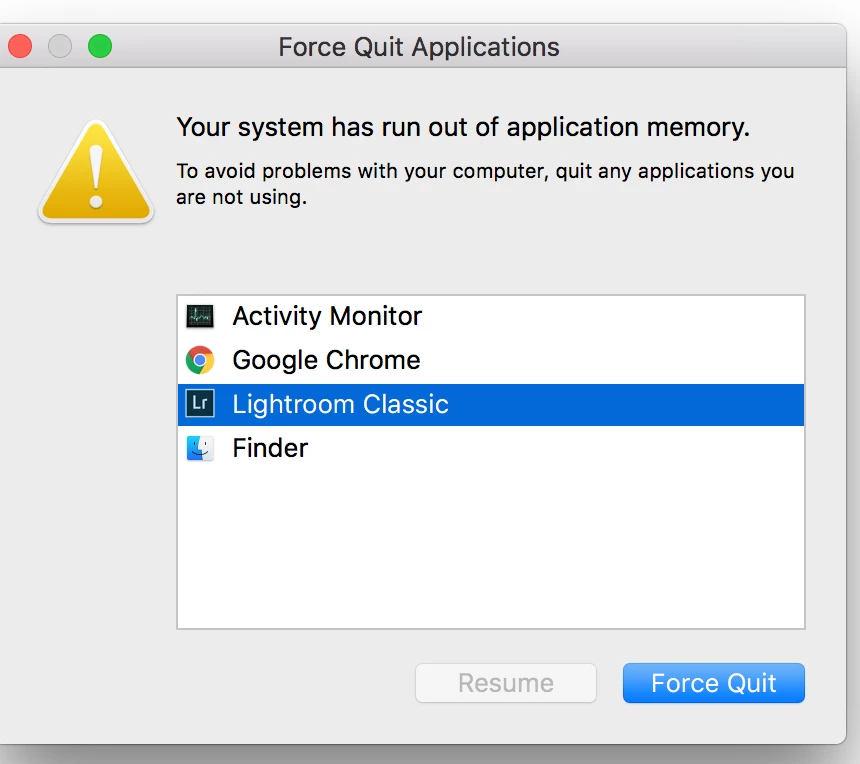
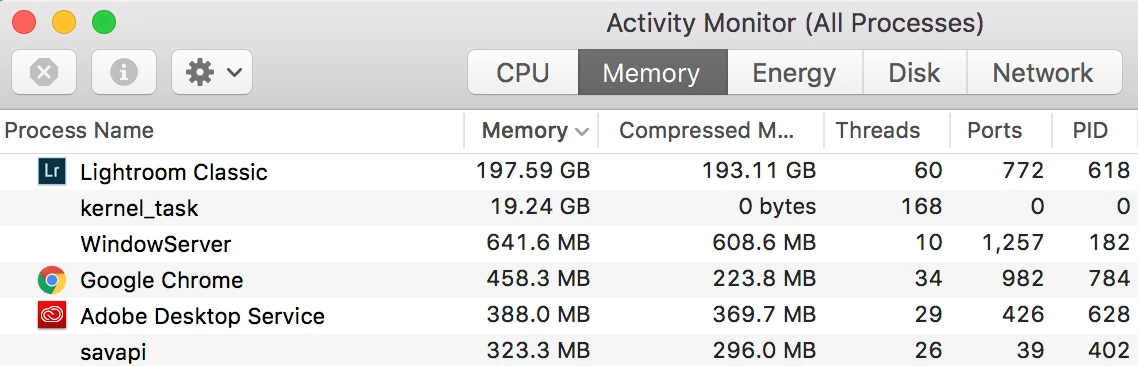
I keep getting 'your system has run out of application memory messages. I only have Chrome and LR running. The activity monitor says LR is using 197GB memory?????

    This topic has been closed for replies.

    1 reply

    saharanzAuthor
    Inspiring
    September 20, 2019

    It's at it again. I can restart the computer and it goes down to 4-9GB but after hald an hour or so it goes back up. 

    Todd Shaner
    Legend
    September 20, 2019
    What version of LR are you using? Very high memory usage is generally caused by corruption in the LR Catalog file. Try creating a new catalog, import some image files, and check the memory usage.
    Was DYP
    Inspiring
    March 17, 2020

    I have been wonder if there is a way to limit Lightroom RAM usage. Even on a brand new catolog for client files I am seeing a huge amount RAM usage so much so that I am always push the RAM usage towards runing out of application memory. Is there a way to limit RAM usage in LR like there is in PS. I only have 48GB on this 2012 Mac and don't see the scense in buying more RAM when I will probably get the 2019 model with at least 192GB as soon as the current virus panic settles down.