
Participant
January 7, 2022
Answered

Lightroom Storing Data Under User\Pictures Folder (Mac)

  • January 7, 2022
  • 2 replies
  • 231 views

Hi,


New to Mac and Lightroom Classic. I have a question regarding the storage of data from Lightroom on my HD. 


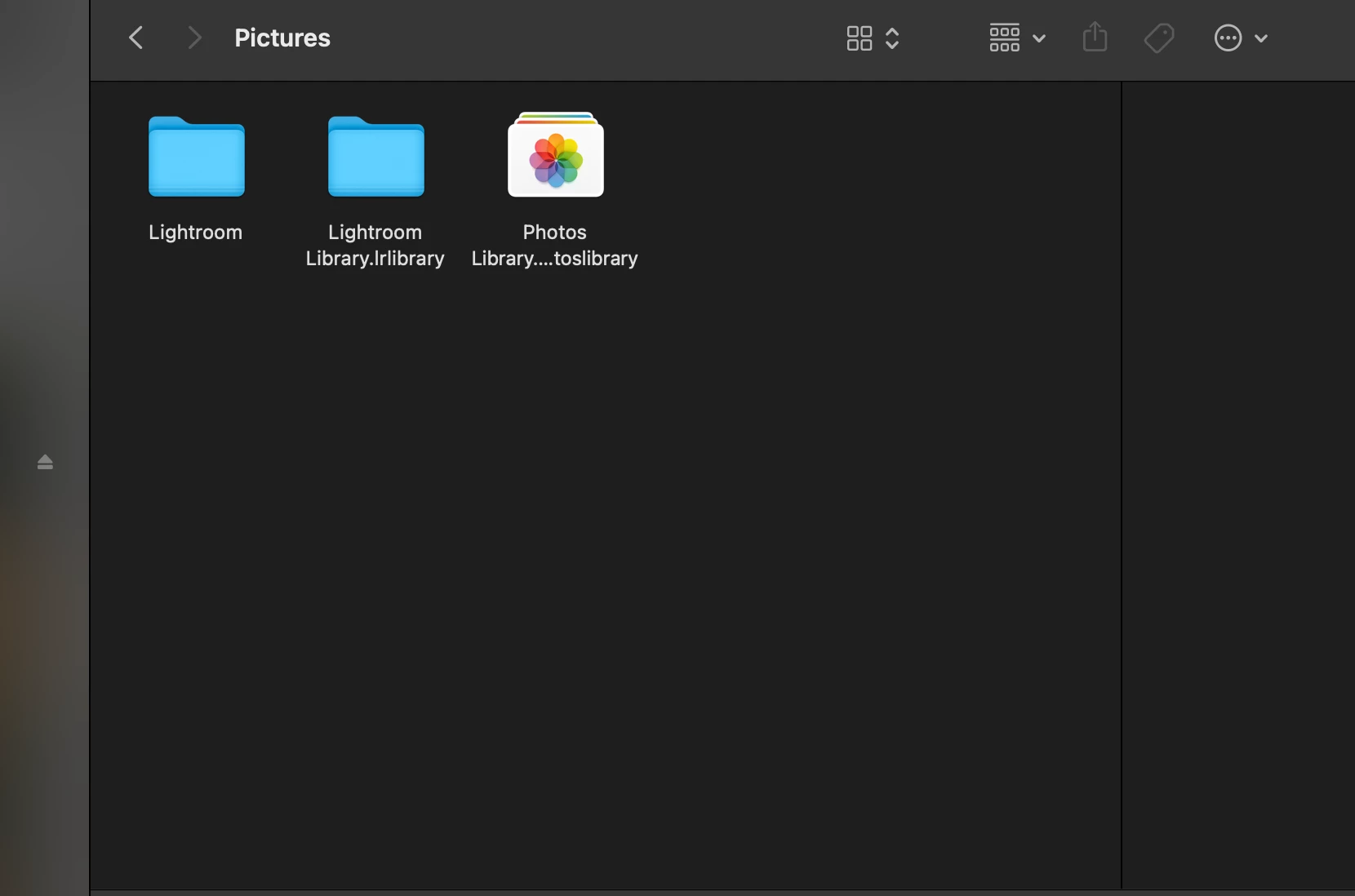
My Lightroom catalogue is stored in my prefered location. It contains everything I expect (previews, smart previews, backups, etc). Although where things get confusing for me is when I saw Lightroom files under \userhome\library. Why did Lightroom decide to put files here?


Thank you in advance!


This topic has been closed for replies.
Correct answer Jim Wilde

The "Lightroom" folder likely contains the default catalog that LrC will create the first time it is started after installation. If you have subsequently copied that default catalog to a different location, or created a new catalog in a different location, LrC does not "clean-up" older catalogs.....that's left to the user to sort out. So open that "Lightroom" folder and inspect the contents, and if you're not sure what they are post a screenshot of them.


The "Lightroom Library.lrlibrary" is the default location (which cannot be changed) for the local folder that the cloud-based Lightroom desktop app uses. It is created on first launch of the Lightroom desktop app.....if you are not using the Lightroom desktop app, you can delete that folder.


The final folder is the default loaction for the Mac's Photos app.

2 replies

dj_paige
Legend
January 7, 2022

You haven't told us what files are in these folders.

Jim Wilde
Community Expert
Jim WildeCommunity ExpertCorrect answer
Community Expert
January 7, 2022

The "Lightroom" folder likely contains the default catalog that LrC will create the first time it is started after installation. If you have subsequently copied that default catalog to a different location, or created a new catalog in a different location, LrC does not "clean-up" older catalogs.....that's left to the user to sort out. So open that "Lightroom" folder and inspect the contents, and if you're not sure what they are post a screenshot of them.


The "Lightroom Library.lrlibrary" is the default location (which cannot be changed) for the local folder that the cloud-based Lightroom desktop app uses. It is created on first launch of the Lightroom desktop app.....if you are not using the Lightroom desktop app, you can delete that folder.


The final folder is the default loaction for the Mac's Photos app.

NZPhotoAuthor
Participant
January 7, 2022

That makes sense! I downloaded and installed desktop Lightroom before realizing I wanted Classic Lightroom.


Thank you