
Yukon Dan
Inspiring
October 5, 2018
Question

Lightroom Sync Loop + thousands of errors with 7.5

  • October 5, 2018
  • 4 replies
  • 3740 views

Sync has generally worked well for me in the past but now it has gone completely mad.

Every time I open Lightroom it says "syncing 15,000 photo" and basically it tries to sync everything again. Then when it gets nearly complete, the number starts climbing again and so does the "sync errors" number until you end up with thousands of sync errors.

While it does this, Lightroom basically becomes unresponsive and often crashes and requires a Force Quit, at which point it then starts all over again.

I'm running LR 7.5

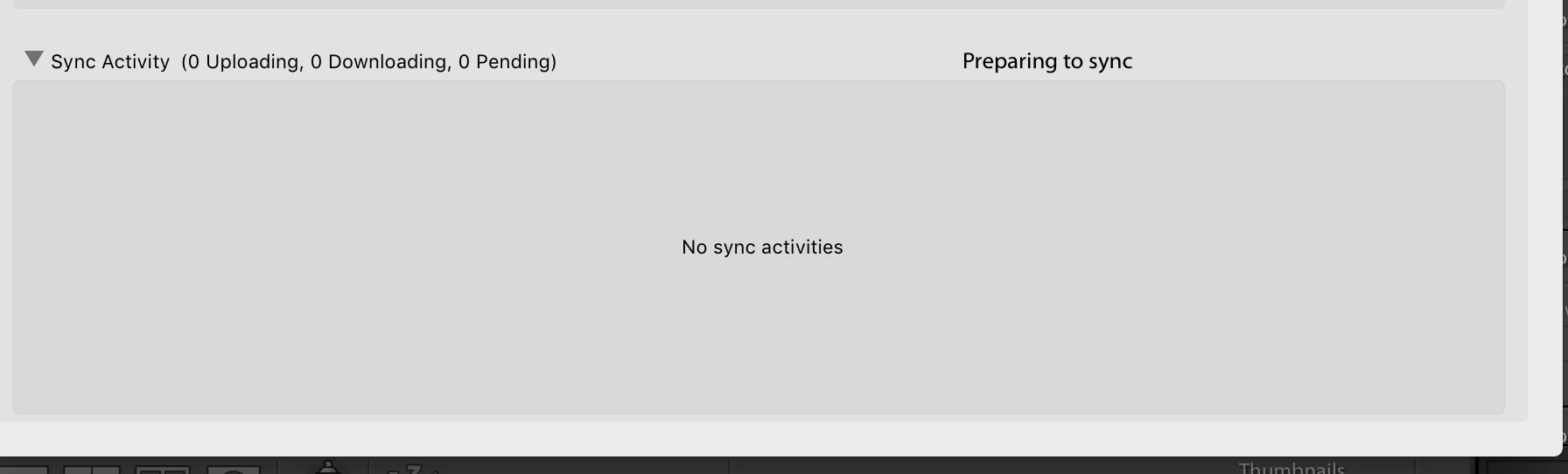
While the Sync is running, the sync panel in the preferences menu shows nothing at all. There are thousands of images now in the "sync error" collection, but nothing shows up in the sync activities section so I have no idea what error message it thinks it is getting.
    This topic has been closed for replies.

    4 replies

    munishg120
    Participating Frequently
    October 16, 2018

    i'm still having this issue after upgrading to Lightroom Classic CC 8.0, tried rebuilding sync data multiple times. It never finishes before the program freezes. I also tried, downgrading to 7.2 and it still persists. im at my wits end here.

    Yukon Dan
    Yukon DanAuthor
    Inspiring
    October 16, 2018

    Darn. I haven’t tried it yet but I was hopeful

    How do we get actual support from Adobe on this? Does anyone know? Jon?

    john beardsworth
    Community Expert
    Community Expert
    October 16, 2018

    I'm trying to find out if anyone is looking at it. There seems to be a pattern that developed quite recently, and between Classic updates - which tends to point to something server-side - except it's limited to Mac.

    john beardsworth
    Community Expert
    Community Expert
    October 11, 2018

    Did you guys do anything like upgrading the OS?

    Yukon Dan
    Yukon DanAuthor
    Inspiring
    October 11, 2018

    No I didn't.

    munishg120
    Participating Frequently
    October 6, 2018

    I too am having the exact same issue.

    john beardsworth
    Community Expert
    Community Expert
    October 5, 2018

    You can try holding down Alt/Option and using the Rebuild Sync Data button, but in the last couple of weeks a pattern seems to be emerging of a number of users getting this (I've responded to a number of similar questions like this). All seem to be on Mac, maybe after a recent OS update. So while you can try Rebuild Sync Data, I'd suggest waiting a few days.

    time38673426
    Participating Frequently
    October 20, 2018

    Happening on Windows 10 as well

    Adobe Employee
    October 31, 2018

    Any updates on this? Haven't been able to sync any collections for the past three weeks!


    John is correct- since this is a user to user forum, we ask that you please sign in and report your problem here:

    https://feedback.photoshop.com/photoshop_family/topics/lightroom-classic-7-5-sync-issues

    We can steer you in the right direction or troubleshoot further as our extended base of developers are reviewing that forum as well.

    -Priya