
RailfanTerry2926
Participant
September 22, 2018
Answered

Lightroom trouble with sync, Not working

  • September 22, 2018
  • 2 replies
  • 563 views

I have moved my lightroom catalog over to my laptop (Windows 10 pro) everything works but sync, Every time I turn sync on I get this box shows up no matter how many time I restart does the same thing, Anyone know a fix to get sync to work, Thanks for any help
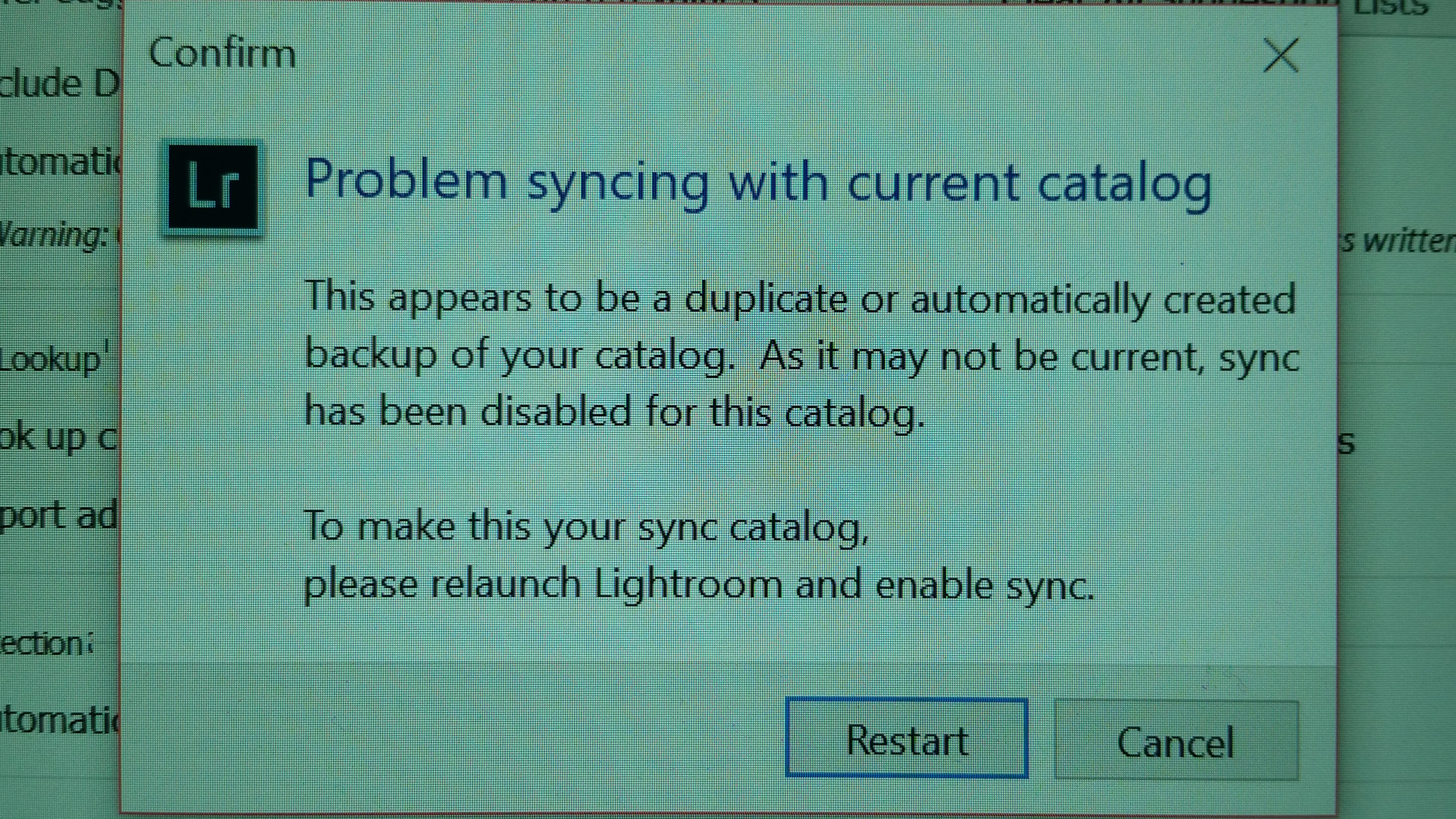
Terry

    This topic has been closed for replies.
    Correct answer Akash Sharma

    Hi Terry,

    Sorry that you're having problems using Lightroom Classic CC.

    Could you try to rename the sync.lrdata file and restart Lr Classic. This would normally restart/refresh the sync (metadata only)

    You can find the  sync.lrdata file here:

    • On Mac it's at /Users/<user>/Library/Caches/Adobe/Lightroom/Sync Data/Sync.lrdata
    • On Win it would be at C:\Users\<user>\AppData\Local\Adobe\Lightroom\Caches\Sync Data\Sync.lrdata

    Let us know ow it goes.

    Thanks,

    Akash

    2 replies

    john beardsworth
    Community Expert
    Community Expert
    September 23, 2018

    I assume that you intend this moving of your catalogue is intended to be a permanent thing - ie that from now on you want to sync this catalogue on your laptop.

    So follow the dialog box's instructions - restart LR and enable sync. Afterwards, you could also go into Preferences and holding down Alt, choose Rebuild Sync Data.

    RailfanTerry2926
    Participant
    September 23, 2018

    Thanks Akash and John I did rename the file it's working if I run into this problem again I'll do what John recommend, Yes the laptop will be my main computer for lightroom as I travel alot thanks for your help.

    Terry

    Akash Sharma
    Akash SharmaCorrect answer
    Legend
    September 23, 2018

    Hi Terry,

    Sorry that you're having problems using Lightroom Classic CC.

    Could you try to rename the sync.lrdata file and restart Lr Classic. This would normally restart/refresh the sync (metadata only)

    You can find the  sync.lrdata file here:

    • On Mac it's at /Users/<user>/Library/Caches/Adobe/Lightroom/Sync Data/Sync.lrdata
    • On Win it would be at C:\Users\<user>\AppData\Local\Adobe\Lightroom\Caches\Sync Data\Sync.lrdata

    Let us know ow it goes.

    Thanks,

    Akash