DanyLaP
Participating Frequently
April 18, 2022
Answered

Lightroom underexposes imported photos from Sony A7 RIV

  • April 18, 2022
  • 5 replies
  • 7532 views

Hello


I just bought a Sony A7R IV and when importing photos into Lightroom, I noticed they are underexposed. 1 or at least 2 stops. Correcting them means I am adding grain/noise to the photo so that is annoying.

This did not happen with my previous camera A7R II


I only shoot RAW, I have no colour profiles set up on the camera (all standard), no profiles on LR when importing, LCD screen brightness is fine (i.e. changing will not make a difference), Monitors fully calibrated (one is ASUS ProArt), and no other tweaks or settings on either side (Camera or LR). I tried importing with Adobe standard and Camera Standard profiles but no changes either

The difference is huge.


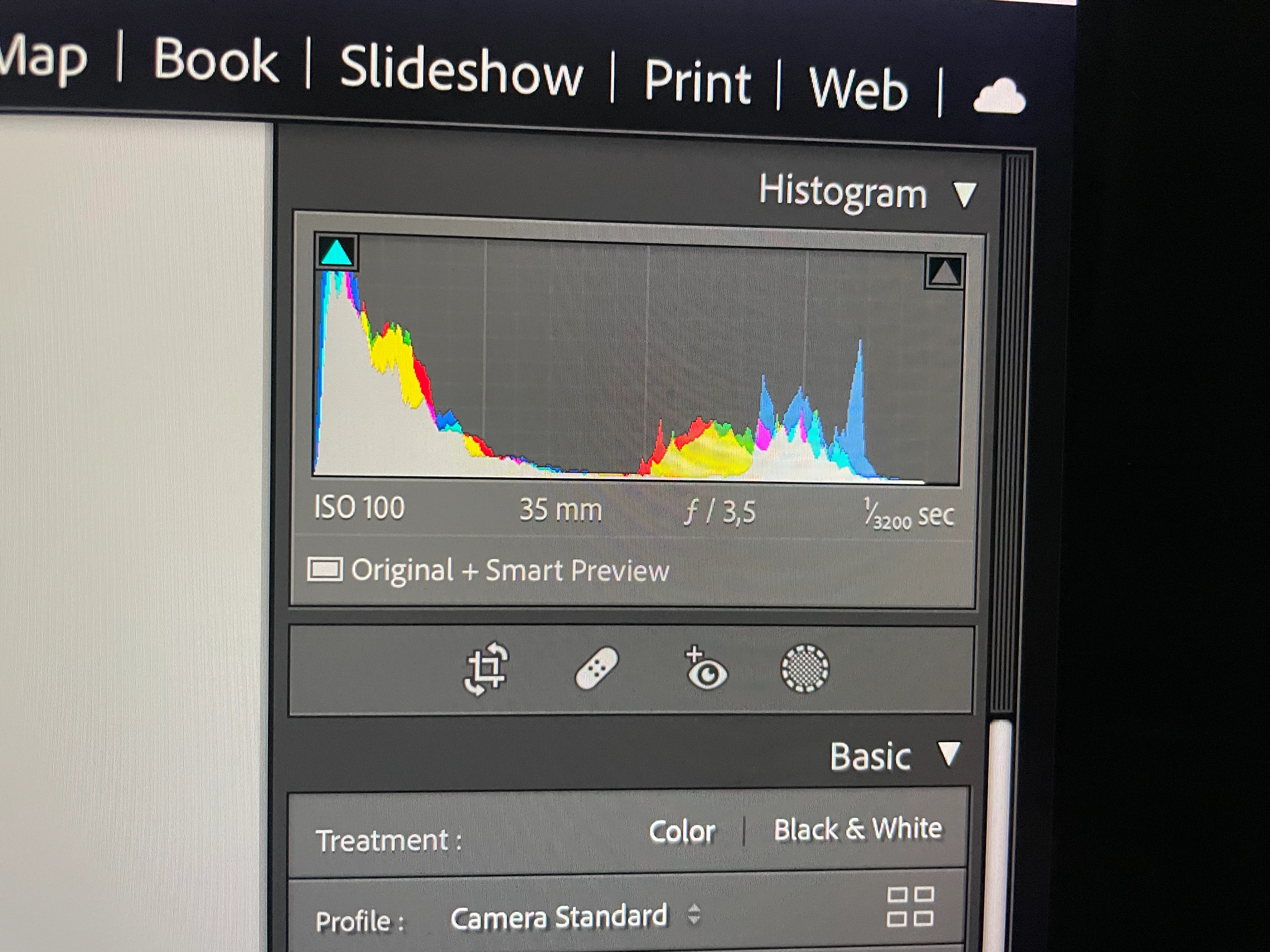
The histograms are different. Better on the camera (brighter). 


Also, it all happens when the import is finished. When importing the preview during the ongoing process looks like it will be ok, but when finishing the last bit to complete the import, LR does apply or does something to the photos that all of them go underexposed. That is in the last part, say last minute. 
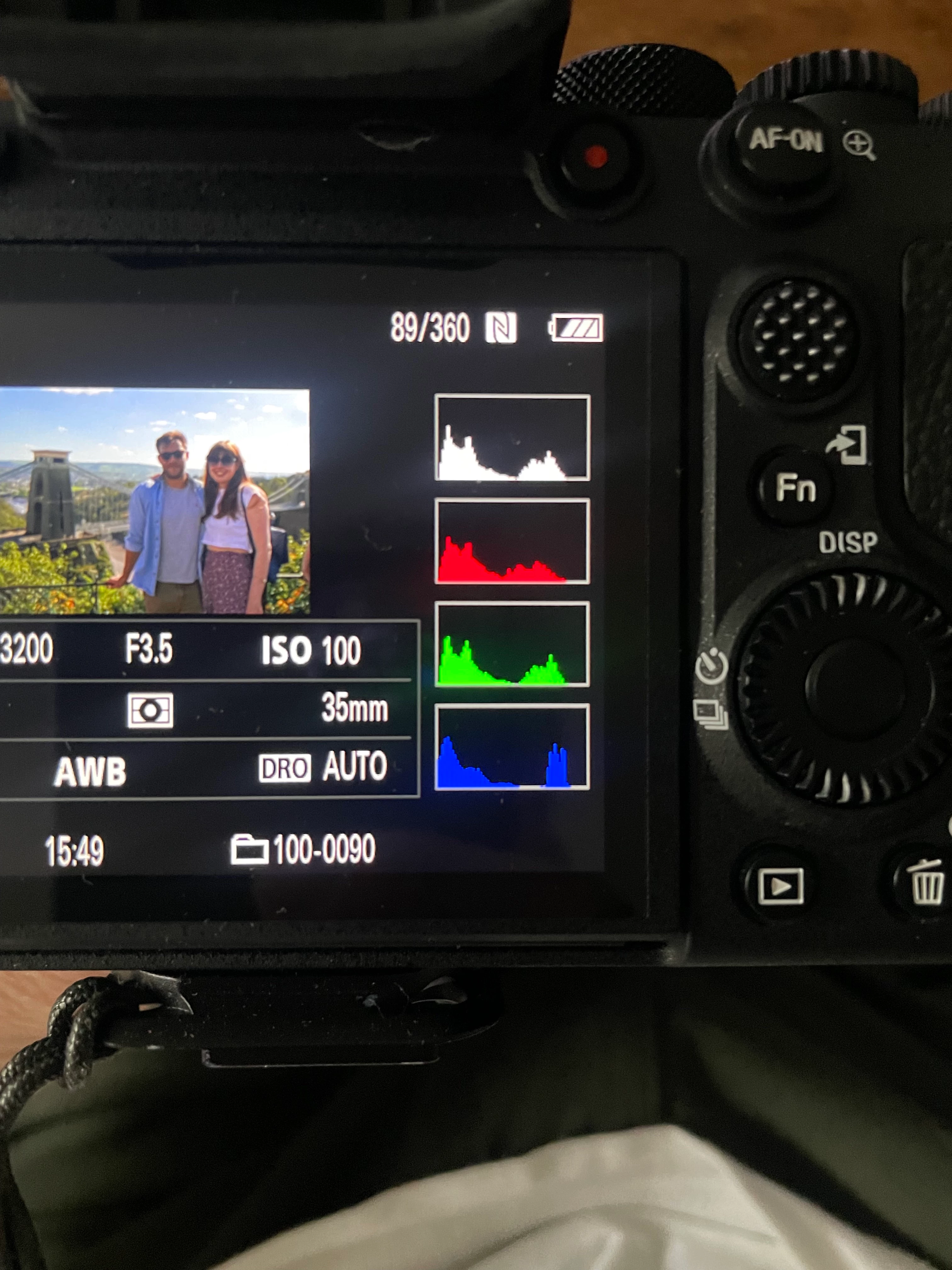


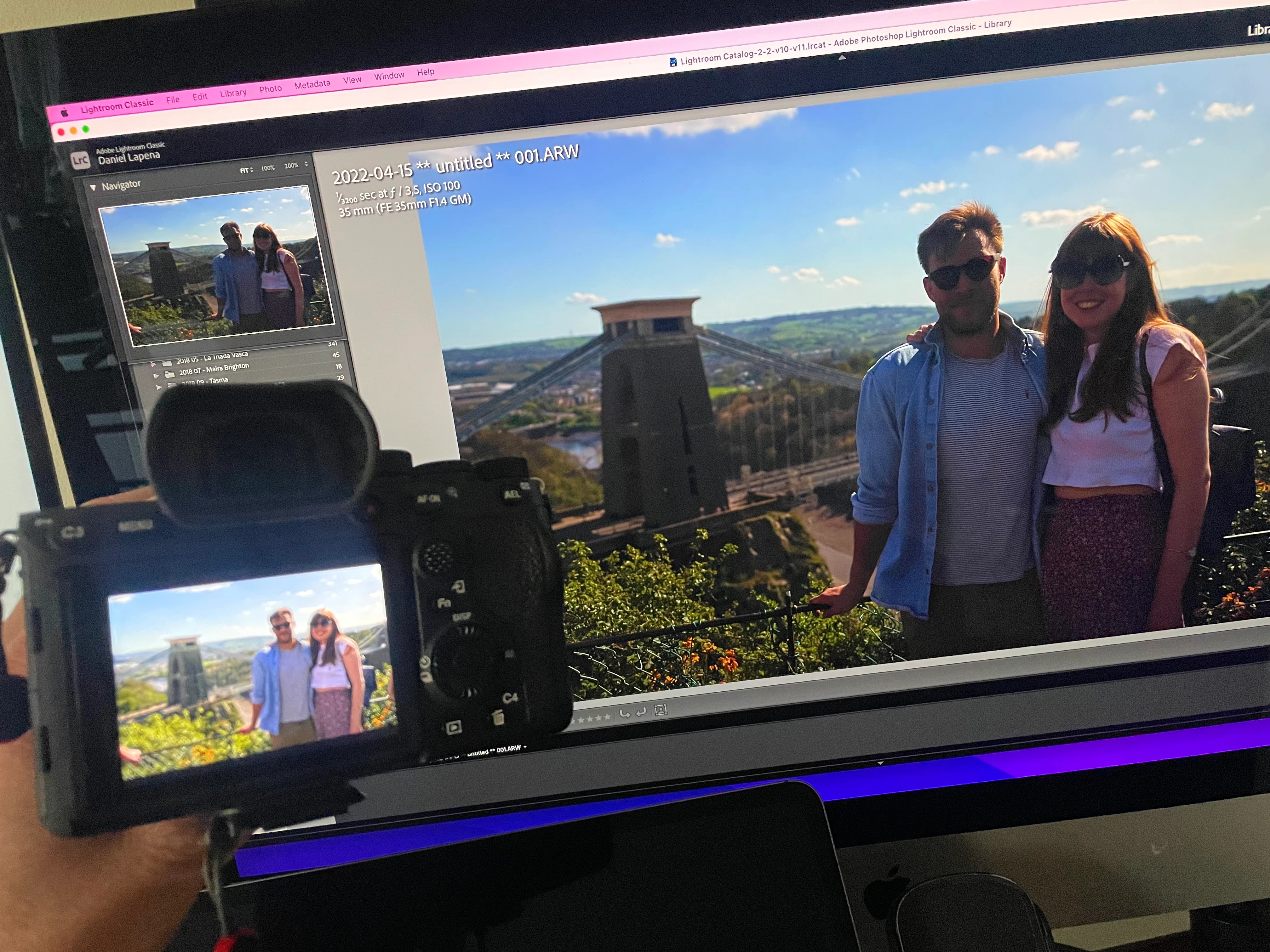
See below (the difference is actually much more, iPhone must be compensating via HDR between photos)
 

Correct answer D Fosse

Hello


Thanks for your response. 


First I must say this happens when there is a lit background, therefore big contrast where DRO is on.


After further testing I came to the conclusion that DRO is not translated into LR. Or LR is not able to read that. I have been shooting photos with DRO disabled, Lvl 1 and Lv5 and where the contrast difference it is clearly noticeable in the camera (and even exported to the phone via Imaging Edge), LR struggles to read these settings. If anything, the shot that has DRO Lvl 5 and it is very well balanced on the camera preview, LR shows it even darker than when I shot and export DRO disabled. 


See below / attached a sample of the LR import shotting DRO Lvl 5, the interpretation of the iPhone via Sony Imaging Edge and a photo of the display of the camera. 


Sadly, I do not have time to use another app to transform the RAW into a file that will interpret that DRO so that LR does too when transfer into it. Luckily the dynamic range of this camera and the RAW photos at no loss, give me enough leeway to adjust myself with barely any noise. 


Again, I will welcome any suggestion on how to make LR "read" this DRO, but by now, they are not able to. 


quote

After further testing I came to the conclusion that DRO is not translated into LR


By @DanyLaP


That's what everybody's been trying to say all along. No need to test. It's ignored, end of.


And to re-emphasize another important point that also has been mentioned above: a raw file is a blind data dump from the camera sensor. The only things that affect exposure are shutter speed, aperture and ISO setting (amplifying sensor signal performed by the camera circuitry).


So you need to understand that the Lightroom version doesn't actually have less exposure. It's just that Lightroom's default settings are conservative. It's the same data!


Camera manufacturers will always try to squeeze as much out of the data as possible. That's a selling point in the store.


I use a pair of a7r III's, and I've learned through experience that I can push exposure a little more than the camera LCD indicates.

5 replies

TheDigitalDog
Inspiring
April 20, 2022

https://expertphotography.com/nikons-active-d-lighting/

Does Active D-Lighting Affect Raw?

No. All in-camera processing is turned off for RAW photography, including Active D-Lighting. However, the effect will be applied on-screen in the JPEGs that the camera displays during playback.


Again, Nikon or Sony, if anyone wants to know the actual effect of exposure on raw, needs to examine that raw in RawDigger. 

That there is often a massive disconnect between the JPEG and the raw in terms of actual exposure and Histogram makes this even more necessary, D-Lighting or otherwise. 

Author “Color Management for Photographers" & "Photoshop CC Color Management/pluralsight"
johnrellis
Legend
April 21, 2022

[This post contains formatting and embedded images that don't appear in email. View the post in your Web browser.]


To summarize, it's very likely that @DanyLaP has Dynamic Range Optimization enabled. This affects the JPEG preview displayed on the camera screen and embedded in the raw (which LR displays initially when it first imports the photo), but it has no effect on the captured raw image. We can't say definitively without a sample image from DanyLaP.


As a concrete example, I shot this photo with my Sony RX100 VII, Raw + JPEG, Dynamic Range Optimization: 5 (the highest level). The raw is on the left, the JPEG on the right; notice the JPEG is noticeably lighter:


And here's the JPEG preview embedded in the raw (extracted by Exiftool), which is identical to the JPEG above:


When LR first imports the photo, it displays the embedded JPEG as the Library preview, but very soon after replaces it with its (darker) rendering of the raw.


To demonstrate that the Dynamic Range Optimization setting isn't affecting the raw images, here's a bracket of three raws, with DRO: 1, DRO: 3, and DRO: 5


They are all rendered identically, and Rawdigger shows identical histograms:


DanyLaP
DanyLaPAuthor
Participating Frequently
April 27, 2022

Hello


Thanks for your response. 


First I must say this happens when there is a lit background, therefore big contrast where DRO is on.


After further testing I came to the conclusion that DRO is not translated into LR. Or LR is not able to read that. I have been shooting photos with DRO disabled, Lvl 1 and Lv5 and where the contrast difference it is clearly noticeable in the camera (and even exported to the phone via Imaging Edge), LR struggles to read these settings. If anything, the shot that has DRO Lvl 5 and it is very well balanced on the camera preview, LR shows it even darker than when I shot and export DRO disabled. 


See below / attached a sample of the LR import shotting DRO Lvl 5, the interpretation of the iPhone via Sony Imaging Edge and a photo of the display of the camera. 


Sadly, I do not have time to use another app to transform the RAW into a file that will interpret that DRO so that LR does too when transfer into it. Luckily the dynamic range of this camera and the RAW photos at no loss, give me enough leeway to adjust myself with barely any noise. 


Again, I will welcome any suggestion on how to make LR "read" this DRO, but by now, they are not able to. 


Rick Spaulding -
Legend
April 20, 2022

As @dj_paige mentioned, Sony's version of d-lighting is called DRO (Dynamic Range Optimization). It increases the dynamic range of JPEGs and the JPEG previews of the RAW files.

I found this on a blog post:


Turning it off fixes this issue. This setting is found in the 1st Camera Tab under the page “Color/WB/Img. Processing1” page (12/15).


DanyLaP
DanyLaPAuthor
Participating Frequently
April 27, 2022

Thank you!

Well, it does "fix" the issue but it is sad I cannot take advantage of that feature in LR.

Community Expert
March 24, 2025

These are totally different processing engines, so this is an impossible and unrealistic ask. Camera matching profiles is already stretching it (and I never use them for this reason).


Keep in mind that anything you see on the camera screen is the result of raw processing. The raw sensor data are exactly the same in both.


If you prefer the Sony rendering, you just need to use Sony's raw processor. As long as you use Lightroom/ACR, you need to accept that this is different raw processor. It's up to you to weigh the pros and cons of each processor. In principle, anything you see on the camera can be replicated in LrC/ACR.


I'll express that more simply: in my experience best convenience / clarity / intentionality comes by deciding clearly up front what format is being 'shot for' in the session - camera JPG, or camera Raw.


That's just one more in a whole sequence of committed decisions we already accept. Yes we may later wish we had set the other format: but we then must also wish to have made the slightly different exposure judgements appropriate to this. It's no different in principle than later regretting one's choice of camera to bring, or lens to mount, or the shot's framing, timing... you get the point.


All the camera settings appropriate for the usage of either form of 'digital film' - Raw or JPG - can typically be set up, road tested, and then switched between using camera custom setting presets.


One then does not need to remember to manually turn DRO off and on - not if clicking a custom preset dial from (say) setting C1 to setting C2 will include this step repeatably. It is a convenient way to switch your camera FROM its 'sometimes' role as a JPG capturing device, TO its 'othertimes' role as a Raw capturing device.

dj_paige
Legend
April 20, 2022

Nikon cameras have a feature called D-Lighting which causes this ... it changes the exposure of the RAW image in ways that Lightroom Classic sees as underexposure, while the Nikon software knows how to read the file to give the correct exposure.


I believe Sony cameras have the same feature, although I do not know the name of this feature. Please make sure you haven't turned this feature on.

DanyLaP
DanyLaPAuthor
Participating Frequently
April 27, 2022

Thansk for your answer but it was not that one. It was DRO... now my question will be how to make LR "read" the DRO settings. 

TheDigitalDog
Inspiring
April 20, 2022

Nothing outside of your camera affects exposure. Exposure is solely based on the amount of light striking your sensor. Yes, LR has an 'exposure' slider that affects brightness.

There is no direct way to evaluate the exposure of raw data in Adobe converters, you need something like RawDigger to do so. The Histograms on the camera are not related to the raws but the JPEGs, the Histogram in LR is based upon the current edits. Best to zip and upload a raw to something like Dropbox or similar, I'll open in RawDigger and show the actual effect of exposure on your raws. 

Articles on exposing for raw:
http://www.onezone.photos
http://schewephoto.com/ETTR/
https://luminous-landscape.com/the-optimum-digital-exposure/
http://digitaldog.net/files/ExposeForRaw.pdf
https://www.fastrawviewer.com/blog/mystic-exposure-triangle
https://www.fastrawviewer.com/blog/red_flowers_photography_to-see-the-real-picture
https://www.rawdigger.com/howtouse/exposure-for-raw-or-for-jpegs
https://www.rawdigger.com/howtouse/beware-histogram
https://www.rawdigger.com/howtouse/calibrate-exposure-meter-to-improve-dynamic-range

Author “Color Management for Photographers" & "Photoshop CC Color Management/pluralsight"
johnrellis
Legend
April 20, 2022

Upload a sample problem raw to Dropbox or similar and post the sharing link here. That will let us collectively diagnose the issue more effectively.


"When importing the preview during the ongoing process looks like it will be ok, but when finishing the last bit to complete the import, LR does apply or does something to the photos that all of them go underexposed. That is in the last part, say last minute."


When LR first imports a raw, it uses the preview JPEG embedded in the raw by the camera as its initial Library preview. In background, it starts rendering the raw with the LR / Camera Raw engine, and when that's finished, it replaces the Library preview with that rendering.