
stevid1
Participating Frequently
December 1, 2019
Question

Lightroom4.4 Cannot import photos

  • December 1, 2019
  • 3 replies
  • 759 views

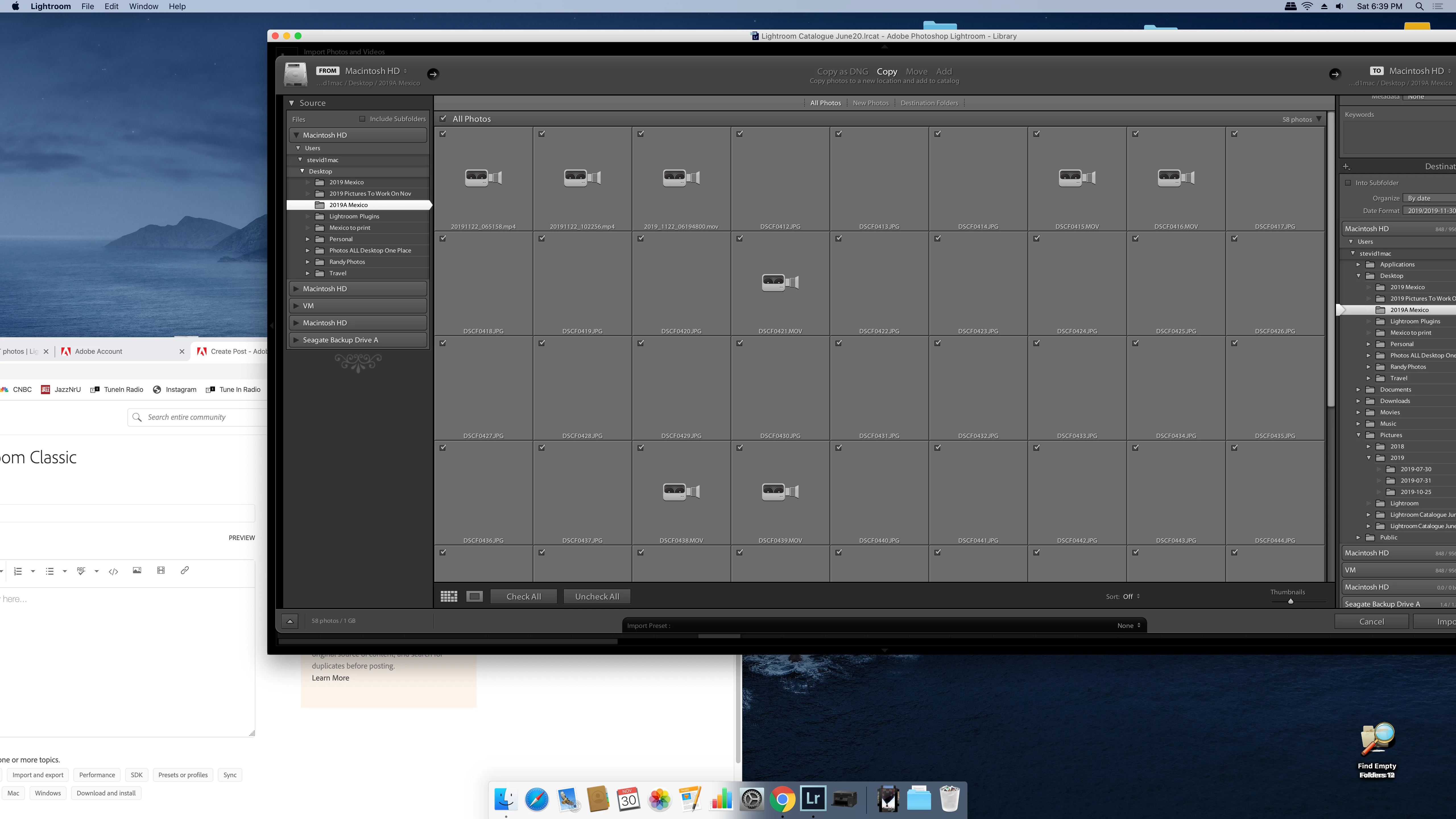
I have Lightroom 4.4.  Recently I have not been ableto import any photos either from a folder on my mac or from an external disk drive attached to the mac.  I have attached a screenshot.  If I double click on one of these gray boxes I see the image but when I Imortr  the importing hangs forever.  Thanks, Steve
This topic has been closed for replies.

3 replies

DdeGannes
Community Expert
Community Expert
December 1, 2019

Your screen capture leads me to believe that you are presently running macOS 10.15 (Catalina). Earlier versions of Lightroom are not compatible with the new system. See the screen capture taken from an Adobe advisory.


Regards, Denis: iMac 27” mid-2015, macOS 11.7.10 Big Sur; 2TB SSD, 24 GB Ram, GPU 2 GB; LrC 12.5,; Lr 6.5, PS 24.7,; ACR 15.5,; (also Laptop Win 11, ver 24H2, LrC 15.0.1, PS 27.0; ) Camera Oly OM-D E-M1.
Participant
December 2, 2023

Hi DdeGannes,

Im running LR 4.4 on Mac Catalina 10.15.7 since a while .Till a few weeks ago no problem at all. But now i have same problem as described by stevid1 ???????

DdeGannes
Community Expert
Community Expert
December 2, 2023

Please describe the problem you are experiencing. Provide a screen capture if you get an error message.

Regards, Denis: iMac 27” mid-2015, macOS 11.7.10 Big Sur; 2TB SSD, 24 GB Ram, GPU 2 GB; LrC 12.5,; Lr 6.5, PS 24.7,; ACR 15.5,; (also Laptop Win 11, ver 24H2, LrC 15.0.1, PS 27.0; ) Camera Oly OM-D E-M1.
Tony_See
Inspiring
December 1, 2019

BTW the bug below may apply to you but your small pixel screen shot is short of detail on my screen . . .

Can't select ADD while importing
Adobe has acknowledged this bug: 
Please add your constructive opinion to the bug report, and be sure to click Me Too and Follow in the upper-right corner. That will make it a little more likely that Adobe will prioritize a fix.
stevid1
stevid1Author
Participating Frequently
December 1, 2019

Hi Tony ,

Thanks for this and your earlier reply.  I am running macOS Catalina 10.15.1

Another member of the community posted back to me that my version of Lightoom is not compatable with this current Mac OS. 

This is a new computer and upgrades to the system I have allowed Apple to do automatically.  While I really need to use Lightroom, I do not know if I can or  know how to rollback the system software to one that is compatable with LR4.1 (I recently left a PC to use a Mac as I have Lightroom friends and said that "its a better way to go"- am I out of luck? ) Must I upgrade to the version of Lightroom where I must pay a monthly fee to use Lightroom?

Thanks,

Steve

Tony_See
Inspiring
December 1, 2019

At this stage in the Lightroom Classic version development, with your older LR version, there can be some mismatch between OS version and Lightroom.

Please post your OS name and version here thanks.

I presume the screen shot displays an Import window with thumbnails of files NEVER previously imported?

Can you confirm that Steve?