
Lightroon Classic Denoise issue
Running Lightroom Classic Ver. 14.4.
Nikon D7500
Windows 11 Home Ver. 24H2
Windows, Lightroom, and the Display Drivers are all the latest versions.
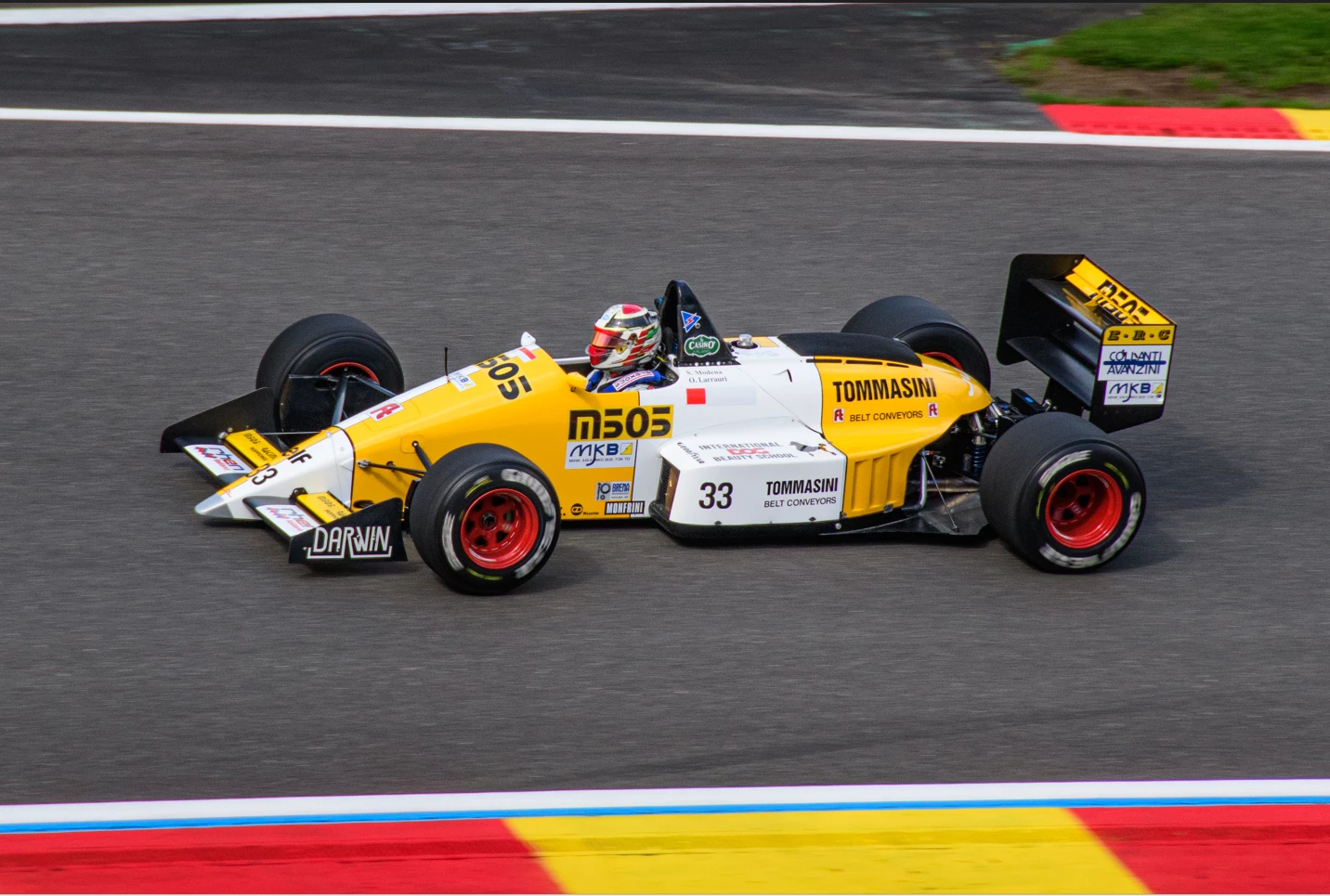
When I use the Denoise feature, the image comes out completely messed up. Editing this photo in raw:
Denoise feature gave this result:
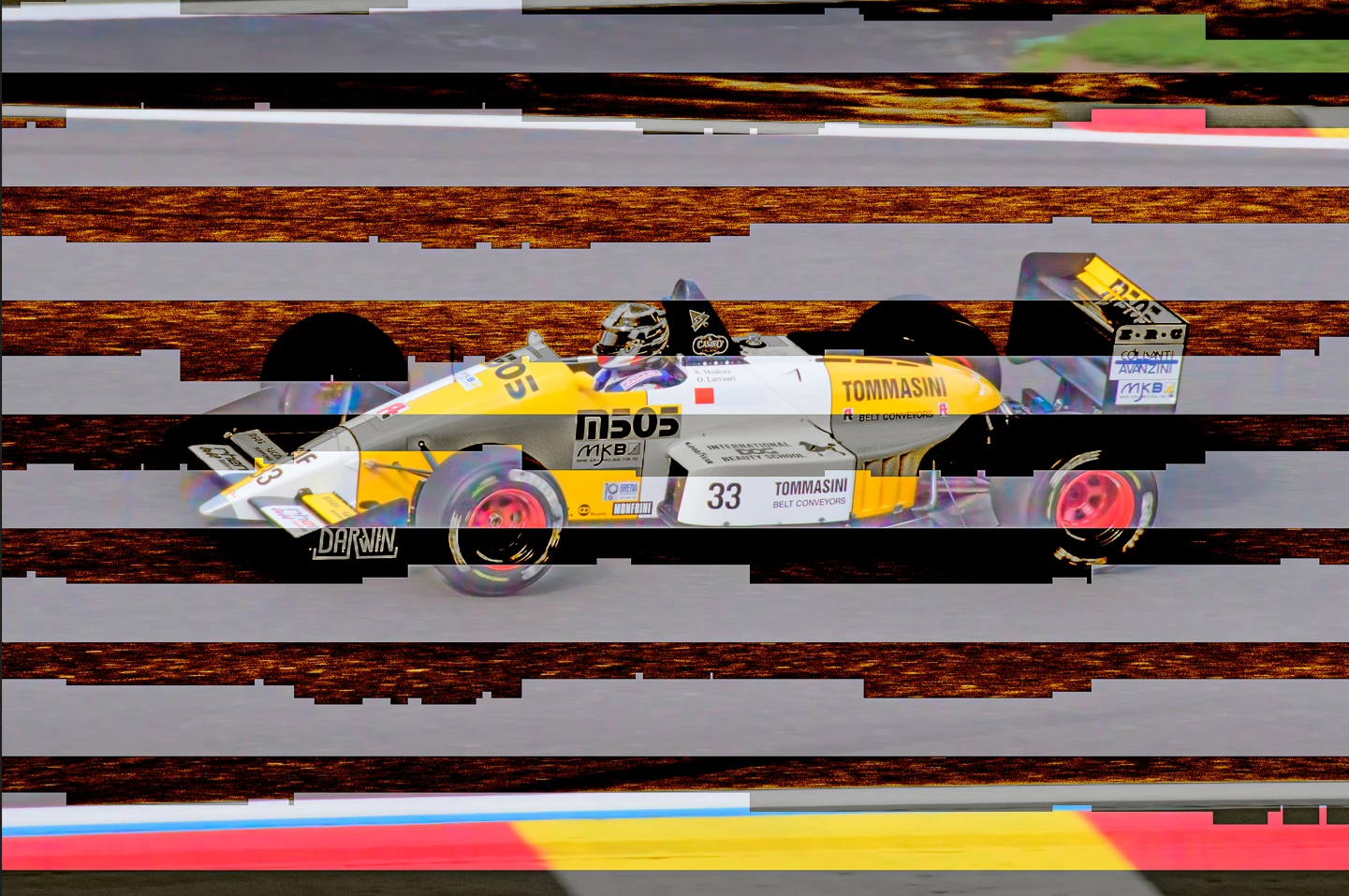
I tried a number of photos, and also got the same result on an old photo that successfully denoised with a older version of LrC.
My workflow is Import>Develop>Denoise. I get no error messages. The denoise result looks the same in LrC as it does after I export the image as well.
I saw some previous posts that said lightroom didn't like dual GPUs, so I also tried disabling UHD Graphics 630. that did not help. And I reset my preferences. That did not help.
Any thoughts on a fix?
Thank you in advance.
Graham.
Here is my system info:
Lightroom Classic version: 14.4 [ 202506051112-5918896a ]
License: Creative Cloud
Language setting: en
Operating system: Windows 11 - Home Premium Edition
Version: 11.0.26100
Application architecture: x64
System architecture: x64
Logical processor count: 12
Processor speed: 2.5GHz
SqLite Version: 3.36.0
CPU Utilisation: 4.0%
Power Source: Plugged In
Built-in memory: 16228.4 MB
Dedicated GPU memory used by Lightroom: 3164.0MB / 8031.0MB (39%)
Real memory available to Lightroom: 16228.4 MB
Real memory used by Lightroom: 2724.3 MB (16.7%)
Virtual memory used by Lightroom: 6955.1 MB
GDI objects count: 898
USER objects count: 2634
Process handles count: 2998
Memory cache size: 0.0MB
Internal Camera Raw version: 17.4 [ 2272 ]
Maximum thread count used by Camera Raw: 5
Camera Raw SIMD optimization: SSE2,AVX,AVX2
Camera Raw virtual memory: 373MB / 8114MB (4%)
Camera Raw real memory: 456MB / 16228MB (2%)
Cache1:
Final1- RAM:130.0MB, VRAM:46.0MB, 0001 Test.NEF
NT- RAM:130.0MB, VRAM:46.0MB, Combined:176.0MB
Cache2:
m:0.0MB, n:130.2MB
U-main: 138.0MB
System DPI setting: 120 DPI
Desktop composition enabled: Yes
Standard Preview Size: 1920 pixels
Displays: 1) 1920x1080
Input types: Multitouch: No, Integrated touch: No, Integrated pen: No, External touch: No, External pen: No, Keyboard: No
Graphics Processor Info:
DirectX: NVIDIA GeForce RTX 2070 (26.21.14.3123)
Init State: GPU for Export supported by default
User Preference: Auto
Enable HDR in Library: OFF
Application folder: C:\Program Files\Adobe\Adobe Lightroom Classic
Library Path: C:\Users\elder\Pictures\Lightroom\Lightroom Catalog.lrcat
Settings Folder: C:\Users\elder\AppData\Roaming\Adobe\Lightroom
Installed Plugins:
1) AdobeStock
2) Flickr
Config.lua flags:
Adapter #1: Vendor : 10de
Device : 1f10
Subsystem : 12721462
Revision : a1
Video Memory : 8031
Adapter #2: Vendor : 1414
Device : 8c
Subsystem : 0
Revision : 0
Video Memory : 0
Adapter #3: Vendor : 1414
Device : 8c
Subsystem : 0
Revision : 0
Video Memory : 0
AudioDeviceIOBlockSize: 1024
AudioDeviceName: System Default - Speakers (Realtek(R) Audio)
AudioDeviceNumberOfChannels: 2
AudioDeviceSampleRate: 48000
Build: LR5x26
Direct2DEnabled: true
Direct2DPresent: true
GPUDeviceEnabled: false
OGLEnabled: false
 AdChoices