

valentinozegna
Known Participant
January 28, 2021
Question

Loss of color saturation in Library panel at 100% zoom

  • January 28, 2021
  • 3 replies
  • 466 views

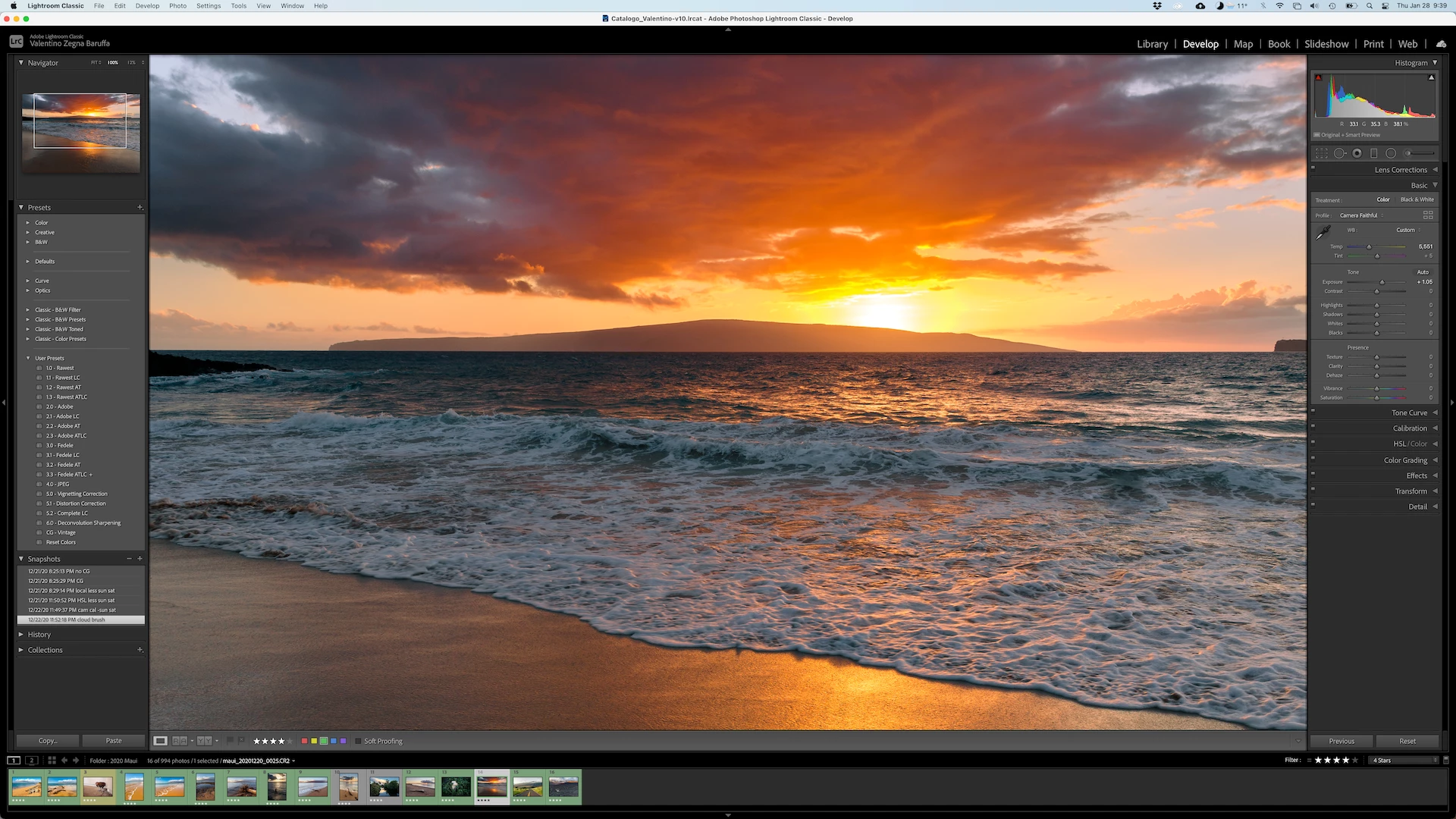
This problems only occurs in the Library panel, not in the Develop.


When I zoom in 100% on a picture (or any zoom larger than "Fill"), the image looses saturation. Please see attached pictures.


"Fit" zoom in Library panel, colors look correct.
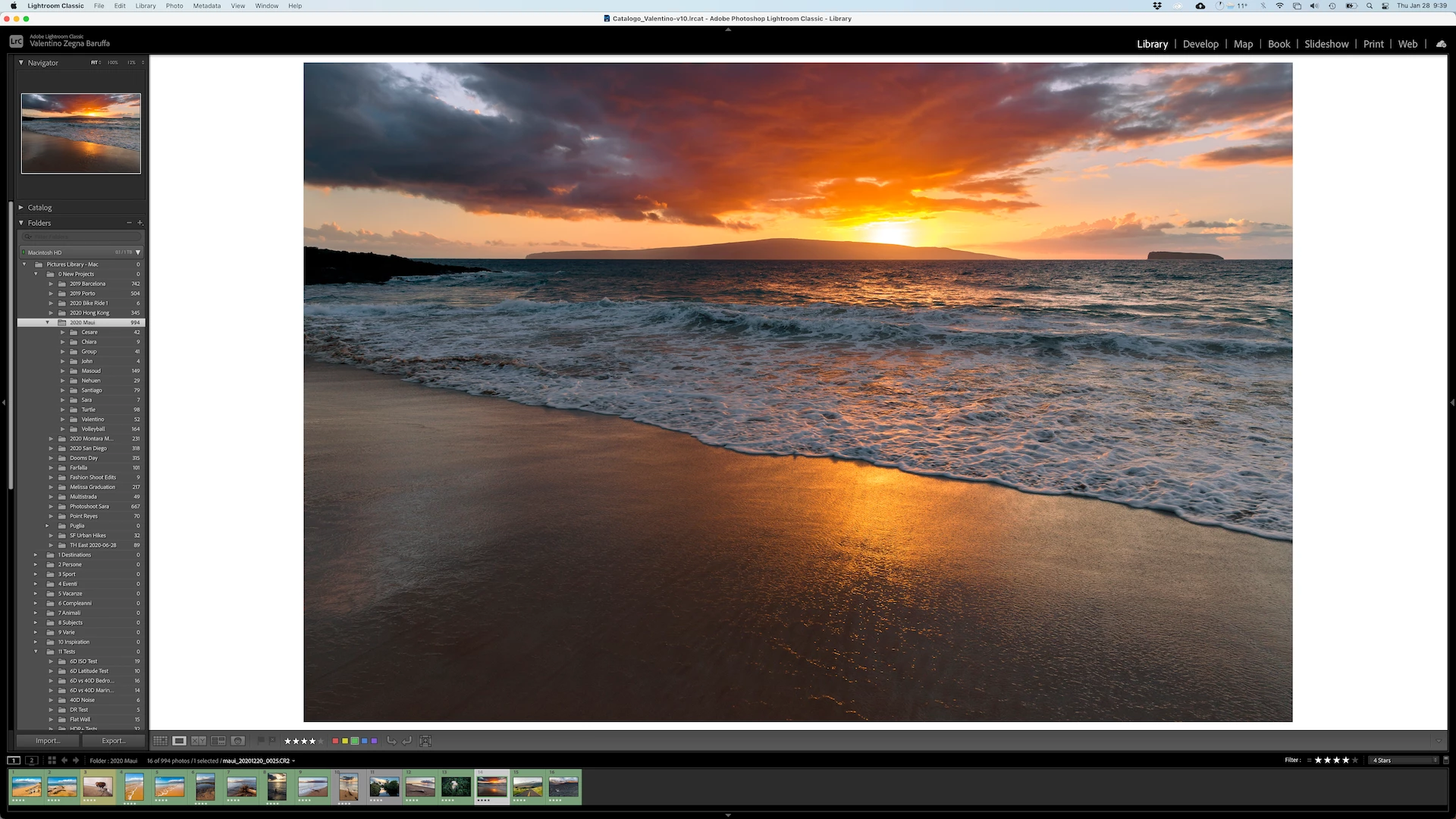
 

100% zoom in Library panel, colors lost saturation.
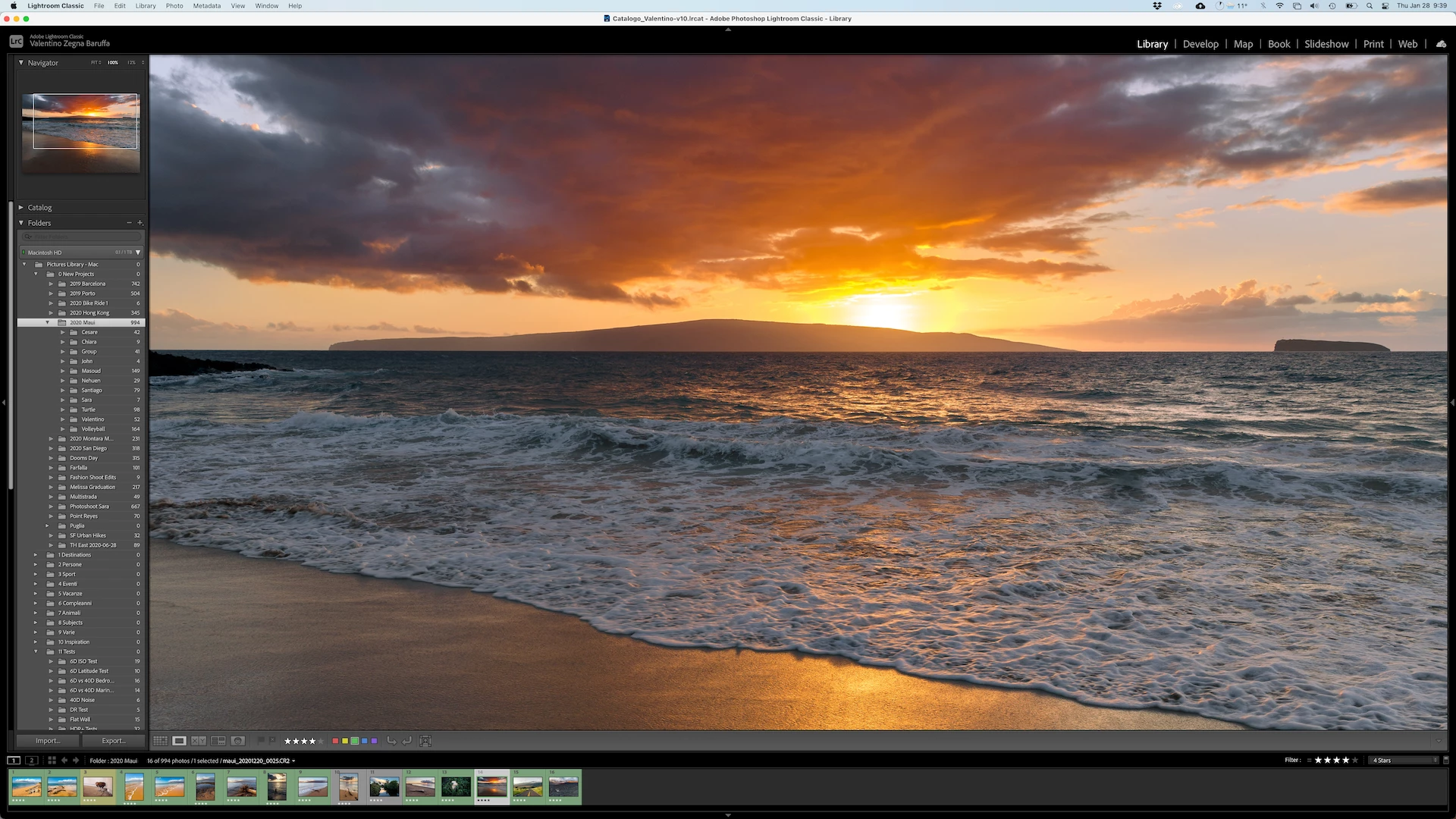
 

100% zoom in Develop panel, colors look correct.
 

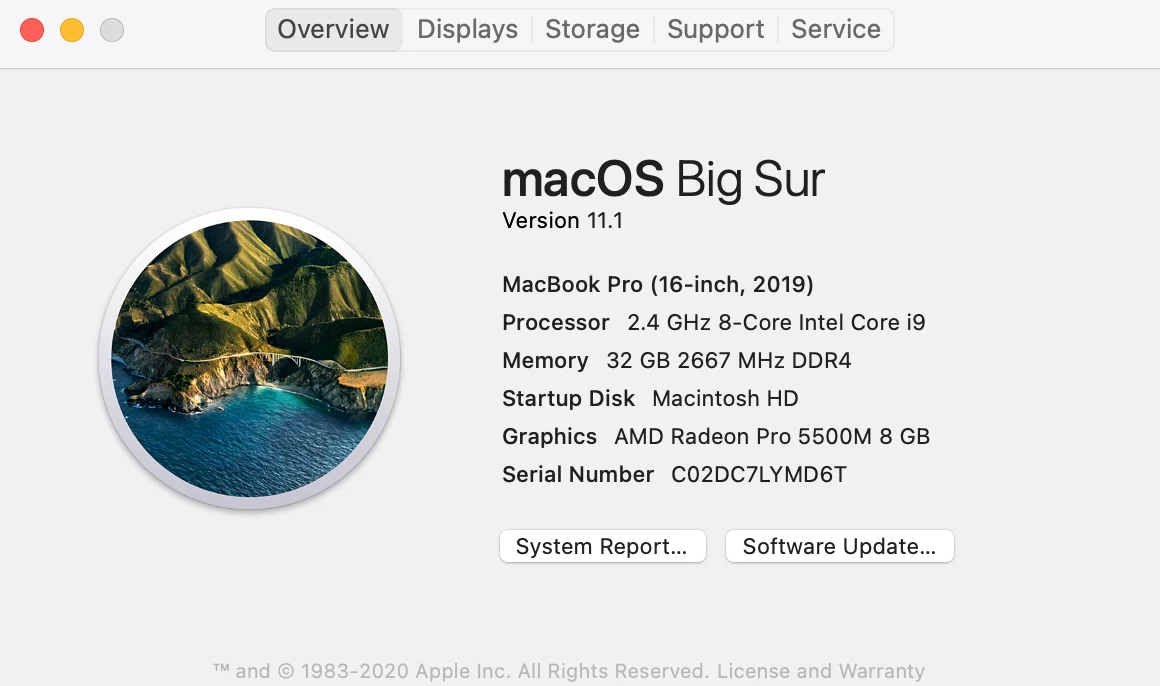
This is my system info:
 

This topic has been closed for replies.

3 replies

johnrellis
Legend
January 28, 2021

"Two, the proposed conclusion from the Adobe rep that "it's just the different color spaces used in Library vs. Develop". That makes absolutely no sense."


Agreed. Rick is a nice guy and does a good job overall helping out in that forum, but in this case just wrong.


[Use the blue reply button under the first post to ensure replies sort properly.]

D Fosse
Community Expert
Community Expert
January 28, 2021

Yes, he is. Can't be easy to be on the receiving end. I didn't mean to get personal, I just tend to jump when I see something obviously wrong 🙂

johnrellis
Legend
January 28, 2021

Adobe has acknowledged this bug:

https://feedback.photoshop.com/conversations/lightroom-classic/lightroom-classic-library-zoomed-view-shows-wrong-color/5fcfefbe990dc97e9ddf3083 


Please add details of your issue to the bug report, and be sure to click Like and Follow at the bottom of the first post. That will make it a little more likely that Adobe will prioritize a fix, and you'll be notified when the bug's status changes.


[Use the blue reply button under the first post to ensure replies sort properly.]

D Fosse
Community Expert
Community Expert
January 28, 2021

Oh, OK, another one.


Two things stick out in that feedback thread: One, it's all Big Sur.


Two, the proposed conclusion from the Adobe rep that "it's just the different color spaces used in Library vs. Develop". That makes absolutely no sense. Different color spaces don't produce different general appearance! That's color management 101. And even if it was a gamut difference that did this (which it isn't), Library covers Adobe RGB. Who has a display that goes so far beyond Adobe RGB that you can see "more colors" in ProPhoto data?


Library = Adobe RGB vs. Develop = ProPhoto has no visual impact on screen. None whatsoever. If it does, there's a problem elsewhere.


So it's just another bug, seemingly affecting Big Sur only.

D Fosse
Community Expert
Community Expert
January 28, 2021

Could be a defective monitor profile, which can affect modules (or applications) differently. Are you using a calibrator? Which one?


But there's also a different issue we've been seeing a bit lately, where Lightroom (or ACR, or Bridge, or Photoshop) is using the wrong monitor profile in a dual display setup. The common factor seems to be laptop + external display. Could that be it?


I'll see if I can dig up some of the threads. A workaround to try is to make sure all applications are on the main display as seen by the OS.


valentinozegna
Known Participant
January 29, 2021

This happens whether I use the stock ICC profile or my ICC profiles generated with X-Rite i1 Display Pro Plus. It happens on the MacBook display, as well as external display. It happens whether the external display is connected or not. It happens whether GPU acceleration is enabled or not. I couldn't find any workaround. Also, this never happened with previous versions of Lightroom.


I also want to point out that this bug exists in the Print panel as well, and it shows up when the option "Zoom to Fill" is selected.