
Lost of image quality when exporting
Hi,
I´m facing serious troubles when exporting my pictures from lightroom to my computer. It seems likee there´s a lot of posts related to this issue and I have read all of them but any suggestion seem to work in my case.
I send you below an example of what´s going on when I export.
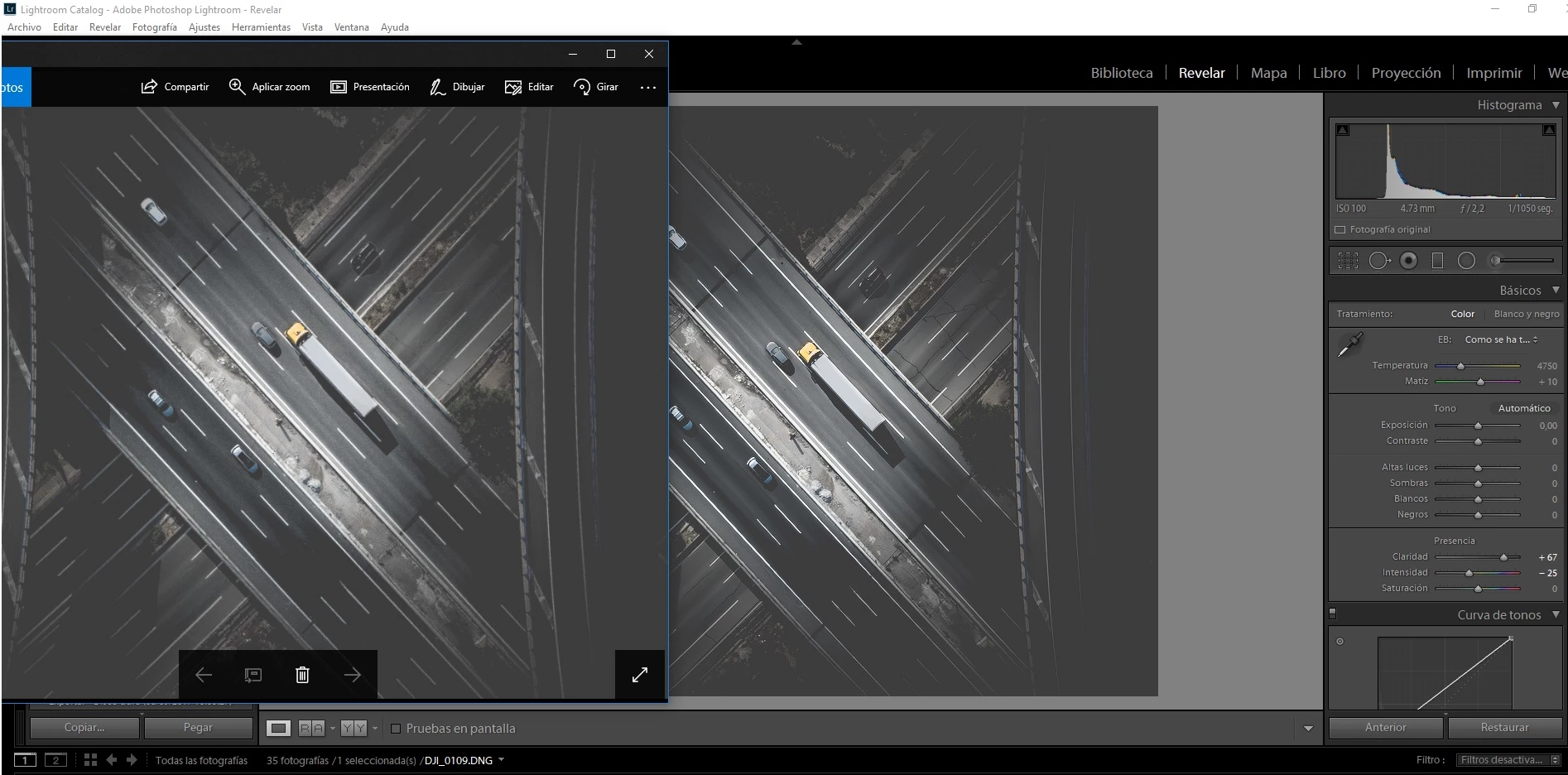
As you can see there´s a big image quality loss .... I´ve tried tons of export settings but none of them seem to work. My export settings are as follows
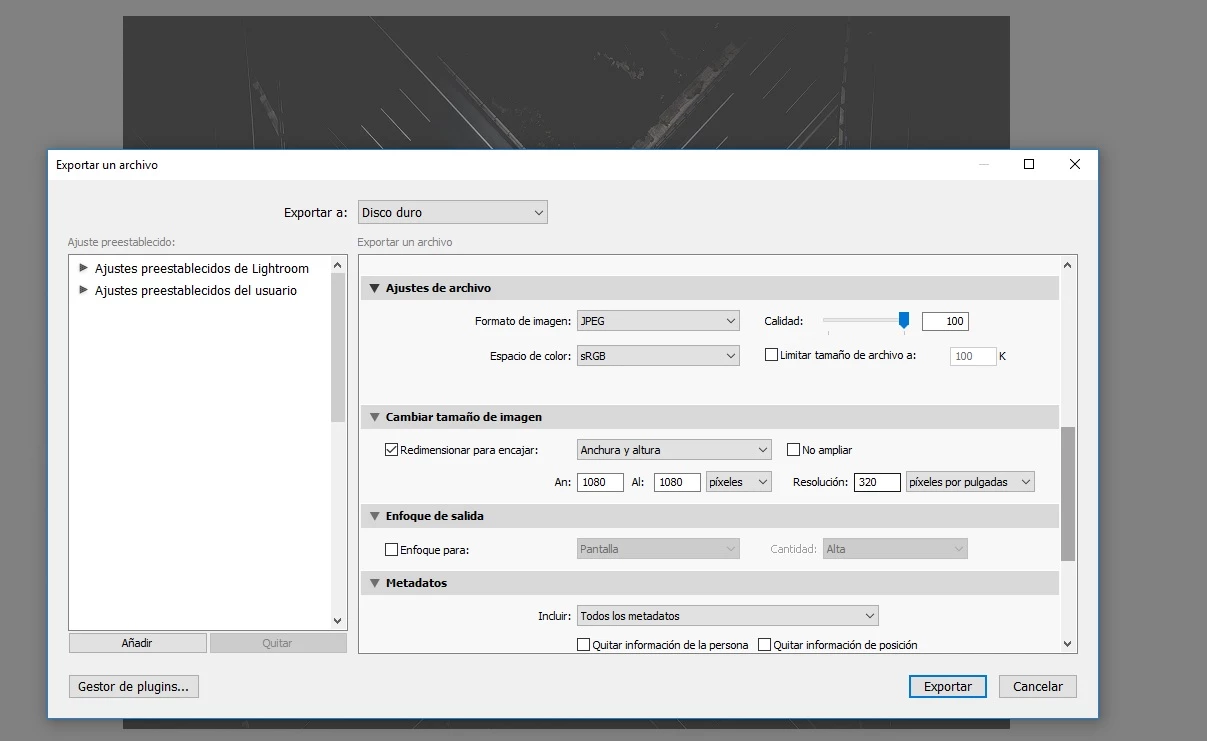
On the other hand,I haven´t done a monitor calibration (I do not have a calibration device) but the problem is with the overall image quality and I think a bit of exposure added when exporting ....
Finally, the only way to get the exact result as in lightroom is by making screenshots which I dont thinks it´s acceptable at all ... so I would really appreciate if someone could help me with this issue. It´s really really frustrating.
Thanks a lot in advance
Carlos
 AdChoices