Participating Frequently
February 10, 2019
Question

Low quality photos in Lightroom online

  • February 10, 2019
  • 2 replies
  • 5334 views

Hi

What for is sync function if it doesn't work?

This is a photo in Lightroom Classic CC:
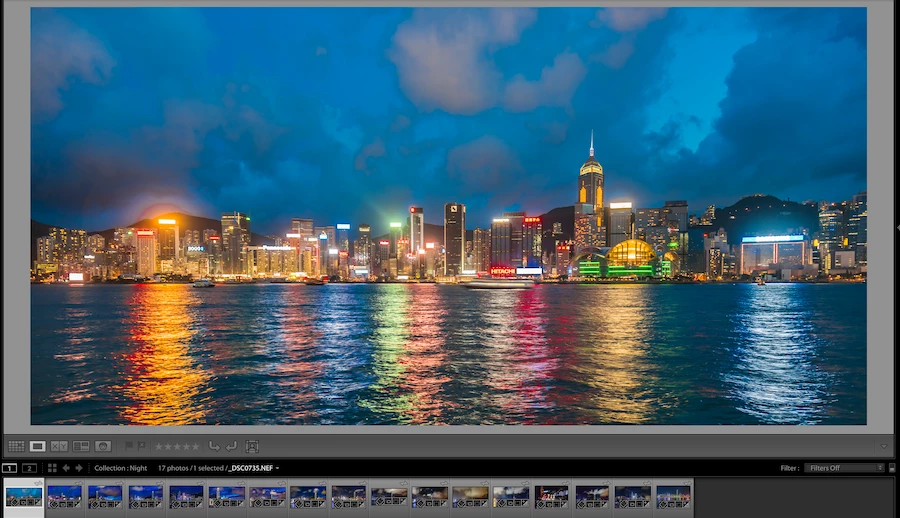
This is the same photo after sync to Lightroom online:
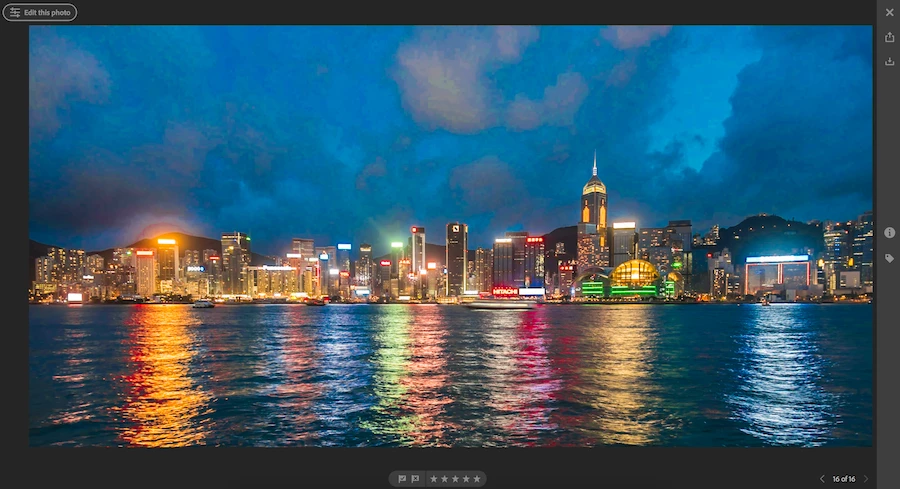
(The artifacts on the sky are really huge)

This topic has been closed for replies.

2 replies

Just Shoot Me
Legend
February 10, 2019

All that is shown on the Online system is a Smart Preview. No matter what type, kind, of file you Sync (Upload) all that is displayed are Smart Previews of the images.

Participating Frequently
February 10, 2019

Yep, I read about that. My question is more like a rhetorical question. Why did Adobe make such function if result is not usable???

It's not a complex task from the engineering point of view. From the marketing side this is total fail as well.

Todd Shaner
Legend
February 13, 2019

https://forums.adobe.com/people/Todd+Shaner  wrote

I'm guessing this picture was shot using a high ISO setting. Check the original camera image at 1:1 Zoom view in LR and see if there is visible noise. If so adjust the LR Noise Reduction and Sharpening settings to reduce the noise showing at 1:1 Zoom view. Sync the new file changes to the Cloud and see if it looks better. If not I suggest posting the image file to Dropbox or other file sharing site and we can check.

ISO is not very high: 100. But photo was dark and I corrected it a little

This is a link to the original NEF file: Dropbox - _DSC0735.NEF


No issues on my Windows 10 system running LR Classic 8.1. I tried to edit it for the same look using only the Basic panel controls ( no locals). What are your Detail panel settings? Here's the file downloaded from LR Web and my LR adjustments: 

(692KB)

DdeGannes
Community Expert
Community Expert
February 10, 2019

Some more info is needed.

What equipment are you using to view the photo online. The synced file is a smart preview of the original file.

Regards, Denis: iMac 27” mid-2015, macOS 11.7.10 Big Sur; 2TB SSD, 24 GB Ram, GPU 2 GB; LrC 12.5,; Lr 6.5, PS 24.7,; ACR 15.5,; (also Laptop Win 11, ver 24H2, LrC 15.0.1, PS 27.0; ) Camera Oly OM-D E-M1.
Participating Frequently
February 10, 2019

Thank you for your reply.

I'm using:

- Adobe Lightroom CC Classic 8.1

- Safari 12.0.2 browser

- macOS Mojave

- MacBook Pro 15 2017