Participating Frequently
February 10, 2019
Question

Low quality photos in Lightroom online

  • February 10, 2019
  • 2 replies
  • 5333 views

Hi

What for is sync function if it doesn't work?

This is a photo in Lightroom Classic CC:
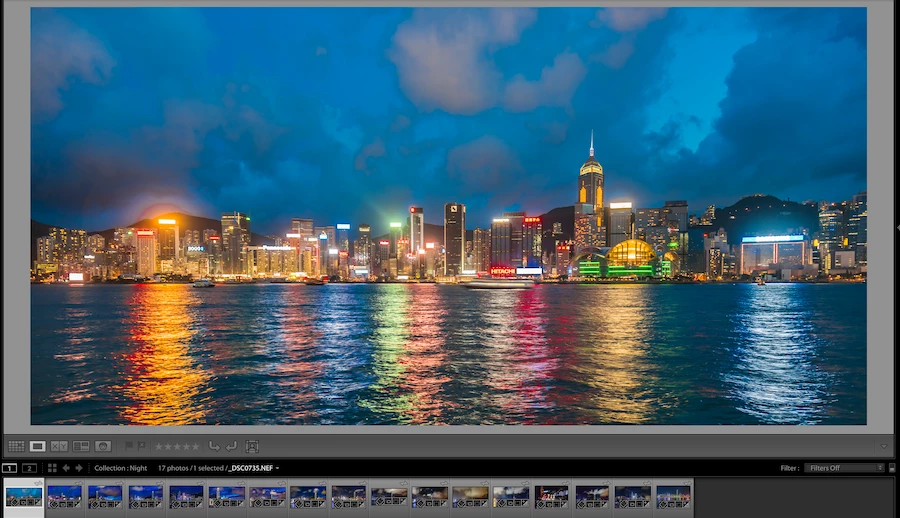
This is the same photo after sync to Lightroom online:
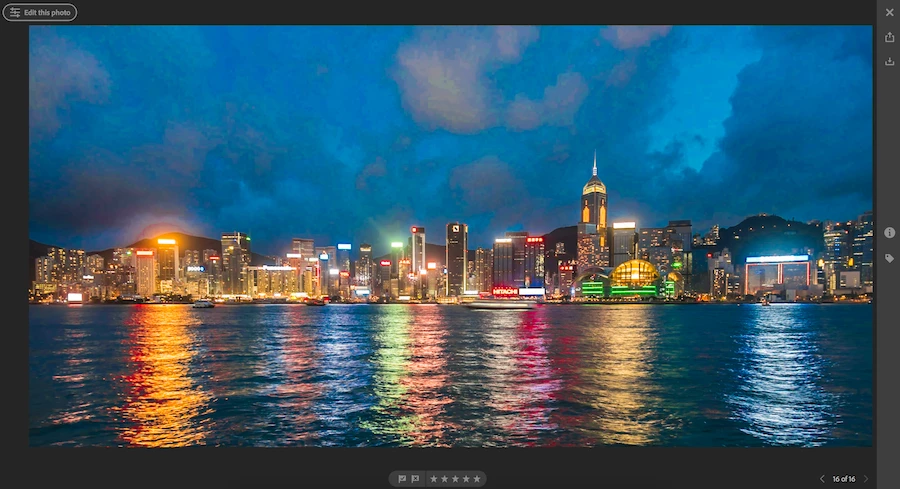
(The artifacts on the sky are really huge)

This topic has been closed for replies.

2 replies

Just Shoot Me
Legend
February 10, 2019

All that is shown on the Online system is a Smart Preview. No matter what type, kind, of file you Sync (Upload) all that is displayed are Smart Previews of the images.

Participating Frequently
February 10, 2019

Yep, I read about that. My question is more like a rhetorical question. Why did Adobe make such function if result is not usable???

It's not a complex task from the engineering point of view. From the marketing side this is total fail as well.

Participating Frequently
February 14, 2019

kapito$hka  wrote

Look to the sky. It's not normal

EDITED: Your uploaded NEF in the Web Gallery look worse than mine probably due to higher Vibrance & Saturation settings. Here are the links:

Yours: https://adobe.ly/2MZ4cy9

Mine: February 13, 2019 2 by Todd Shaner

After checking further this is also happening when exporting the NEF inside LR Classic to JPEG, 80 Quality, sRGB, 2048 Long Edge, with Standard Sharpening. Using 100 Quality sRGB or 80 Quality with Adobe RGB Color Space there are virtually no artifacts. So this isn't an issue with LR CC's Web Gallery app.

There is a large out of sRGB gamut color area in the sky, which is causing the artifacting in both the uploaded Smart Preview DNG raw file and exacerbated in the sRGB JPEG file downloaded from the Web Gallery. The below Soft Proof in LR Classic is with my settings. Using your LR Develop settings there will be larger out of gamut areas.

Here's a comparison of the NEF with my settings applied and its companion Smart Preview DNG file created in the LR Library module. This is ALL local to LR Classic Desktop app, which proves this is causing the artifacting seen in the LR CC Web Gallery app. The Smart DNG is a reduced size raw file format that should render the same as the original raw file except for its lower pixel dimensions. I'm going to investigate Smart Previews further and will report back what I find.

The only solution for now is to use LR Soft Proof mode and adjust the image so that there is less out of sRGB gamut area. Controls to use are Vibrance & Saturation (lower settings) and HSL controls (lower Saturation in the out of gamut areas using the TAT sampler.

Your comment, "Why did Adobe make such function if result is not usable???," is acknowledged.....at least by me!


I really appreciate that you spent so much time for my problem. Thank you

DdeGannes
Community Expert
Community Expert
February 10, 2019

Some more info is needed.

What equipment are you using to view the photo online. The synced file is a smart preview of the original file.

Regards, Denis: iMac 27” mid-2015, macOS 11.7.10 Big Sur; 2TB SSD, 24 GB Ram, GPU 2 GB; LrC 12.5,; Lr 6.5, PS 24.7,; ACR 15.5,; (also Laptop Win 11, ver 24H2, LrC 15.0.1, PS 27.0; ) Camera Oly OM-D E-M1.
Participating Frequently
February 10, 2019

Thank you for your reply.

I'm using:

- Adobe Lightroom CC Classic 8.1

- Safari 12.0.2 browser

- macOS Mojave

- MacBook Pro 15 2017