
LR Classic 10.3 not recognising some of the files in my external hard disk
Hello! I have found topics similar to this but they do not help with my specific problem so I am posting to see if any of you clever people can help. Here goes....
I am a relative novice and learning fast but this has me stumped.
I store all of the original files from my cameras on an external hard drive (Seagate 5 TB) to save space on my Macbook Pro. I think I have a relatively sensible file organisation system. The LR catalog resides on the Macbook Pro. All was going fine until recently - have a suspicion the problem started when I upgraded to the latest version of LR Classic.
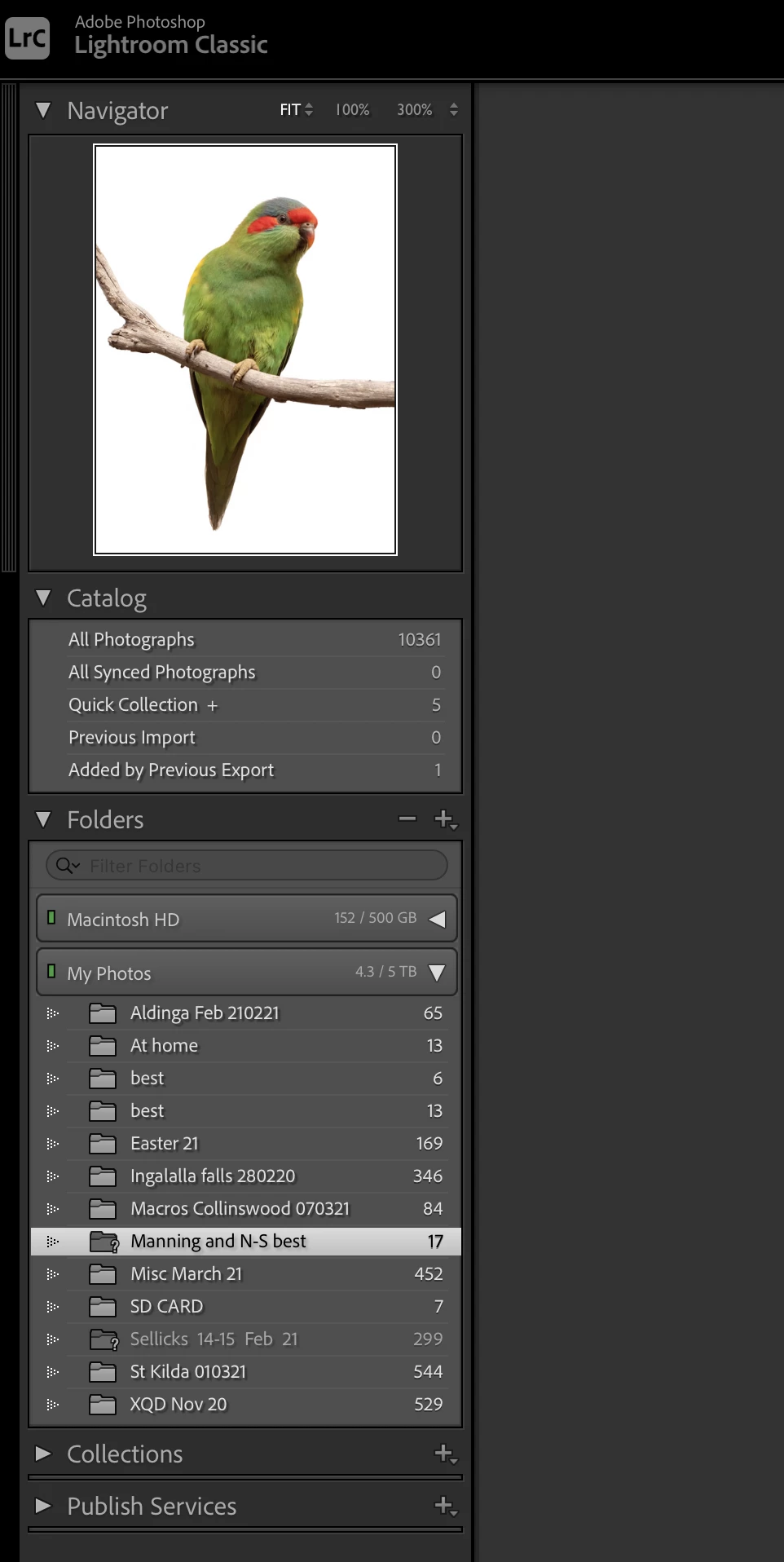
The problem is that most of (but not all) the folders relating to this external drive in the Lightroom Library module are missing. 2 of them are greyed out with a ? icon. A few of them are there and the files are found when I go into Develop module, however many folders are simply not there and the thumbnails(when I click 'all photographs' in Catalog) have the ! icon on them. In develop, I get the message "The file could not be found".
One of the folders had a ? icon - I tried 'find missing folders' - took me to a backup folder on my computer's hard drive. When I chose that it disappeared from the LR folder list, orig files still 'missing'.
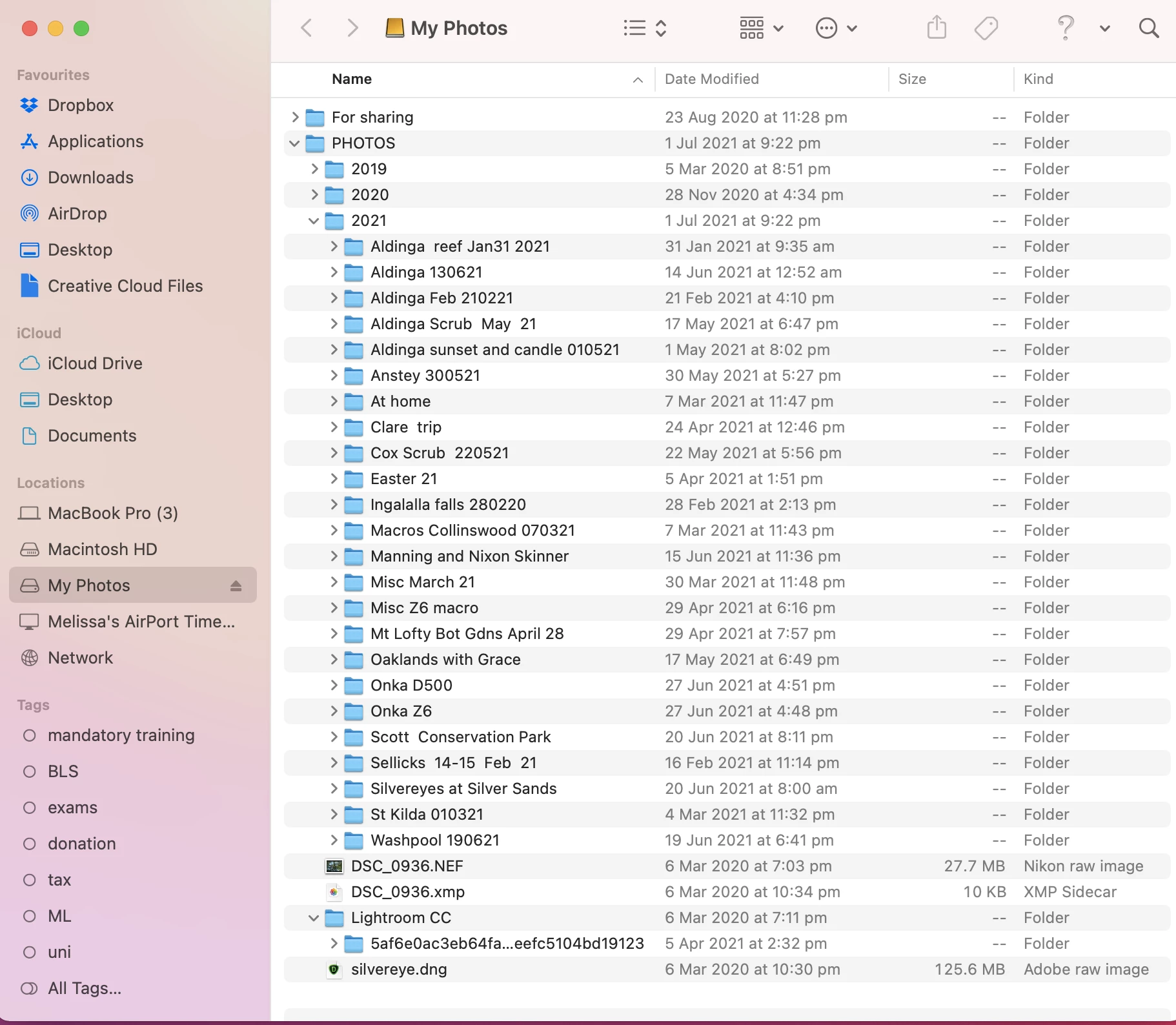
I have not renamed or moved any of the files on the external drive. They are all still there and I can open the files with other programmes.
I did recently move a lot of the files on my Macbook Pro to iCloud and deleted a lot of stuff but I did not move the LR catalogue which is still there on my computer's hard disc. I can't believe that would have anything to do with the problem as a selection of the folders is still there and operable.
I hope someone can shed some light on this - here are a couple of screenshots that illustrate the issue.
This is a screenshot of my external hard drive (called "My Photos") content in Finder:
This is the Lightroom folder window in Library mode: The list of folders under '"MyPhotos" is quite short and for example, does not include the 2020 folder or the main 2021 folder, only a few subfolders from the main 2021 folder.
 AdChoices