Answered
LR Classic Auto Exposure Button
I no longer have the Auto Button for Exposure in the develop module. I hope someone can give me some direction. I have not deleted the existing software and tried reloading since I keep it updated.
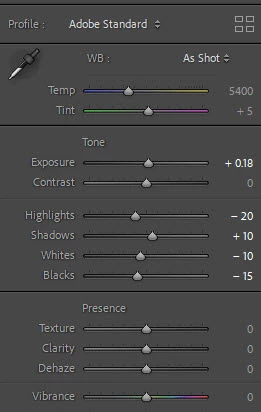

I no longer have the Auto Button for Exposure in the develop module. I hope someone can give me some direction. I have not deleted the existing software and tried reloading since I keep it updated.
It should show up right above the Profile tab together with the B&W and HDR buttons. Are you not simply scrolled down so the auto button is just above the view? If not, try resetting the preferences to get the default panels back.
Already have an account? Login
Enter your E-mail address. We'll send you an e-mail with instructions to reset your password.
 AdChoices