
Inspiring
June 14, 2023
Answered

LR Classic update on new Ventura 13.4 OS

  • June 14, 2023
  • 1 reply
  • 1559 views

Hi Guys,

I just tried to open my LR Classic on my new Macbook/Ventura 13.4 and I am pretty sure it got updated (?), then I got the message below. So  .... I "Learned More", only to learn nothing more.

What is the right next step here? Thanks a lot.
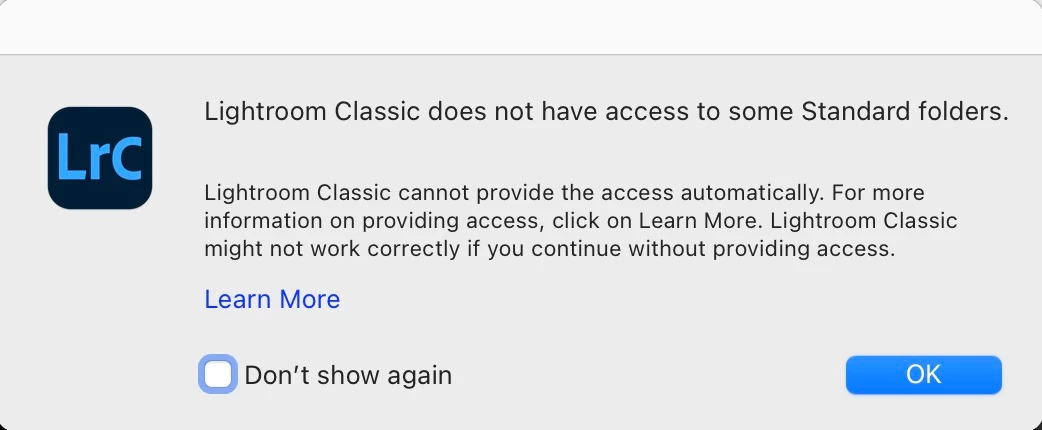
This topic has been closed for replies.
Correct answer DdeGannes

You need to Grant Full Disk access to Lightroom Classic and Photoshop, see the link below for more info.

https://helpx.adobe.com/lightroom-classic/help/allow-permissions.html


1 reply

DdeGannes
Community Expert
DdeGannesCommunity ExpertCorrect answer
Community Expert
June 14, 2023

You need to Grant Full Disk access to Lightroom Classic and Photoshop, see the link below for more info.

https://helpx.adobe.com/lightroom-classic/help/allow-permissions.html


Regards, Denis: iMac 27” mid-2015, macOS 11.7.10 Big Sur; 2TB SSD, 24 GB Ram, GPU 2 GB; LrC 12.5,; Lr 6.5, PS 24.7,; ACR 15.5,; (also Laptop Win 11, ver 24H2, LrC 15.0.1, PS 27.0; ) Camera Oly OM-D E-M1.
Participating Frequently
June 22, 2023

Thank you for your efforts in the Forums!  I just updated to Ventura and things have gone seriously awry!  I am using LR 5 and it is no longers seeing .dngs in the selected folders on import.  LR has access via Files and Folders (option 1) but I dont even see LR as an option under Full Dsk Access.  Any help would be appreciated as I try and help some legacy clients with my legacy system!

Inspiring
June 22, 2023

I, personaaly, have no technological knowhow to help. Sorry.

But I am sure a lot of othr members do.