trshaner wrote: You have your White Balance set for Auto and not Daylight, so the 'As Shot' reading in LR will not be Daylight 5200. |
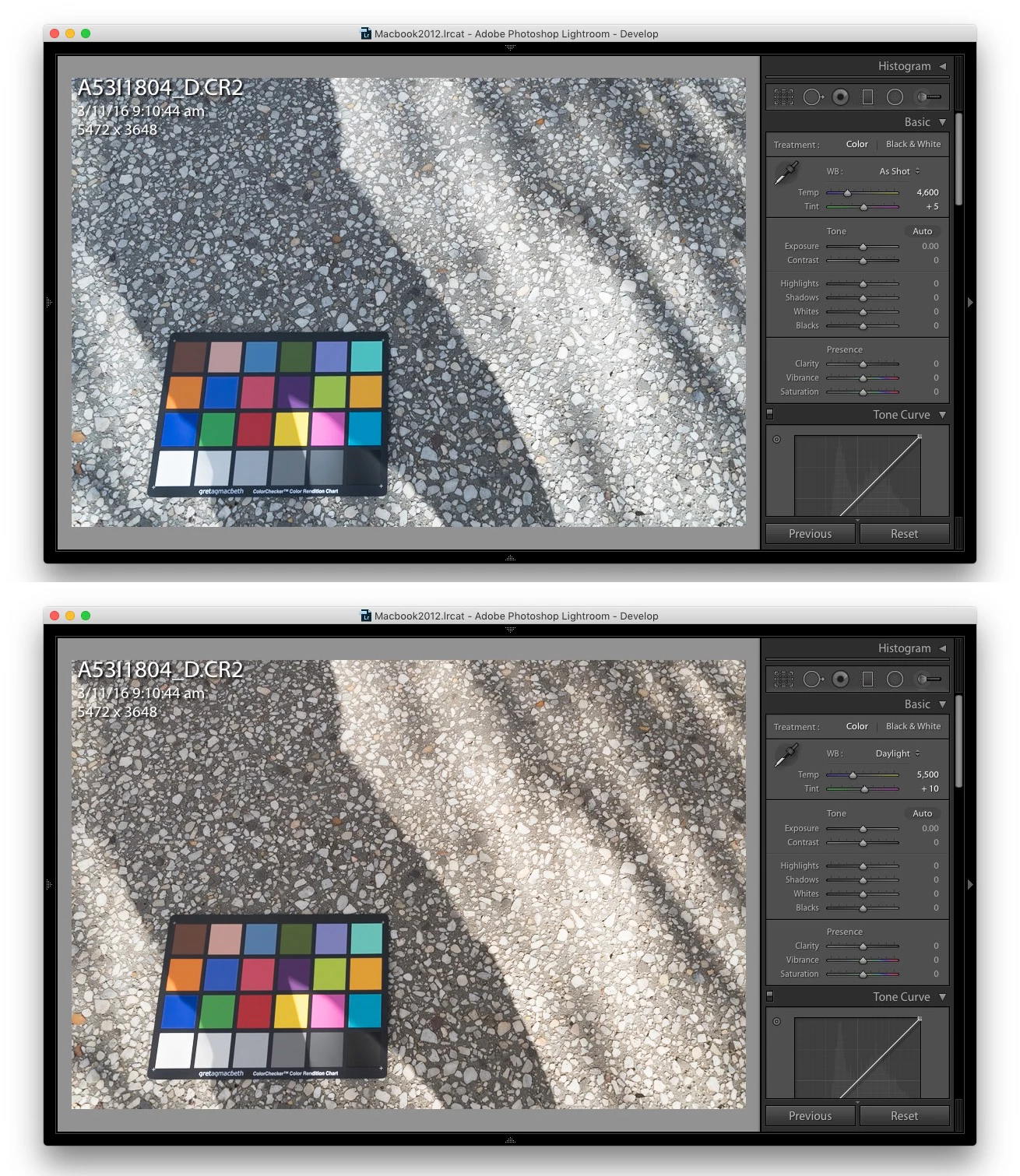
Here's the image shot with Daylight in camera, and rendered by LR as:
As Shot (top) and Daylight (bottom).
As Shot is 4600K, +5
Daylight is 5500K, +10
The EXIF value in the image for Color Temperature is 5200K
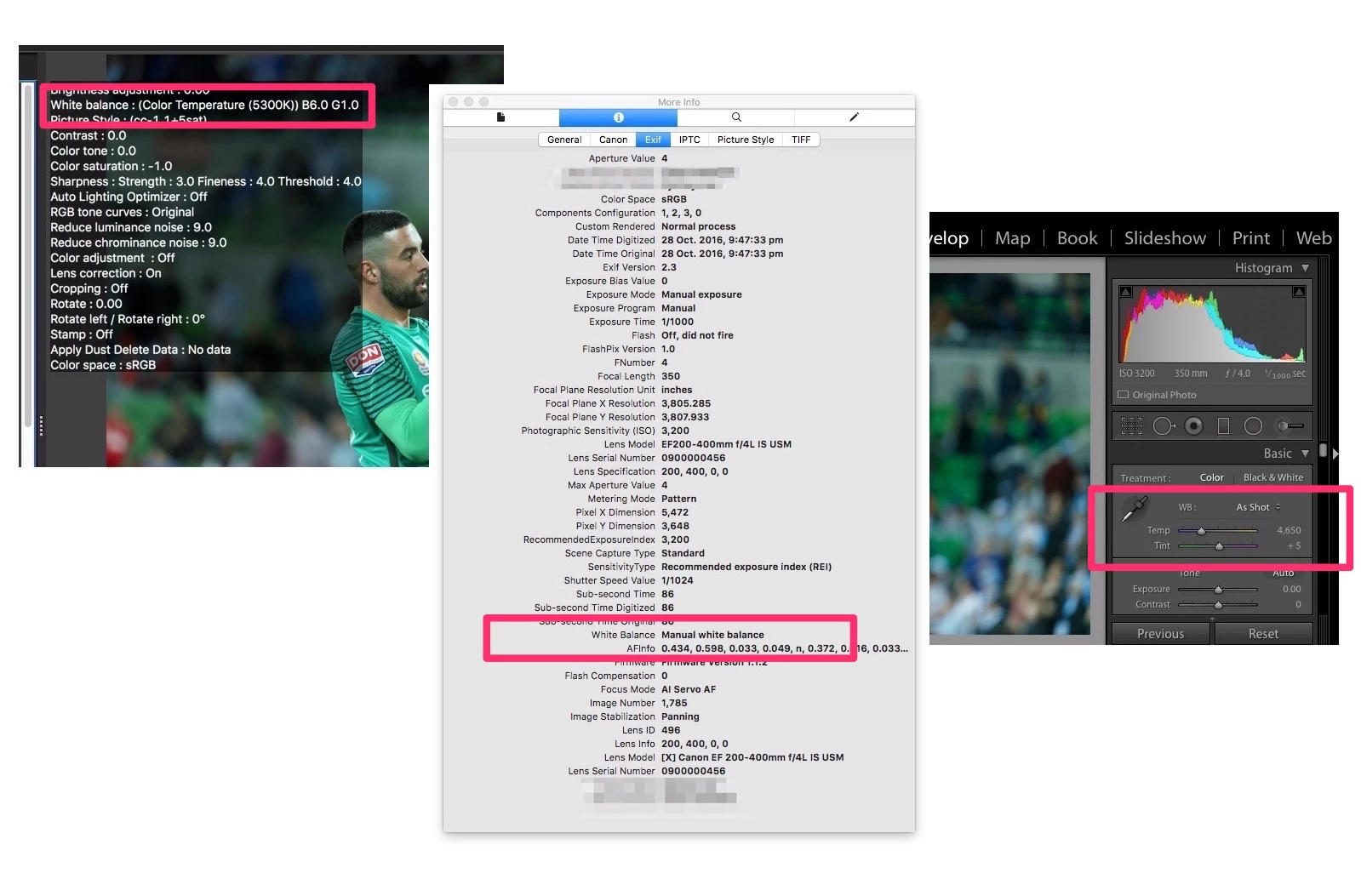
sydneylow wrote: trshaner wrote: You have your White Balance set for Auto and not Daylight, so the 'As Shot' reading in LR will not be Daylight 5200.
Here's the image shot with Daylight in camera, and rendered by LR as: As Shot (top) and Daylight (bottom). As Shot is 4600K, +5 Daylight is 5500K, +10 The EXIF value in the image for Color Temperature is 5200K |
CORRECTION: I checked the EXIF data in that file and it's telling me your camera is set to White Balance Auto. How are you checking the EXIF data? Under EXIF
I was referring to the first file posted. The 2nd file A5311804_D.CR2 does show as Daylight:

But you have a WB Shift applied:
| WB Shift AB | : -6 |
| WB Shift GM | : 1 |
Please try the following:
1) In the camera menu go to WB SHIFT/BK, click on 'Clear All,' and then on Set OK.
2) Set the camera mode dial to Av, Tv, or Pv mode.
3) Set the WB to 'Daylight' using the camera top LCD display and dial as below.
4) Shoot another CR2 file and post to Dropbox.


 AdChoices