



kentmcpherson
Inspiring
August 21, 2018
해결됨

LR/Instagram plugin just starting giving an error

  • August 21, 2018
  • 40 답변들
  • 37446 조회

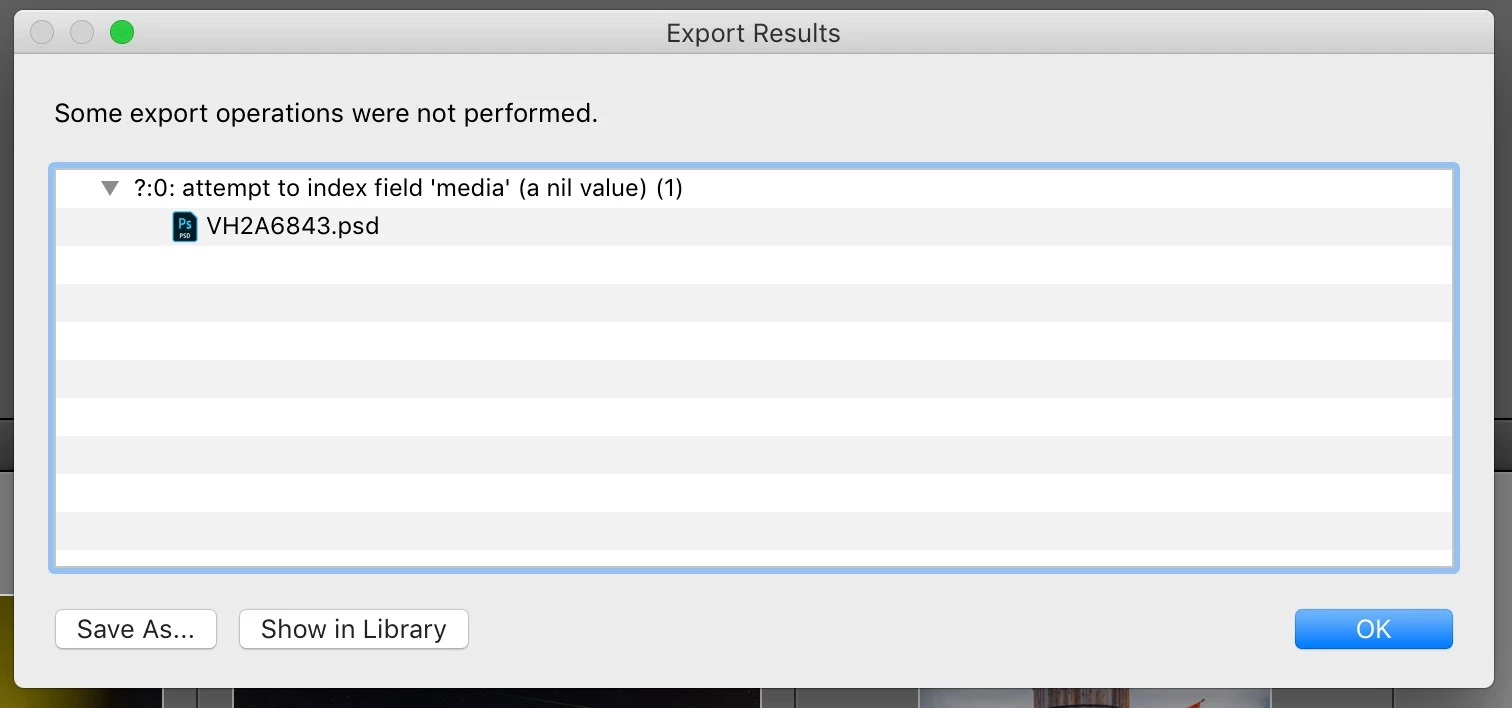
I have been using the LR/Instagram plugin (registered) for some time.  Today, when I tried to publish, I got this popup and the photo in my library still says it's unpublished. However, it actually is on my Instagram account.  Anyone else seeing this?   How to fix?
이 주제는 답변이 닫혔습니다.
최고의 답변: StefanWieser

Looks like Facebook is blocking direct upload from third-party developers like lightroom since August 2018 on their services (like instagram)

See here for more details:

Facebook authentication check failed

40 답변

Participating Frequently
September 2, 2018

I'm also getting the 'http status 408 ? (1)' error message and am unable to upload my image even after following all of the above advice and updating the plugin etc. I am currently using the latest version of the plugin: 0.6.1577

Participating Frequently
September 2, 2018

Make sure your LR app/Lightroom Class CC/Creative Cloud is up to date withe latest version: 7.5, Camera Raw 10.5. Confirm that the plugin 1577 is enabled and running — see Plugin Manager. Click Done. Go to LR and confirm that you either need to further setup or that it's working with existing account. Try publishing a photo. If you still get 408, I don't have any other suggestions, except to email the developer. Hopefully, they're respond. Otherwise, look for others who have the same problem...and their solution. Good luck!

Dan-Ryan
Participant
September 2, 2018

I just downloaded and installed version 0.6.1577 and I am STILL getting the 408 error on one photo, and a 503 error on another.

So for me this problem persists. Not happy about it. Haven't been able to use Lightroom to post to Instagram for going on three days. I almost want my 10 bucks back for registering it.

Participant
September 2, 2018

Redownloaded the plugin today and it's working as expected. Thanks to everyone!

Known Participant
September 2, 2018

Same error as others have reported. I updated plug-in to 1575 just now, re-loaded, re-started LR Classic, tried 5 times now, but am still not able to export to Instagram from LR. It's trying (I see a progress bar), but eventually hangs with the error pictured here. No image is uploaded at my Instagram account. I'll fight with it more tomorrow, maybe.

josea28702606
Participating Frequently
September 2, 2018

I had the same problem at first so I had to look carefully and realized that I must’ve downloaded the old version twice some time ago and needed to delete all the old versions and I also realized that I needed to remove the old ver from the plugin manager... after I cleaned it up, it worked instantly... good luck

BUCKLES89
Participant
September 2, 2018

Same issue identified by OP. Updated from 1524 to 1575 and that resolved the issue.

Thanks to the posters above the quick fix by dev

Participating Frequently
September 2, 2018

Note there's a new plugin: 1577

Participant
September 1, 2018

New version fixed my problem of not being able to log in. Works fine now.

My thanks to the developers for the quick fix. I was so very very relieved to be able to use this plug-in again.

Participant
September 1, 2018

after reading jarnoh's response, i went and downloaded the new version, and it's working just fine now!

Participant
September 1, 2018

How did you update the plugin? Did you delete the old version first?

Participating Frequently
September 1, 2018

Just unzip it and copy over the old plugin in the folder

Inspiring
September 1, 2018

There is now an updated plugin available (0.6.1575) which fixed the logged in error, it was a small bug in the response handling, which was triggered by Instagram's server updates.

Participating Frequently
September 1, 2018

Doesn't work for me. I still get the same error message: attempt to index field 'logged_in_user' (a nil value) Arrrgh!!

Participant
September 1, 2018

Same thing here, it was working fine yesterday...

Participant
August 31, 2018

Having the same issue. LR/Instagram plugin (registered) is useless right now. Very frustrated. 

Legend
September 1, 2018

Lots of reports - allegedly Instagram/Facebook is now preventing API uploads. The less-than-satisfactory workaround is to sync with Lightroom CC then publish to Instagram or Facebook from your mobile. Some have suggested updating the plugin, and logging into Instagram (and not Facebook), but I haven't seen reports of that working. If it works for anyone, pls  report back.

Participant
September 1, 2018

Tried those things. No success.

Patrick Eleazar

Founder and President

www.realidyne.com