
chrisd77763324
Participant
June 18, 2017
Answered

LR Lenscorrections does not recognize brand Olympus

  • June 18, 2017
  • 2 replies
  • 1294 views

Hello all,

Recently had to re-boot my computer and reinstall my Adobe subscriptions LR CC and PS CC.

After that in Lens corrections the brand Olympus and lenses was not visible anymore.

TXT info: Can not automatically find a matching profile.
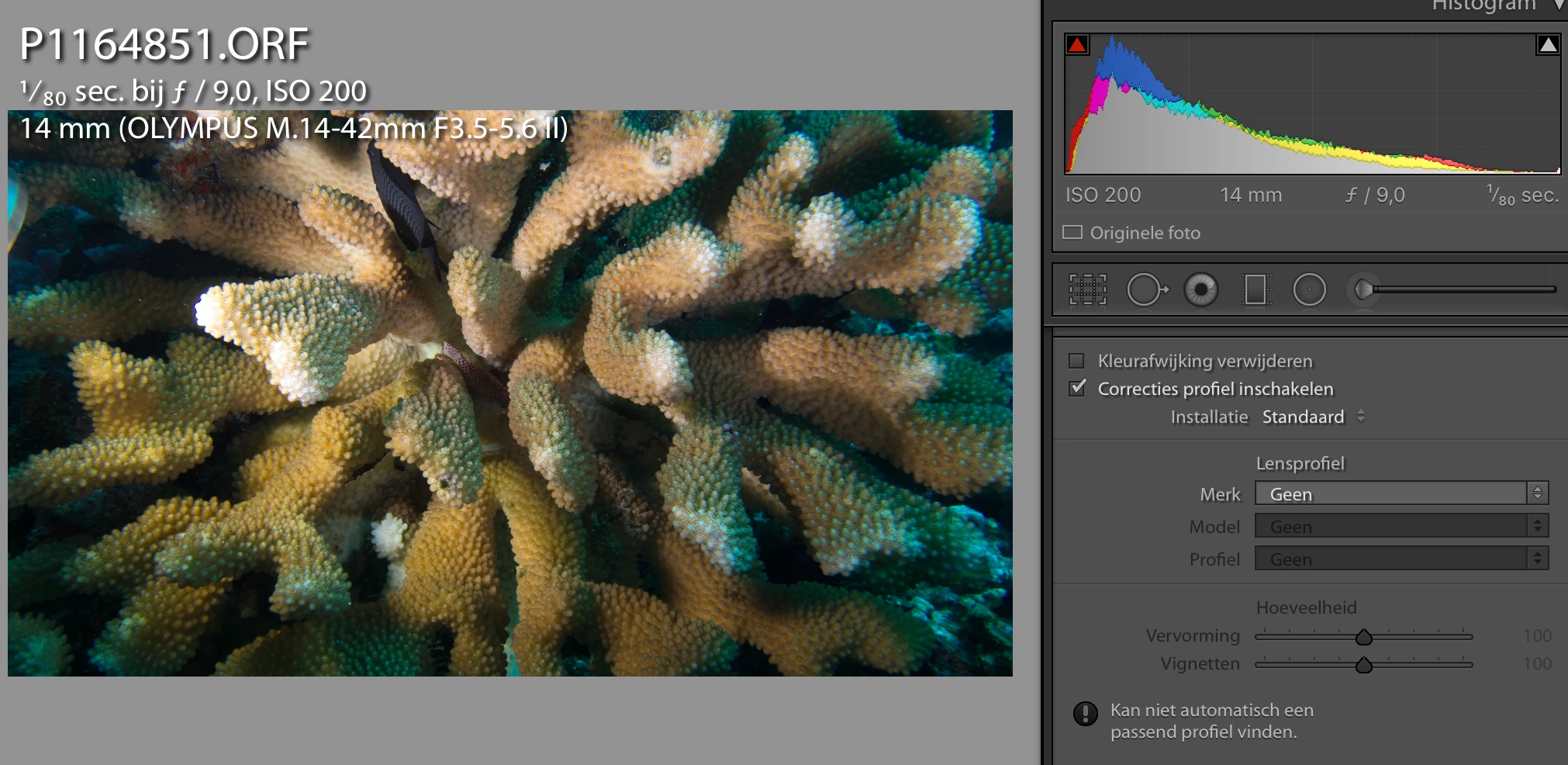
When I try to select camera brand, Olympus is not there.
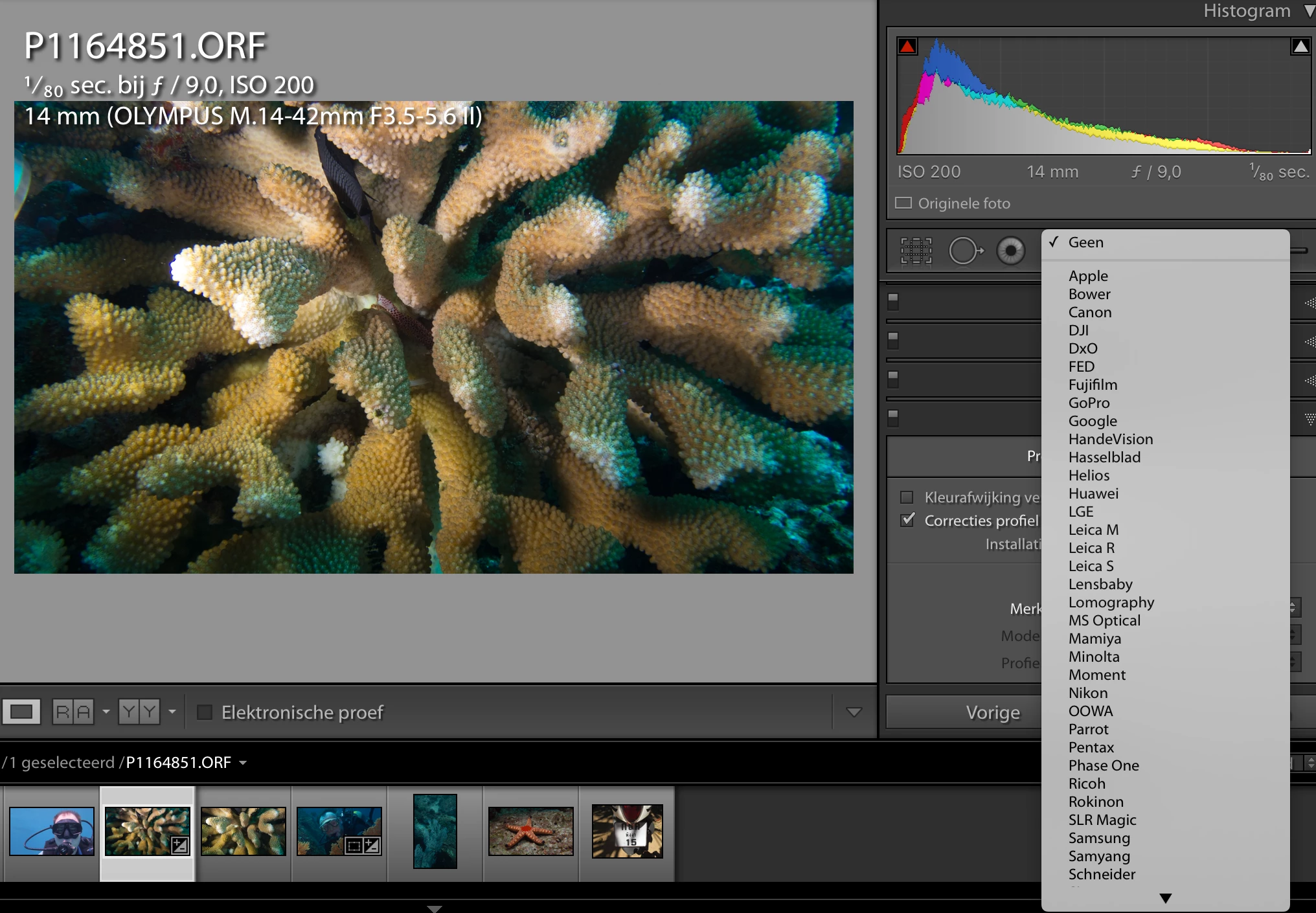
However at the info next to the photos, all camera brand info and lens info is visible?

How can I get in lens corrections the brand Olympus and his lenses back??

Regards, Chris

This topic has been closed for replies.
Correct answer Just Shoot Me

chrisd77763324  wrote

2) No profile present of older lenses, how about OM, Four Thirds lenses (like situation described above)?

Where are those profiles?

Because they are older lenses and Olympus has never bothered building any. Also these older lenses don't communicate with the camera so the camera, IE the Computer in that is recording the data from the Digital Sensor onto a memory card, has no idea what lens is being used.

There is an Adobe Lens Profile Downloader.

Adobe - Adobe Lens Profile Downloader : For Windows

Whether someone has built a lens profile for whatever lens you are using and then bothered to upload it for other to use and how good it is, is something you will have to find out.

Or build one yourself.

Lens Correction Profiles « Julieanne Kost's Blog

2 replies

Just Shoot Me
Legend
June 18, 2017

Un- Check the "Enable Profile Correction  and Click the ! mark near the bottom of that section.

As stated above the lens profile is Auto applied.

chrisd77763324
Participant
June 18, 2017

When un-checking Enable Profile Corrections and Checking Remove Chromatic Aberation, the build in lens profile is applied indeed.

But I can not check if the correct one is used.

Why only the MFT cameras (Olympus, Panasonic also missing). For the other Camera models all lenses

And I also work with older lenses manually. Photos made manually with an Olympus OM lens (50mm MC Auto-S F1.4) on a Olympus OMD E-M1 camera with manual adapter are not recognized.

And the lens profile of these OM lenses are also not present.

So 2 questions remaining:

1) Why only the MFT cameras (Olympus, Panasonic also missing) have no profile?

    For the other Camera models and lenses (I even saw lensbaby on the list) profile are present.

2) No profile present of older lenses, how about OM, Four Thirds lenses (like situation described above)?

Where are those profiles?

dj_paige
Legend
June 18, 2017

The lens profiles are provided by the manufacturer, so there's no need for Adobe Lightroom to have its own lens profiles. Since these MFT cameras and lenses have to operate over such a wide region that the photos at some zooms (all zooms?) would look absolutely horrible without built-in corrections. The manufacturers of these cameras have done the right thing.

Also, please read

Olympus EM1 Lens Profiles Support in Lightroom

F. McLion
Community Expert
Community Expert
June 18, 2017

You must not click on the check-mark to apply a profile. Olympus profiles are automatically applied.

Work with lens profiles in Adobe Photoshop, Lightroom, and Camera Raw

--- Got your issue resolved? Please label the response as 'Correct Answer' to help your fellow community members find a solution to similar problems. ---