
Triplecorpse
Known Participant
May 15, 2018
Answered

Lr mobile desync photos

  • May 15, 2018
  • 1 reply
  • 352 views

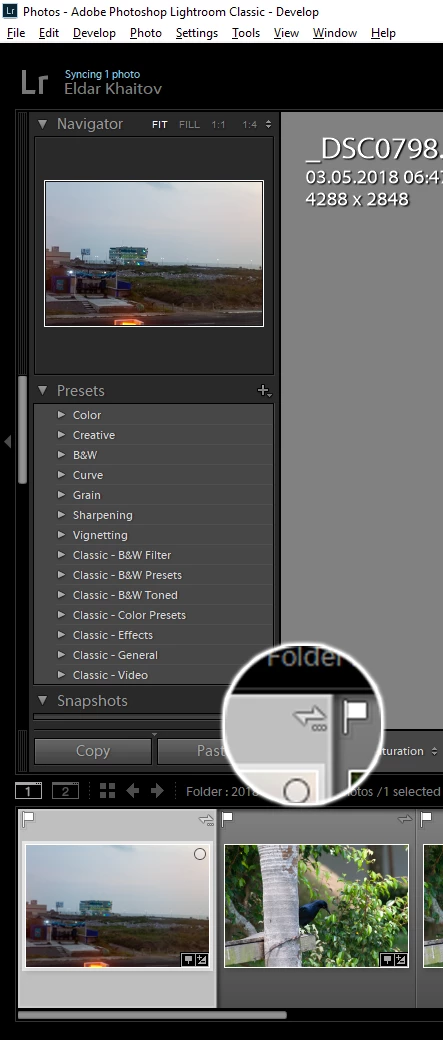
Hi! In my trip I made some photos and synced it to cloud via phone and then to desktop album. Then I transferred photos from synced folder to my common folder (e.g. 2018-05-01 folder, like default import), then removed all synced collections but syncing symbol remains for specific photos. The photos really sync but without collection.

How can I remove photos from cloud and leave them on desktop?
This topic has been closed for replies.
Correct answer john beardsworth

Go to the All Synced Photos section (Catalog panel in Library) and remove them from there.

It used to be sufficient to unsync the collection or remove them from the collection, but this changed a while back.

1 reply

john beardsworth
Community Expert
john beardsworthCommunity ExpertCorrect answer
Community Expert
May 15, 2018

Go to the All Synced Photos section (Catalog panel in Library) and remove them from there.

It used to be sufficient to unsync the collection or remove them from the collection, but this changed a while back.