
robdurstonphoto
Participant
March 18, 2023
Question

LR not launching V12.2.1 after updating ACR Mac OS 11.7.4

  • March 18, 2023
  • 3 replies
  • 517 views

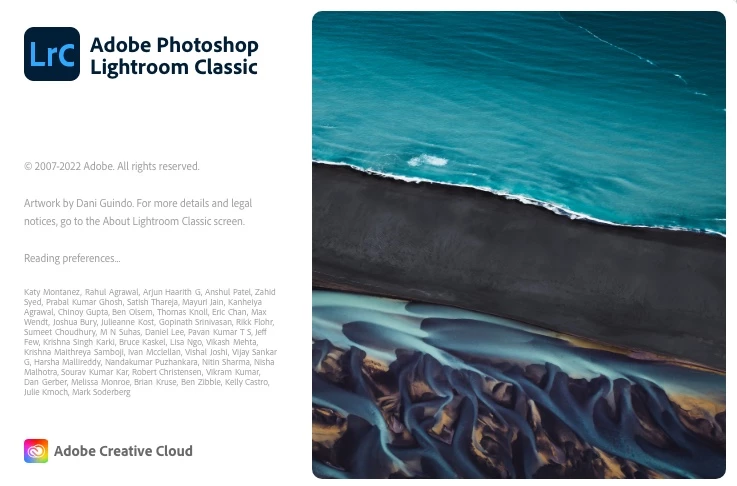
Last night while working on some dng's in LR I was going to open on in PS but got a dialog box that said ACR should be updating or such. I closed LR and updating using creative cloud. When I went to launch LR it just stalls at the boot screen(beachball of death). I have deleted LR prefs (Lightroom Classic CC 7 Startup Preferences.agprefs) and even deleted all Adobe apps(about 10 of them) including CC then reinstalled and tried installing LR again but the same stall happens. I have tried installing all previous v12 versions and they all stall out at the same point.
Frustrated as I have 4000 images to edit this weekend.
This topic has been closed for replies.

3 replies

GoldingD
Legend
March 18, 2023

Reading Preferences

Stuck

Have you considered resetting the preference file?


https://www.lightroomqueen.com/how-do-i-reset-lightrooms-preferences/

robdurstonphoto
Participant
March 18, 2023

Hi

Thanks, I did delete all the prefs, everything all the way back. I did keep a zipped copy in case but there are no files left in the folder for LR to see. I rebooted the Mac, downloaded LR 11.5 and it launched with no problems. I quit LR and then launched it again and selected "Check for updates" under the help header. I downloaded V12.2.1. I then rebooted the Mac again and then launched LR 12.2.1, it immediately hung just like before.
Seriously frustrated and not looking forward to spending hours on the phone with Adobe on Monday.

DdeGannes
Community Expert
Community Expert
March 18, 2023

@robdurstonphoto , you stated "I rebooted the Mac, downloaded LR 11.5 and it launched with no problems.".

To me this suggests that the LrC v 11 Catalog is working fine. Possibly the copy of the v 11 Catalog to v 12 did not complete satisfactory.

If LrC v12 is still installed locate the folder where your Catalog files are located and double click on the LrC 11 Catalog file (it will have an extension .lrcat (LRCAT) this should boot LrC 12 and offer to update the LrC 11 Catalog. This should copy the Catalog and create a new LrC 12 Catalog.


Regards, Denis: iMac 27” mid-2015, macOS 11.7.10 Big Sur; 2TB SSD, 24 GB Ram, GPU 2 GB; LrC 12.5,; Lr 6.5, PS 24.7,; ACR 15.5,; (also Laptop Win 11, ver 24H2, LrC 15.0.1, PS 27.0; ) Camera Oly OM-D E-M1.
robdurstonphoto
Participant
March 18, 2023

Yes, all adobe products have full disk access, thanks


DdeGannes
Community Expert
Community Expert
March 18, 2023

Make sure that you have granted " Full Disk Access " to your Adobe applications in your Apple > Preferences > Security & Privacy settings. See the screen capture.


Regards, Denis: iMac 27” mid-2015, macOS 11.7.10 Big Sur; 2TB SSD, 24 GB Ram, GPU 2 GB; LrC 12.5,; Lr 6.5, PS 24.7,; ACR 15.5,; (also Laptop Win 11, ver 24H2, LrC 15.0.1, PS 27.0; ) Camera Oly OM-D E-M1.