
Answered
LRC 13.3 Unable to Upgrade Catalog
Got this after upgrading to LRC 13.3.
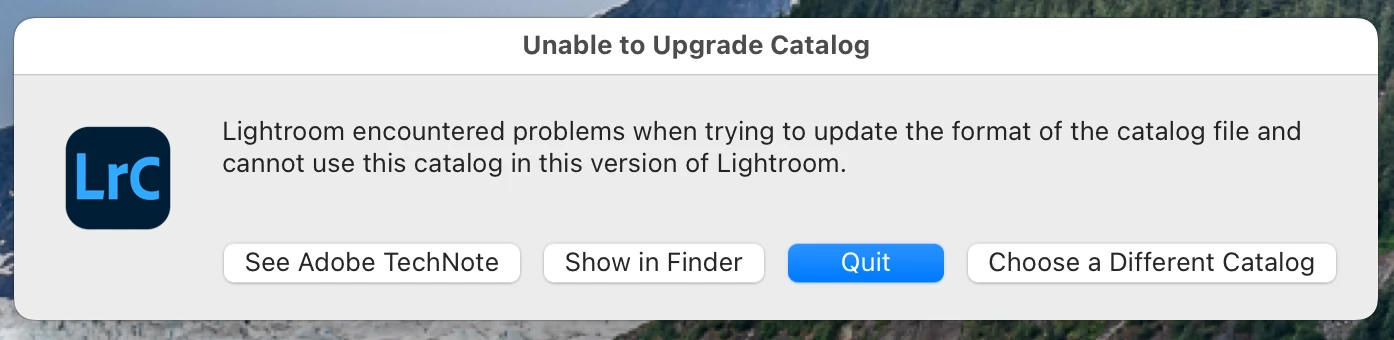
Is the catalog okay to use if I reverse the upgrade? How do I know why this happened so I can fix it?
I am using macOS 13.5.2

Got this after upgrading to LRC 13.3.
Is the catalog okay to use if I reverse the upgrade? How do I know why this happened so I can fix it?
I am using macOS 13.5.2
Does the Adobe Tech Note linked by the first button say anything useful?
Lightroom Classic upgrades a copy of the existing catalog, so even if something goes wrong like this, the version 13 catalog should still be in that same folder, unchanged. You can use the Creative Cloud app to uninstall 13.3, then select 13.2 or earlier to be installed.
After reinstalling 13.2 and opening the version 13 catalog, it’s a good idea to choose File > Optimize Catalog in case that clears up any catalog database problems that prevented the upgrade. At that point you can just stay on 13.2 for a while, or try upgrading to 13.3 again.
Already have an account? Login
Enter your E-mail address. We'll send you an e-mail with instructions to reset your password.
 AdChoices