
Copy link to clipboard
Copied
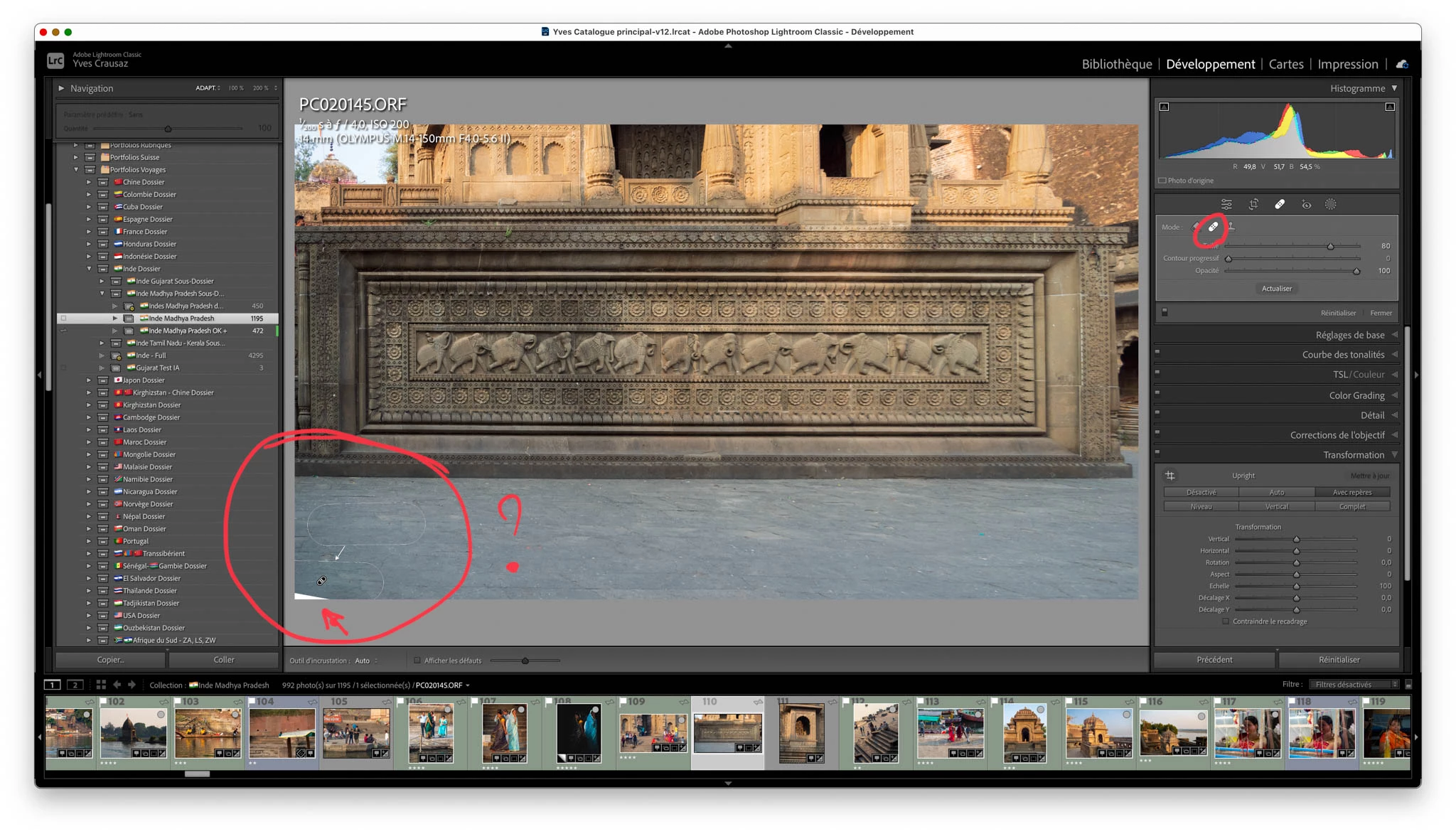
LrC 12.2 macOS 13.2.1 sur Mac M1 - Correcteur - ne corrige pas si appliqué sur une partie de l'image transparente.
Je Transforme mon image originale, une fois tranformée, mon image présente une partie transparante dans un angle, à l'aide du correcteur, je souhaite remplacer ce conteneu par une partie d'image présentant le même dessins, ça ne fonctionne pas, cette partie reste transparante ! Voir la copie d'écran jointe
Copy link to clipboard
Copied
The transparent part of the image cannot be replaced with non-transparent parts of the image. As far as I know, this is not a bug, this is the way Lightroom Classic was designed to work. You will have to crop to remove the transparent part of the image.
Copy link to clipboard
Copied
Lightroom-Classic does not 'recognise' or 'understand' transparent areas without pixels (Clone & Spot removal do not work). Only [Constrain Crop] will crop an image to remove transparent areas.
Better to send the file to Photoshop and do a 'Content Aware' fill- much better!
Find more inspiration, events, and resources on the new Adobe Community
Explore Now