Participating Frequently
June 29, 2023
Answered

LRC divided a source folder in two without reason

  • June 29, 2023
  • 1 reply
  • 383 views

Hello, 

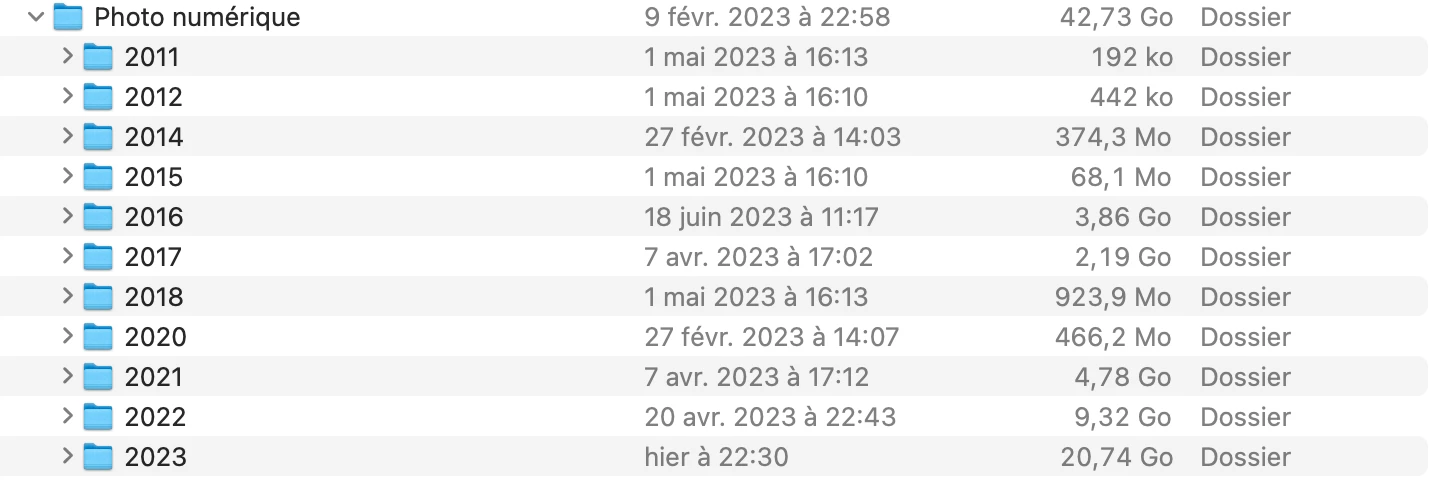
I encounter a bug I can't manage to fix with Lightroom classic. My folder structure on my computer is as following ; in the "user/picture" of macos I created a "digital picture" folder, organized in subfolders by year. 


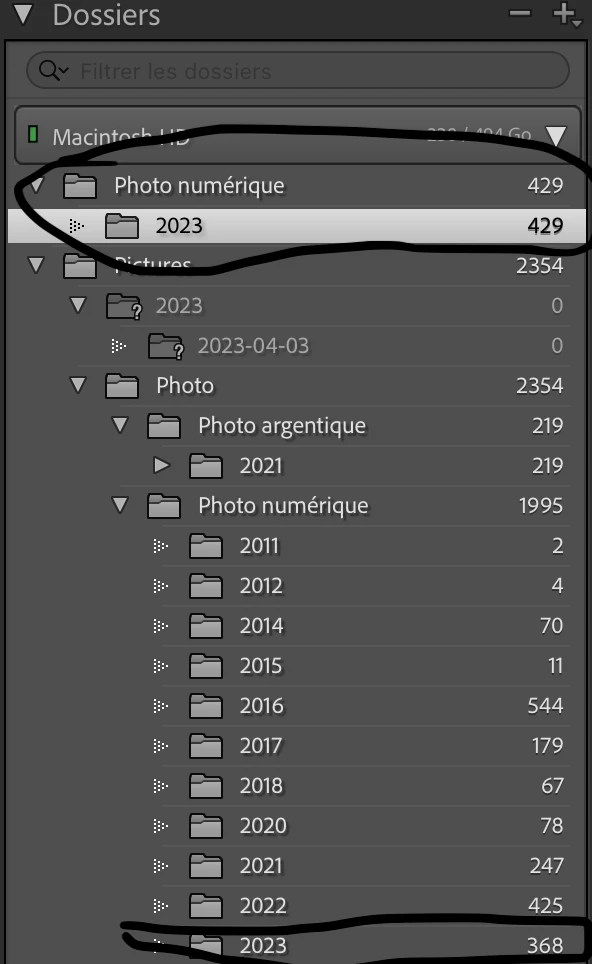
I've never changed this and it was appearing as such in Lightroom left bar. A couple weeks ago Lightroom removed 300 pictures from the 2023 subfolder (in lightroom) and created a new folder following the exact same path. So I have now two separate 2023 folders in Lightroom, originating from the exact same 2023 folder on my computer. 

I checked and all the pictures are still in the ONE and ONLY "2023" subfolder on my computer, but for some reason Lightroom just splits it on the Lightroom interface. 

I can't reunite them, when I try to put the splitted 2023 folder into the other Lightroom says "an unknown error happened'. I guess the error is that it is impossible to move 2023 into 2023 as it is the SAME folder in the computer. 


I can't seem to find any similar case online. You'll see here attached a screen of the folder structures in lightroom, the duplicated one is at the very bottom (sorry it is in french), and the source folder in my computer. 


Any help would be welcome ! Cheers  

This topic has been closed for replies.
Correct answer dj_paige

This is the capitalization error. See https://www.lightroomqueen.com/capitalization-catalog-error/

1 reply

Participating Frequently
June 29, 2023

I made a mistake in previous post, screen is not really easily understandable so I made another one. 

The yellow underlined 2023 folder is the normal one, the red underlined one is the duplicate LRC created recently. 

As you can see the two blue underlined folders shouldn't be shown in two places in LRC as it is the SAME folder in my computer. 


dj_paige
dj_paigeCorrect answer
Legend
June 29, 2023
dj_paige
Legend
June 29, 2023

Thank you so much for your help, I'll try this evening. I seems I couldn't find anything similar because I couldn't think of the right keywords. 


Also, I think I understand why it is messed up. The capitalization discrepancy comes from the user name, one is "Nino" other is "nino". 

Do you have any idea how to correct this ? I need to name user folder "Nino" again but can't modify the macOS user's folder name ?

Otherwise I guess the issue will arise again. 


Do you have any idea how to correct this ?


The steps to fix it are at the link I gave.