
LrC edit (photos located on NAS) on Desktop and laptop?
Hi,
I'm fresh subscriber of photo package in Adobe.
I have my RAW files on NAS.
And I've beeh hapily editing them in LrC by adding a folder as on screenshot
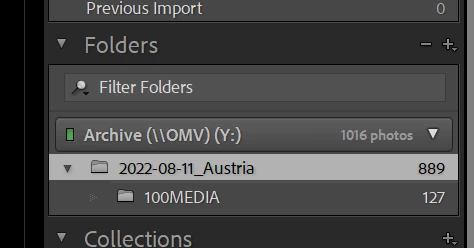
Two side notes: 1) I'm generally not (or was not) interested in Catalogues or any other forms of organization/colletion of photos as I'm pretty happy as they are organized in folders on NAS. And so I found it very convinient to add a folder where photos are and just edit them in LrC, export (e.g. JPGs) somewhere else also on NAS. 2) And did assume that .dng files contain all the changes (history) and for that reason I believed that when I don't want to sit by my desktop I can edit same files (on NAS) from ly laptop. By editing same files I mean continue editing them on laptop from the state I saved them on desktop.
Apparently that isn't the case 🙂
So the qustion is:
Given that I bring my RAW files to LrC by adding a folder. What are my options to see/pick my edits on my second computer? If it is somehow important I do not need to edit on both computers at the same time - I'll be just happy to iterate one-another-one-another. I'd be ok to saving "something" to NAS whenever I want to switch and then read that "something" from another computer, as long as I can save it on NAS. It would be very uncomfortable to work on laptop with attached to in externad disk.
Thank you for helping.
Technical details:
Windows,
Lr, LrC, Photoshop are updated to the latest version as per today.
 AdChoices