ben446
Inspiring
April 2, 2025
Answered

LRC preset shows as custom not camera under quick develop

  • April 2, 2025
  • 1 reply
  • 221 views

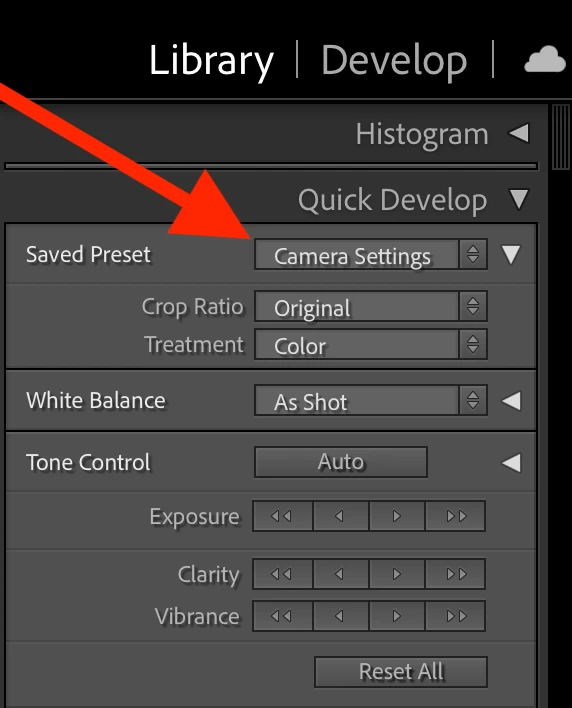
All imports in LRC are Presets / Camera Settings / Camera: Camera XYZ / Default: Camera Settings

Camera Settings preset applies correctly.

Meta Data shows correct camera.


For

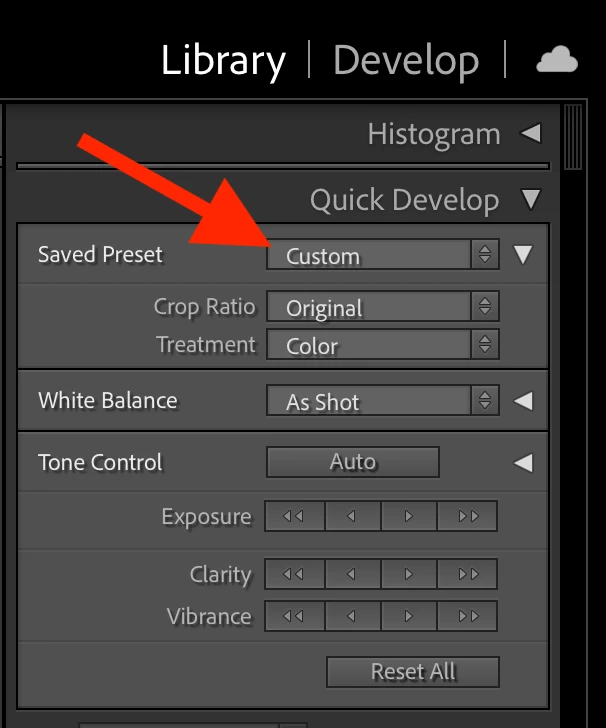
Library / Quick Develop / Saved Preset / Custom


Anyway to make this show


Library / Quick Develop / Saved Preset / Camera XYZ
 

Correct answer ben446

Ok - User Error

When Importing, I was not selecting Apply Durring Import / Develop Settings / Camera Settings

I thought setting all that up in Preferences would mean it would happen automatically.  

Sorry for the confusion.

1 reply

CMass
Community Manager
Community Manager
April 2, 2025

Hey @ben446

Have you made any edits to these images in Lightroom or another app?


^CM

ben446
ben446Author
Inspiring
April 3, 2025

No edits but I see where you are going with that train of thought. I looked at some files from another camera with the same workflow and those unedited pics show: Library / Quick Develop / Saved Preset / Default Settings


So better? but still not the information I am looking for.  If its just an unrealized feature, maybe they could keep the Preset name and just add Custom to it so you know what it is based on. Also it would be really helpfull to see that info in Develop View Options


ben446
ben446AuthorCorrect answer
Inspiring
April 3, 2025

Ok - User Error

When Importing, I was not selecting Apply Durring Import / Develop Settings / Camera Settings

I thought setting all that up in Preferences would mean it would happen automatically.  

Sorry for the confusion.