
Answered

Open Preferences from the Edit menu. Go to the Presets tab. About halfway down is a button called 'Show Lightroom Develop Presets'. Press this to go to the Settings folder which contains all the presets added to Lightroom. 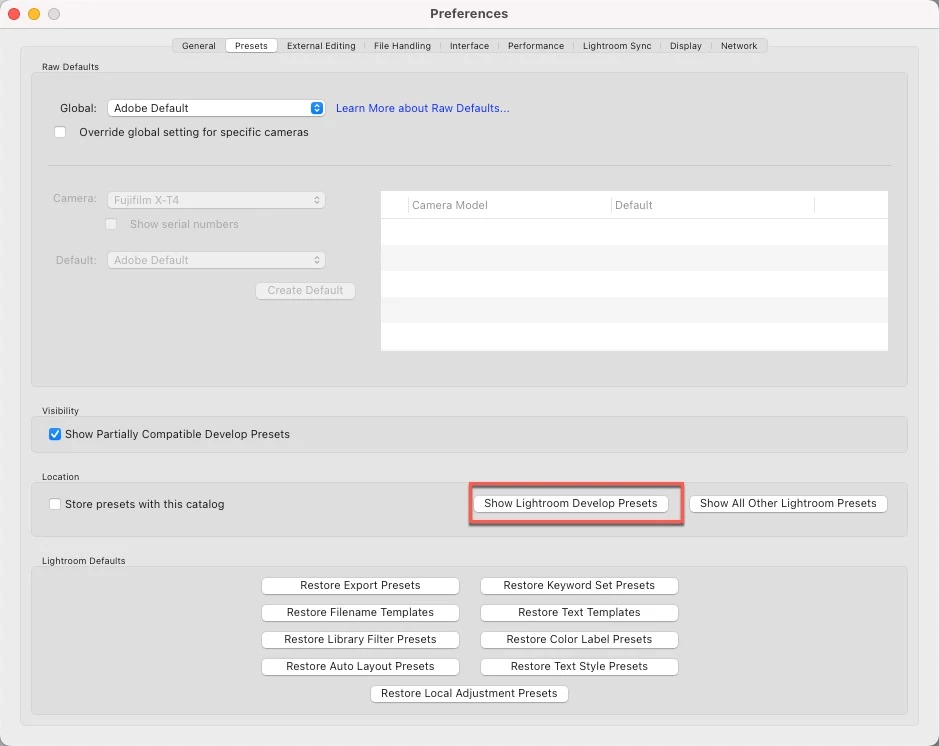
Already have an account? Login
Enter your E-mail address. We'll send you an e-mail with instructions to reset your password.
 AdChoices