
M1 MBP with XDR display: Lightroom Classic renders photos too dark
Hello,
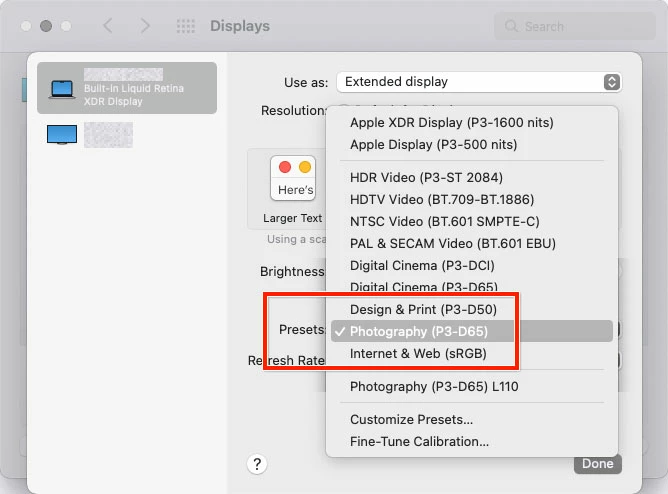
One of my friends has asked me for help because on their 2021 M1 Macbook Pro with XDR display, Lightroom Classic renders the photos too dark on screen, in both Library and Develop.
The exported photos, when viewed with Preview, are brighter — and, as it turns out, correct: I verified this by exporting the same file on my 2019 Intel iMac. The two exported files side by side are identical.
Since there's no difference between what I see in LRC on my machine vs the exported file, I would assume that this has something to do with Apple's new/changed color management on the XDR displays of the M1 MBP models?
For what it's worth, in addition to the MBP's internal display there's also an external monitor attached to the machine, and LRC's rendition of the photos is too dark on that one, too.
I would appreciate some pointers in the right direction... 🙂
Thanks
Alex.
 AdChoices