
[macOS] Folder view only shows the root (/) folder
Hi,
formerly (until a certain point in 2022) LR Classic CC showed my chosen folders, separated by volume, in the folder view: on top level the volumes, on the next levels each chosen folder. When I wanted to access a particular volume or folder, I found it with one or two mouse clicks.
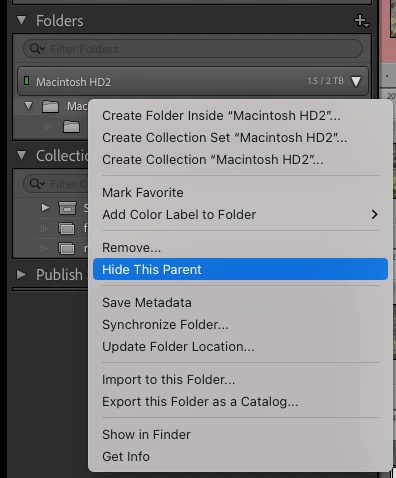
Since 2022 I face the following problem on macOS 12.6 and now 13.1: The top level contains only one volume: my internal Macintosh HD and below folders like "Users", "Volumes" and below "Volumes" each external volume as part of this tree. Now, when I want to access any of my image folders, I always have to navigate down this file tree with many mouse clicks.
I always tried to remove the Macintosh HD from the folder view and reimport the desired folders, but to no avail. The Macintosh HD can't be removed, and reimporting any folder will not show it in the folder view.
What can I do to return to the former, easily usable view?
Thank you in advance.


 AdChoices