
Masking and Adaptive presets not working or unreliable
Hi,
I updated to LrC 23 days ago and started experiencing a lot if reliability issues with Masking and Adaptive Presets (moslty selecting subject and background) after about 15 days of use. I did a lot of editing during those first 15 days and had zero issues. It is to the point now that Masking and Adaptive Presets (selecting subject and background) rarely do what they are supposed to and I get error messages. When it does work it misses badly and ends up being a blob of a selection for the backgound or subject.
Error message 1.
Selcting an Adaptive presest I get the pop up error message "Your edits were applied, but updating AI setting may take some time" There a is progress bar but it just hangs and I have to force quit the program eventually.
Error message 2.
Selecting a Mask such as Subject or Background I get the pop up error message "Something went wrong, there was an unexpected error and your request could not be completed."
I searched the forums here and could not find anything that helped. Hoping to get some community help as my edits are starting to pile up!!! Thanks!
Here is my system info.
Lightroom Classic version: 12.0.1 [ 202210260744-9e008017 ]
License: Creative Cloud
Language setting: en-US
Operating system: Mac OS 13
Version: 13.0.1 [22A400]
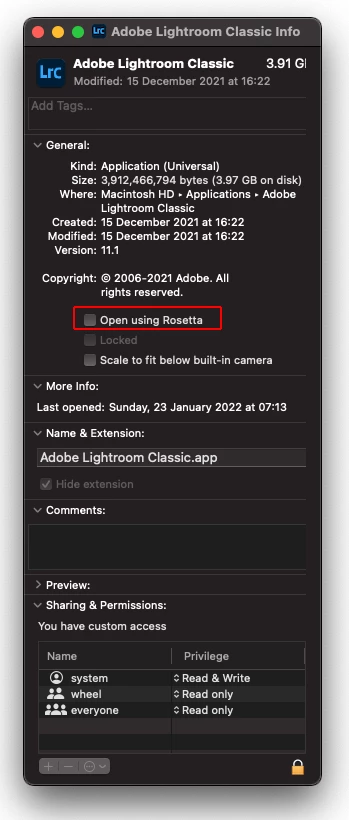
Application architecture: x64 (emulated)
Logical processor count: 10
Processor speed: 2.4GHz
SqLite Version: 3.36.0
Built-in memory: 16,384.0 MB
Real memory available to Lightroom: 16,384.0 MB
Real memory used by Lightroom: 260.8 MB (1.5%)
Virtual memory used by Lightroom: 49,465.2 MB
Memory cache size: 281.3MB
Internal Camera Raw version: 15.0 [ 1261 ]
Maximum thread count used by Camera Raw: 5
Camera Raw SIMD optimization: SSE2
Camera Raw virtual memory: 1759MB / 8191MB (21%)
Camera Raw real memory: 1913MB / 16384MB (11%)
Standard Preview Size: 3024 pixels
Displays: 1) 3024x1964
Graphics Processor Info:
Metal: Apple M1 Pro
Init State: GPU for Export supported by default
User Preference: Off
Application folder: /Applications/Adobe Lightroom Classic
Library Path: /Users/blainewood/Pictures/New catalog/New catalog.lrcat
Settings Folder: /Users/blainewood/Library/Application Support/Adobe/Lightroom
Installed Plugins:
1) AdobeStock
2) Aperture/iPhoto Importer Plug-in
3) Flickr
4) Nikon Tether Plugin
Config.lua flags: None
 AdChoices