Answered
Match Total Exposures – Error
Hello!
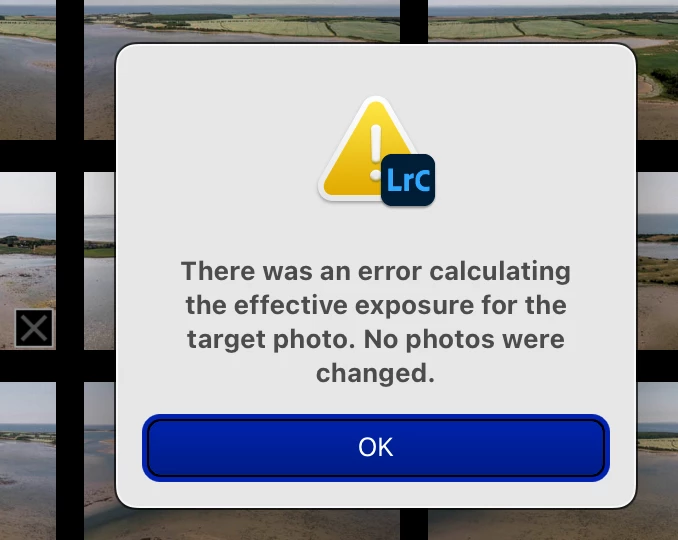
Does anyone know of a solution for this error message in Develop settings/"Match Total Exposures"?
Ligtroom Classic Release 12.3, Camera Raw 15.3, Apple M1 Max, MacBookPro, macOS Ventura V. 13.4

Hello!
Does anyone know of a solution for this error message in Develop settings/"Match Total Exposures"?
Ligtroom Classic Release 12.3, Camera Raw 15.3, Apple M1 Max, MacBookPro, macOS Ventura V. 13.4
You can get that error if the photo is missing EXIF shutter speed, aperture, and/or ISO. Select each of the photos in turn and look in the Metadata panel to ensure that LR is displaying values for those fields.
Already have an account? Login
Enter your E-mail address. We'll send you an e-mail with instructions to reset your password.
 AdChoices