



Mid-2015 MacBook Pro Retina 400-500% CPU in Lightroom (fans full blast)
Need some help and/or advice. I tired searching the forum for CPU issues but none seem to be updated or resolved.
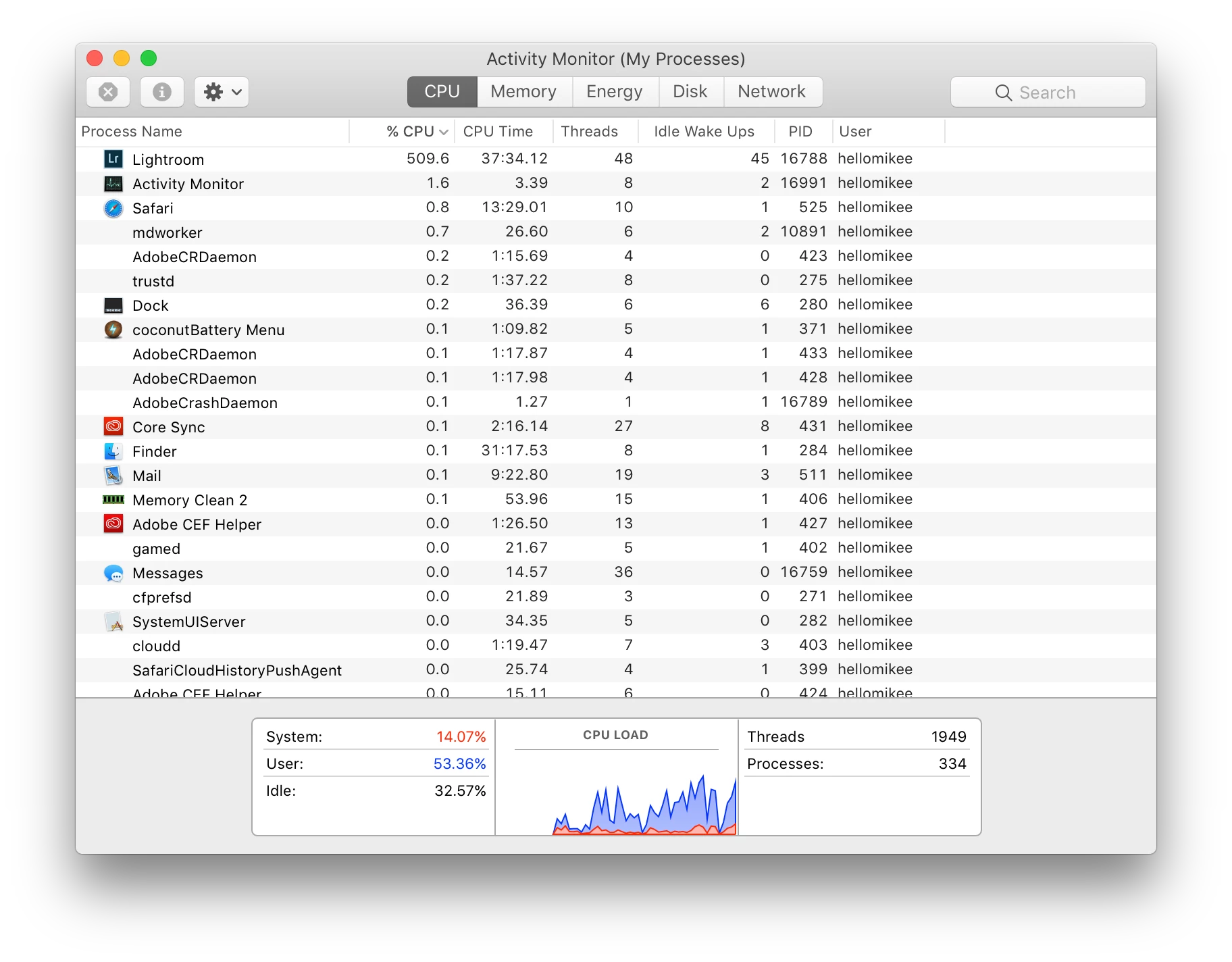
While in Lightroom when I'm doing edits in the develop mode, my fans go full blast and CPU in the activity monitor jump to 400-500% usage after literally just 1-2 minutes. I'm not doing anything extensive other than basic edits in exposure, contrast, highlights, curves, colors, etc. Will sometimes use presets. I'll sync edits between photos and such.
Even if my edit are in place and I'm just browsing going from picture to picture in the develop module, CPU and fans go crazy.
I'm working with Sony raw files. Address lookup and face detection disabled. Checking or unchecking Use Graphics Processor yields no difference.
Never had a problem with my older 2012 MBPr. That laptop would take a good 30 minutes to an hour before the fans really started going and even then, it wasn't nearly as crazy as what my current laptop is doing.
Before installing my Adobe suite, I had Apple at my genius appointment reinstall a clean OS and run a diagnostics to make sure everything was ok. Everything checked out. I have since been on chat support and have run LR in safe mode with the same results. I've also recently run an online diagnostics test with them and no hardware issues or errors showed up.
My stats:
MacBook Pro (Retina, 15-inch, Mid 2015)
Running OS Sierra, version 10.12.3
2.5 GHz Intel Core i7
16 GB 1600 MHz DDR3
Intel Iris Pro 1536 MB
AMD Radeon R9 M370X
Lightroom CC
2015.9 Release
Camera raw 9.9
Please, if anyone has resolved this issue whether with Adobe or Apple please let me know. I hate that I'm putting such strain on this expensive machine for doing the basic editing tasks and tools of a photographer. I can't stop my workflow as my clients need their work delivered.
 AdChoices