Participating Frequently
August 14, 2023
Answered

Migration catalogue bogue

  • August 14, 2023
  • 2 replies
  • 362 views

Bonjour à tous,

Windows 10.

j'utilisais une version 5.7  catalogue 1,6Go

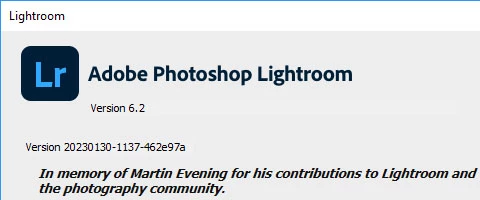
J'avais une version 6.2 avec catalogue sur le cloud que je viens seulement d'installer.

La conversion du catalogue est impossible pb de version nécessitant la version 6.0

J'ai la 6.0 sans licence que j'installe avec essais 30j et là le catalogue se converti bien de 5.7 à 6.0 

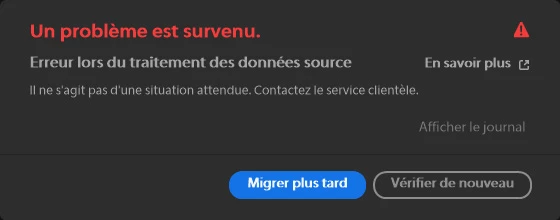
Dans la 6.2 => fonction migration il accepte le catalogue 6.0 et commence la migration il progresse jusqu'à 3% et environ 47.220 enregistrement et il ya plantage avec le message situation inattendue voulez vous réessayer ou refaire plus tard.

Tous les essais amène au même stade 3% 47.220 enregistrement.

j'ai la place sur C: 45Go disponible (il semble qu'on ait pas le choix !!)  photos sur un drive de 5To séparé, les paramètres en 6.2 indiquent que je veux 1 copie de mes photos à cet endroit. 

Des idées ?
This topic has been closed for replies.
Correct answer dj_paige


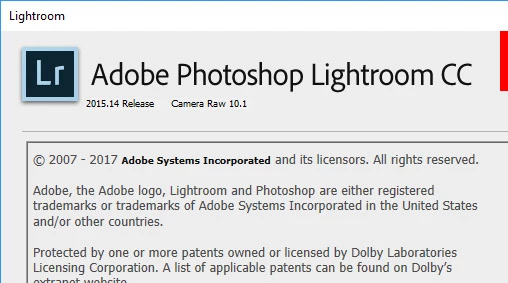
here is the 6.0 or 6.14 I used to to convert my 5.7 catalog  installed as a30 days test

The 6.2 licence I got unfortunately with a cloud catalog which in the migration progress at 3% pops up the folowing message

The screen with the error message.


It still seems to me you have the wrong software. You do not want to upgrade to Lightroom 6.2, this is the wrong software to upgrade to; instead, you want Lightroom Classic 12.4, and then the catalog conversion would happen very easily.

2 replies

Ian Lyons
Community Expert
Community Expert
August 14, 2023

>  version 6.2


You may need to update to Lightroom 6.14 from below link. 


https://prodesigntools.com/adobe-lightroom-6-cc-direct-download-links.html


Note that above is a legitimate source for older versions of Lightroom.


If above doesn't solve your issue, then have a look at the link I've provided below that deals with Lightroom 6 installation/activation issues. You may find a solution on the last page (20) otherwise contact @CMass  


https://community.adobe.com/t5/lightroom-classic-discussions/p-activation-or-deactivation-versions-of-lightroom-6/td-p/12358851/page/20

PHBFRAuthor
Participating Frequently
August 14, 2023

Thank you.


I am downloading the legitimate 6.14  and let you know.


I fear I will hate the cloud versions !


PHBFRAuthor
Participating Frequently
August 15, 2023

It still seems to me you have the wrong software. You do not want to upgrade to Lightroom 6.2, this is the wrong software to upgrade to; instead, you want Lightroom Classic 12.4, and then the catalog conversion would happen very easily.


You are right and the conversion works.


Thanks

Rikk Flohr_Photography
Community Manager
August 14, 2023

Bugs are not fileable on very old versions of Lightroom - moving to discussions.

Rikk Flohr: Adobe Photography Org