New Participant
December 21, 2022
Question

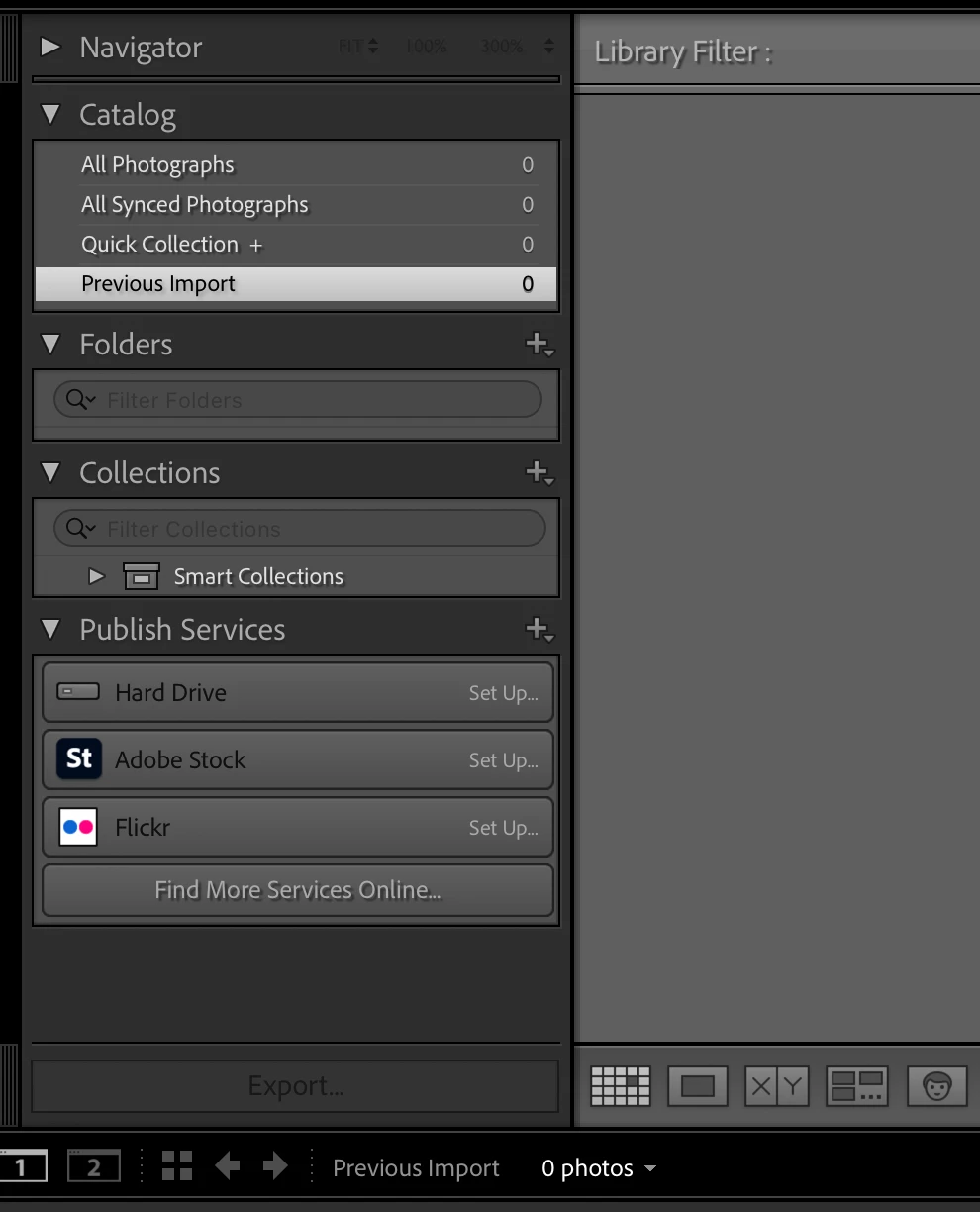
My 'import' button has dissapeared

  • December 21, 2022
  • 1 reply
  • 828 views

As shown in the screenshot, there is no option to import any photos, I cant even drag and drop to import. 

Any help would be great!
This topic has been closed for replies.

1 reply

johnrellis
Brainiac
December 21, 2022

1. Make sure you've granted LR Full Disk Access (not Files And Folders) permission:

https://community.adobe.com/t5/lightroom-classic-discussions/quick-tips-how-to-give-full-disk-access-to-lightroom-classic-on-macos/td-p/12913413


2. Try resetting LR's preferences:
https://www.lightroomqueen.com/articles-page/how-do-i-reset-lightrooms-preferences/


LR sometimes soils its preferences file, and resetting it can fix all sorts of wonky behavior. That article explains how to restore the old preferences if resetting doesn't help.

New Participant
December 22, 2022

Thanks for the tips!


I have tried both options and it's still missing... so frustrating. 

Brainiac
December 22, 2022

Sitting here at work, without Lightroom Classic on my work computer, it seems to me you need to be in the Library Module to have Import appear. You are not in the Library Module. (Of course, maybe that's wrong, if only I had LightrooM Classic on this computer I'd know for sure, but you can test this out in approximately 5.348 seconds...)


Also, try Ctrl-Shift-I (That's the Windows shortcut, the Mac shortcut is similar, but I don't know what the equivalent of Ctrl is on a Mac)
